Picture this: your client shares a gallery link after an event and… crickets. People open it, scroll for 10 seconds, and bounce. Today’s viewer expects a mobile-first event photo gallery that loads fast, feels tactile (swipe, double-tap, share), and surfaces the right photos instantly — just like the apps they already use.
If your gallery still behaves like a folder dump, you’re not “delivering photos.” You’re asking attention to do heavy lifting.
And attention is expensive now. People don’t “browse” event galleries the way they used to. They sample. If the first 10 seconds don’t feel smooth, relevant, and personal, they leave—quietly.
That’s why the best platforms today aren’t just storage links. They’re built like experiences: fast, mobile-first, privacy-safe, and designed for scale. In other words, they function as the best photo gallery for high volume events—because they match how people actually view and share photos now.
The problem: slow, folder-style galleries lose attention
Traditional galleries mimic desktop logic: albums, nested folders, rows of tiny thumbnails. That model assumes a patient, searching user. Reality: guests are distracted, time-poor, and mobile-first.
Common failure modes:
- Long load times → immediate drop-off
- Page-level navigation (open folder → back → open another) → friction
- No “find my photos” → guests leave and share nothing
A simple truth: if discovery isn’t instant, the gallery becomes forgettable — even if the photos are great.
Even worse: when discovery fails, the “support” starts. Guests don’t complain about UX. They message the couple. They DM the photographer. They ask the planner. And suddenly delivery becomes a helpdesk.
That’s one reason instant photo sharing with QR code has become so popular in real events. It removes the first barrier—access. Guests don’t need to save a link, search WhatsApp, or ask for the gallery again. They scan, open, and start.
But access alone isn’t enough. Once they enter the gallery, the experience has to hold them.
Behavior shift: mobile-first + fast discovery
How people consume event photos today:
- They swipe, not click
- They expect immediate recognition (faces, moments, familiar people)
- They share quickly to stories and messages — so sharing must be effortless
- They want relevance fast (“me with the CEO”, “bride entry”, “stage shots”)
Design implications for modern galleries:
- Full-bleed, fast-loading images with smooth transitions
- Gesture-friendly UI: swipe, pinch to zoom, tap to like/favorite
- AI-backed discovery: face recognition, moment grouping, and smart search so users find what matters in seconds
This is what defines a modern event photo viewing experience — and why teams are upgrading to mobile-first event photo gallery design.
It’s also why “link-only delivery” feels outdated. In 2026, people want:
✅ instant entry
✅ instant relevance
✅ instant sharing
✅ zero friction
This is the new standard for the best photo gallery for high volume events—not just to handle volume technically, but to keep the experience smooth even when thousands of photos are uploaded.
Before/after: endless scrolling vs “Find my photos” on Kamero
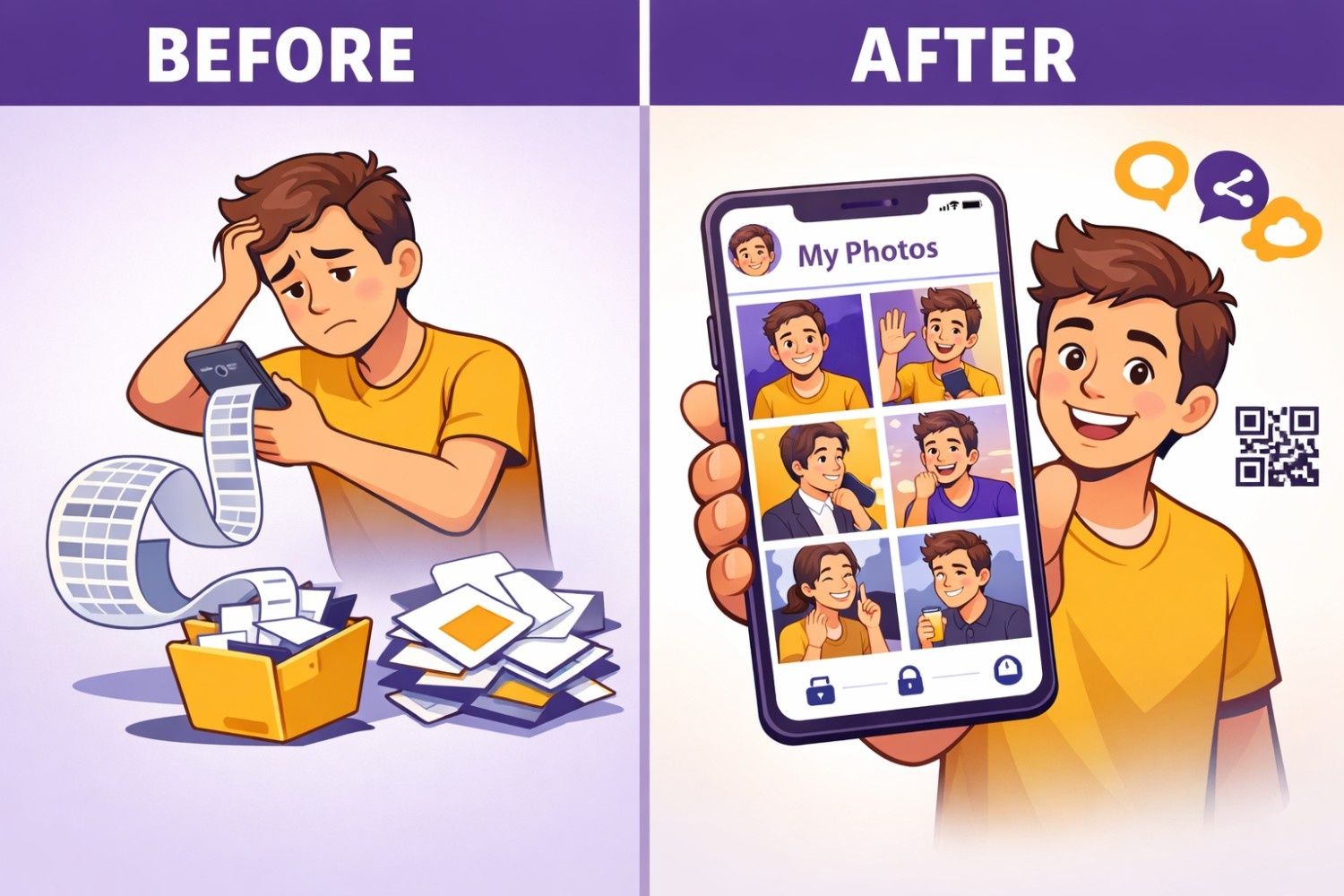
Before (folder-style delivery): Guests open a shared link, see thousands of thumbnails, scroll for a bit, and give up. They can’t quickly spot themselves, so they don’t download much—and they rarely share.
After (Kamero-style discovery): Guests scan the event QR, take a selfie, and instantly see a personal gallery of photos they appear in. From there, sharing becomes natural—because the gallery already did the hard work of filtering.
This is the key shift: the gallery stops being a library and starts acting like a concierge.
And this flow works even when you want share photos without app download. Guests shouldn’t be forced into installing something just to see their own moments. If they can open instantly in a browser, participation shoots up.
What makes this “after” possible on Kamero:
- AI Face Recognition: selfie → “my photos” in seconds (no manual tagging or sorting needed)
- Guest-first access: quick entry designed for real events, mobile-first viewing and sharing
- Event structure that stays clean: albums/functions stay organized even with large volumes and multiple uploads
- Privacy controls: guests can be limited to their own photos, while select family/organizers can have broader access
- Brand-safe sharing: watermarking/controls so clients feel comfortable sharing widely
This is where a QR code face recognition gallery becomes powerful: it combines instant access (QR) with instant discovery (face recognition). Guests don’t browse. They arrive directly at “my photos.”
That’s modern viewing behavior solved in one flow.
Kamero-style gallery design: fast load, swipe UX, personalization
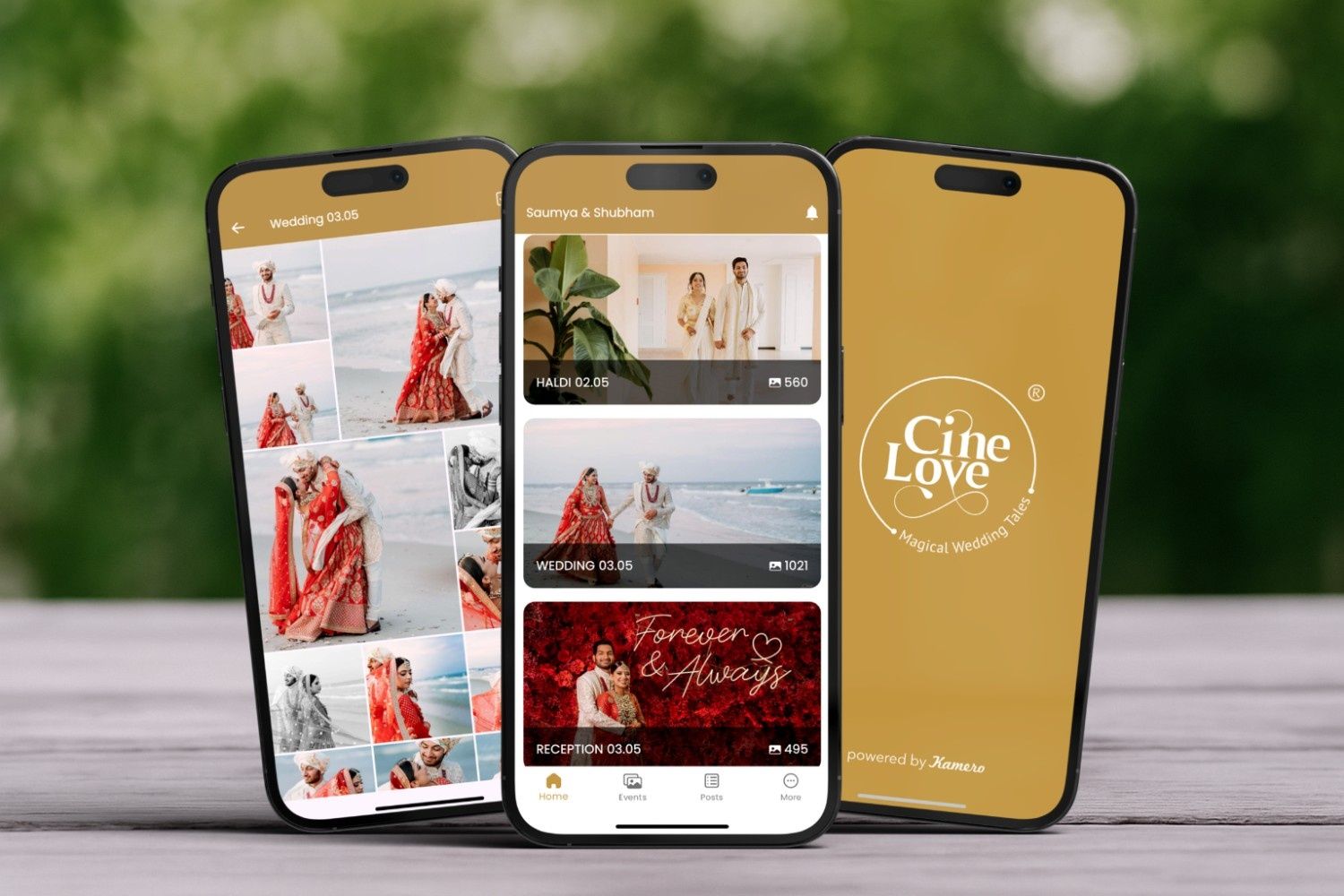
If you’re choosing an event photo sharing platform, these are the practical non-negotiables Kamero is built around:
Mobile-first viewing (because guests are on phones, not laptops)
Modern guests don’t open galleries the way they open folders. They treat galleries like apps: tap, swipe, share. Your gallery UI should respect that muscle memory.
That means:
- fast initial load
- smooth transitions
- full-screen viewing
- minimal clutter
- easy share actions
Personal discovery first (people want their photos, not all photos)
Guests aren’t trying to “see the whole event.” They’re trying to see themselves—and a few key moments. That’s why face recognition feels natural: it matches the core intent of the user.
A QR code face recognition gallery makes this even easier:
- scan QR
- selfie once
- instant personal album
Low-friction access (QR entry that works for crowds)
If your gallery relies on “message me for the link” or “check WhatsApp group,” you lose people. The best systems support instant photo sharing with QR code at scale—standees, table cards, stage banners, reception desk boards.
The less you make people “remember,” the more they participate.
Privacy that scales (controlled access built into the gallery, not managed manually)
One of the most underrated parts of modern delivery is privacy.
A privacy-first photo sharing app approach means:
- guests can be restricted to their own photos
- VIP/couple/family can have broader access
- downloads can be controlled
- sharing feels safe, not risky
Privacy isn’t just a setting. It’s a trust signal.
Designed for high volume (weddings, exhibitions, fests—where speed and structure matter)
A platform might look nice for 300 photos. The real test is 8,000, 15,000, 50,000+.
The best photo gallery for high volume events keeps:
- load times fast
- albums organized
- discovery instant
- sharing smooth
even when the event is huge.
Mini example (Kamero-style use case)
At a corporate exhibition, organizers shared exhibitor-specific access so each exhibitor could quickly view and share photos relevant to them—keeping engagement active across the week because discovery felt instant and personal.
This works because the gallery isn’t asking users to browse everything. It’s giving them what matters.
And because access can work in-browser, it supports share photos without app download—critical for exhibitions and conferences where people don’t want to install an app for a one-time event.
Outcome: more views, more shares, happier clients
When galleries match modern viewing habits, the business impact is clear:
- Higher first-week views
- More shares to social (organic promotion for your brand/event)
- Happier clients who feel value quickly
- Easier upsells: prints, albums, downloads, licenses
The hidden benefit? Fewer follow-ups. When the experience is smooth, people don’t message “where are my photos?” because they already found them.
And the faster the access, the more likely guests are to share while energy is still high—which is why instant photo sharing with QR code is so valuable. It doesn’t just improve access. It improves timing.
Quick metrics worth tracking
If you want to measure whether your gallery matches modern habits, track:
- Time-to-first-share (lower is better)
- % of guests who view within 48 hours
- Share rate per viewed photo
- Conversion to paid products (prints/downloads)
- % of guests using “find my photos” vs manual browsing
These numbers reveal the truth: whether your gallery is being experienced like an app—or ignored like a folder.
A privacy-first, mobile-first, QR-first system typically improves these metrics because it removes the two biggest drop-off points:
- access friction
- discovery friction
See what modern gallery design looks like in action
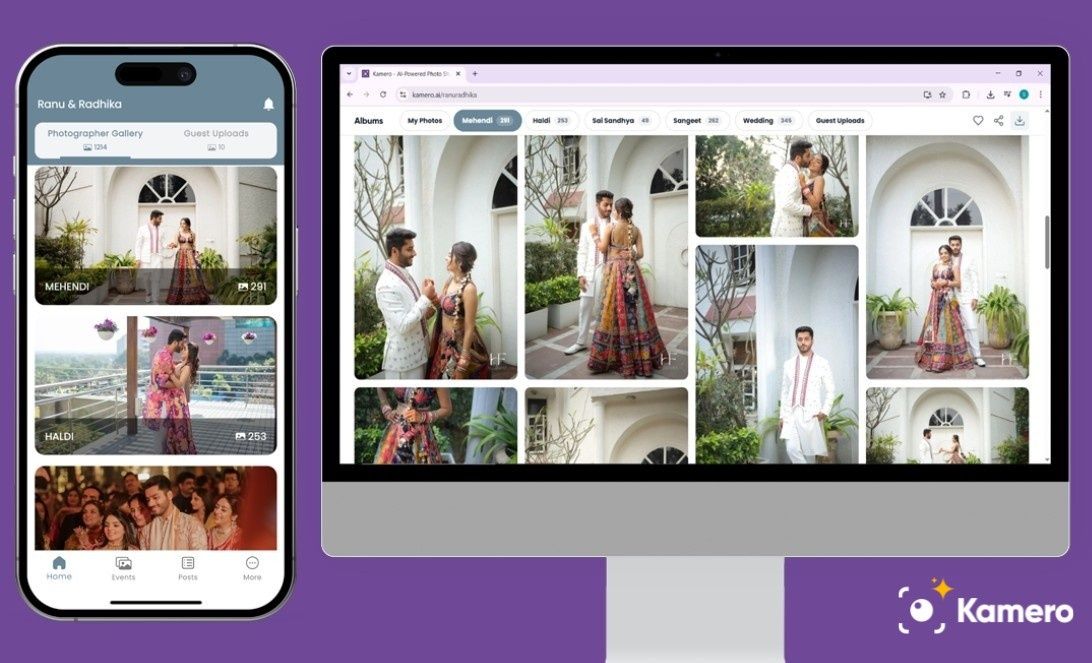
If your guests scroll like Instagram, your gallery should behave like it too—fast, mobile-first, and instantly personal.
Start with a live example:
📲 Open the gallery on the App
🌐 Open the gallery on Web
See how fast guests can find their photos and share instantly. ✨
Want the same experience for your events? ✅ Create your Kamero account
About Tanuj Thakkar
Hi! I’m Tanuj Thakkar – a BCA graduate from St. Xavier's College, Ahmedabad, with an endless curiosity for people, ideas, and stories. I’m passionate about sales, marketing, and finding creative ways to connect with people. Nothing excites me more than understanding what makes someone tick and turning that into solutions that actually make a difference.
When I’m not diving into strategies or brainstorming ideas, you’ll probably find me exploring new places, geeking out on tech and innovation, or having conversations that spark fresh perspectives.