Introduction: The Operational Ceiling of the Distributed Destination Studio
The Logistical Friction of Coordinating Decentralized Shooting Crews Across Geographies
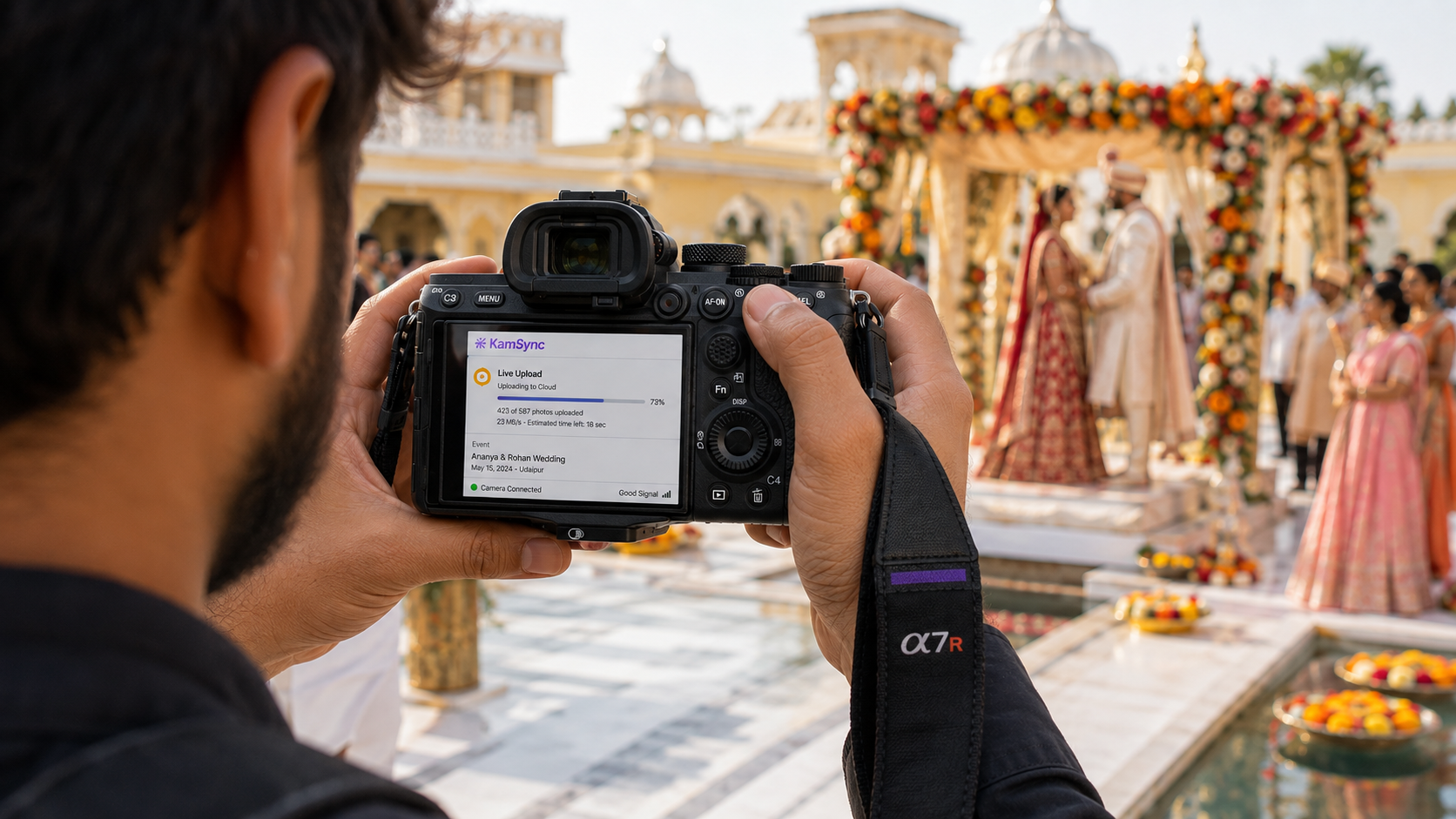
For premium wedding photography studios, scaling beyond a localized, solo-operator model introduces an aggressive layer of operational complexity. When a studio expands to handle multiple high-value destination weddings simultaneously—for instance, managing a principal crew in Udaipur while a secondary roster covers an event in Lake Como—the business shifts from a creative pursuit into a complex logistics operation. Coordinating decentralized crews across differing time zones, physical venues, and travel schedules creates immediate friction. Without unified orchestration, studio owners lose visibility into on-ground performance, leading to communication gaps, fragmented asset tracking, and a sharp decline in quality control.
Why Legacy Physical Media Hand-offs and Disjointed Communications Drain Studio Profitability
The traditional post-event workflow relies heavily on physical media. On-ground teams dump hundreds of gigabytes of RAW files onto local hard drives, which are then shipped via courier or manually transported back to a centralized editing office. This reliance on physical transit introduces major vulnerabilities. Shipping delays, damaged drives, and fragmented communication across platforms like WhatsApp, email, and WeTransfer create a disorganized operational loop.
This disconnected approach actively drains studio profitability. The administrative overhead required to track shipped drives, follow up on ingestion statuses, and resolve communication mismatches between remote shooters and in-house editors extends production timelines. Instead of focusing on booking high-margin client packages, studio management remains bogged down in manual file routing.
Shrinking the Delivery Turnaround Time (TTD) Matrix for High-Net-Worth Clientele
High-net-worth (HNW) clients and luxury event planners expect rapid delivery turnarounds. The emotional peak of a destination wedding occurs during the event and in the immediate 48 hours following the reception.
When a studio takes weeks or months to deliver initial highlights due to media transit delays, it misses this critical window of high emotional engagement. Shrinking the Time-To-Deliver (TTD) matrix is no longer a luxury; it is a core business requirement for studios aiming to protect their brand and secure organic referral networks. Delivering premium assets while the event is still fresh in the minds of guests transforms photo delivery from a delayed administrative task into an active marketing channel.
The Logistics Bottleneck: Why Destination Weddings Breakdown Post-Capture
The Nightmare of Decentralized Media Ingestion
Managing Fragmented File Trees and Lost Data Across Remote Physical Memory Cards
During a multi-day destination wedding, a distributed crew consisting of primary shooters, candid photographers, and cinematographers can generate tens of thousands of RAW files. When these assets remain scattered across dozens of physical SD and CFexpress cards held by remote team members, data fragmentation becomes a major issue.
Each photographer often utilizes their own preferred file-naming structures and card-clearing habits, resulting in fragmented file trees. This lack of standardization makes comprehensive cataloging nearly impossible during the initial ingestion phase, significantly increasing the risk of misplaced cards and accidental data overwrites.
Overcoming the Risk of Delayed On-Ground Backups at High-Pressure Destination Venues
The on-ground reality of a destination wedding involves high-pressure schedules, late-night wraps, and immediate travel turnarounds. Expecting exhausted photographers to manually back up dual-slot cards to local rugged drives in a hotel room at 2:00 AM creates an operational vulnerability.
Delayed backups leave irreplaceable client data vulnerable to card corruption, equipment theft, or physical damage during transit. If media ingestion is postponed until the team physically returns to the central studio, the entire production pipeline remains stalled, compounding data safety risks.
Communication Gaps Between On-Ground Crews and Centralized Editors
The Friction Point of Raw Assets Left Idling on Isolated Local Drives and Hotel Laptops
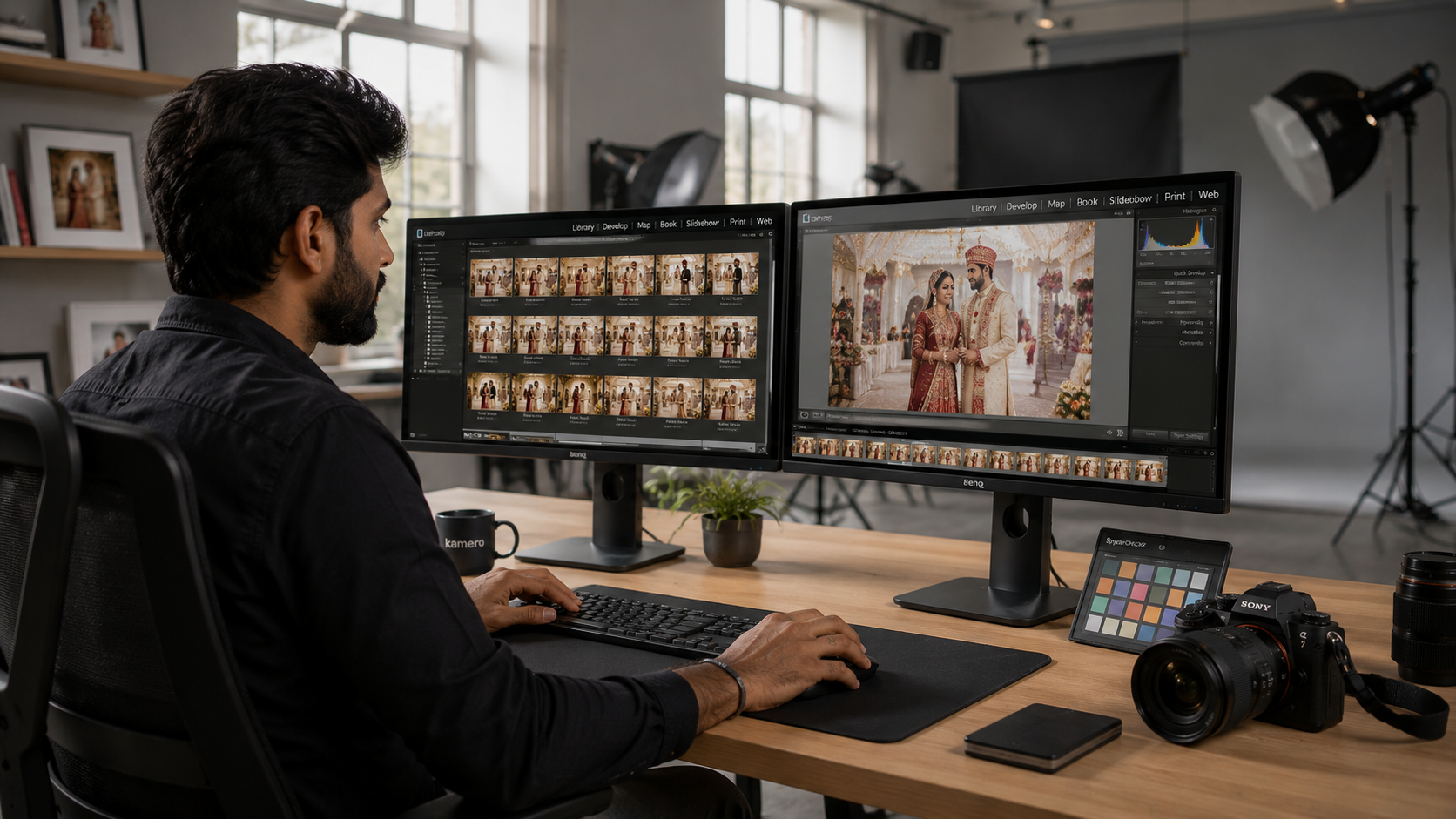
When assets are stored locally on field laptops or external drives, they remain completely isolated from the studio's centralized post-production pipeline. Remote editors cannot begin the crucial initial phases of culling, color grading, or highlight curation because they simply do not have access to the source files. This isolation creates an operational bottleneck where expensive post-production teams sit idle while raw data remains trapped in transit.
How Technical Asset Isolation Stalls High-Priority Culling and Light-Correction Timelines
Because editors cannot access the files in real time, the entire post-production timeline faces a major structural delay. A delay of three to five days just to ingest files means that basic culling and exposure correction are pushed back significantly. This asset isolation breaks the production line, preventing studios from establishing a predictable, standardized destination wedding photography workflow.
The Post-Production Turnaround Time (TTD) Penalty
How Structural Lags Alienate Luxury Clients and Stifle Organic Referral Loops
Luxury wedding clients pay premium rates and expect an elite service experience. When a studio experiences structural post-production delays, it creates immediate friction. Long wait times for initial image sets break client trust and damage the studio's reputation with luxury event planners—who are the primary drivers of high-value industry referrals.
Losing the Peak Emotional Engagement Window: The Revenue Cost of Post-Wedding Delivery Friction
When photo delivery is delayed by weeks, guests lose the impulse to share their images on social media or purchase physical keepsakes. This delay carries a direct financial cost. By failing to capitalize on the peak emotional engagement window, studios lose out on high-margin revenue streams, including print album upgrades, extended digital usage rights, and direct print sales to event attendees.
The Anatomy of a Centralized Media Pipeline for Multi-City Teams
Transitioning from Local Hardware to Cloud-Native Hubs
Replacing Physical Shipping Workflows with Scalable Cloud Repositories Built for 50 MB Assets
To scale effectively, multi-city operations must transition away from physical hardware dependencies and adopt cloud-native media pipelines. Instead of reliance on couriers, modern studios utilize centralized cloud repositories designed to handle large file sizes, including high-resolution RAW files up to 50 MB. By moving ingestion to the cloud, studios eliminate geographical barriers, allowing on-ground crews to upload directly to a centralized workspace accessible by any team member globally.
Protecting Original Resolution and Metadata Across Geographically Dispersed Team Uploads
A professional cloud pipeline ensures that high-resolution assets are preserved along with their native metadata, including EXIF data, camera profiles, and precise time stamps. This metadata preservation is critical for multi-camera synchronization, ensuring that assets uploaded from various global teams retain their structural integrity for complex color grading and archiving.
Re-Engineering the Multi-Day Event Folder Tree
Automating Hierarchical Asset Organization Across Overlapping Sub-Events (Mehndi, Sangeet, Reception)
Destination weddings often feature complex schedules with overlapping sub-events, such as the Mehndi, Sangeet, cocktail hours, and the main reception. A cloud-native workflow automates the creation of hierarchical folder trees based on pre-set event structures. As remote teams upload assets, files are automatically sorted into designated sub-event directories, removing the need for manual sorting by the editing team.
Eliminating Cross-Team Culling Errors Natively Inside the Delivery Infrastructure
Automated folder organization reduces the risk of human error during the culling process. Editors no longer have to guess which shooter captured a specific moment or which sub-event a file belongs to. By standardizing the folder structure directly within the delivery infrastructure, studios eliminate duplicate file sets and ensure a clean, accurate culling process.
Streamlining Global Studio Management Workflows
Collapsing Culling, Editing Transfers, and Client Feedback into a Single Operational System
True operational efficiency is achieved by consolidating the fragmented post-production toolchain. Instead of using separate applications for image hosting, file transfers, culling, client proofing, and final delivery, studios can handle the entire lifecycle within a single studio management software for photographers. This consolidation streamlines the process, allowing editors to cull, apply color corrections, collect client feedback, and deliver final galleries from one unified platform.
Eliminating the SaaS Toolchain Tax and Tool Overlap Costs for Distributed Networks
Operating a distributed studio network can quickly lead to high subscription costs when juggling multiple single-utility tools (e.g., Dropbox for storage, WeTransfer for sharing, Lightroom Web for proofing, and separate client gallery plugins). Consolidating these processes into a comprehensive platform eliminates this extra SaaS spend. This reduction in tool complexity lowers overhead costs while ensuring a more secure and consistent data workflow across all regional branches.
Setting Up Live FTP Media Streams from Remote Venues
Tapping Direct Hardware-Level Mirrorless FTP Engines to Stream to Cloud Storage Buckets
The modern standard for fast delivery relies on real-time camera-to-cloud workflows. By utilizing the native FTP background transfer engines built into professional mirrorless cameras (such as Sony, Canon, or Nikon), photographers can configure their hardware to stream images directly to cloud storage buckets the moment the shutter is pressed. This hardware-level integration bypasses the need for field laptops, card readers, or manual file management at the venue.
Eliminating On-Ground Data Cables and Manual Export Steps at the Point of Capture
Using wireless cloud synchronization entirely removes physical data cables and manual ingest procedures from the shooting environment. As the primary or candid shooters capture key moments, high-quality proxy files or full-resolution JPEGs route directly to the cloud platform via Kam-Sync (camera-to-cloud FTP). This allows remote editing teams to begin culling and initial light adjustments while the live event is actively taking place.
Mitigating Queue Back-Pressure in Weak Connectivity Locations
Leveraging System Offline Caching to Protect Data Integrity in Remote Heritage Venues
Destination weddings are frequently hosted in remote locations, such as heritage palaces, isolated beaches, or mountain resorts, where cellular networks can be unstable. To manage these environments, advanced camera-to-cloud pipelines utilize smart offline caching. If network connectivity drops, the transmission queue pauses, safely holding the pending assets in the camera's internal buffer or accompanying mobile app cache without data loss.
Utilizing Background Lazy-Loading Protocols to Ensure Smooth Field Performance Under High Network Concurrency
When network connections become available again, the system uses background lazy-loading protocols to resume uploads without disrupting camera performance. Data transmission occurs quietly in the background, balancing network usage to prevent connection overloads while ensuring that assets reach the centralized system as quickly as local conditions allow.
The 5500K Calibration Rule for Multi-Camera Synchronization
Enforcing Uniform Color Spaces and Metadata Baselines Across Secondary and Candid Roster Shooters
To manage a decentralized team effectively, visual output must remain consistent across all shooters. Studios should enforce strict configuration baselines across every camera on site. This includes synchronizing internal camera clocks to the exact second, enforcing matching color profiles (e.g., Adobe RGB), and establishing uniform custom white balance defaults (such as a baseline 5500K calibration rule for daylight events).
Securing Strict Structural Consistency Before Assets Reach the Centralized Remote Edit
Standardizing camera configurations ensures that when files from different shooters land in the cloud pipeline, they fit together seamlessly. Editors do not have to waste time adjusting mismatched timestamps or correcting completely different color spaces. This structural consistency accelerates the post-production pipeline, allowing remote teams to execute clean, unified edits across large collections of images.
Automating Client and Guest Distribution via Event-Scoped AI
Eradicating Manual Guest Culling with Vector-Based Face Recognition
The Mathematics of Scoped Facial Vectors Personalizing Live Individual Viewer Feeds Natively
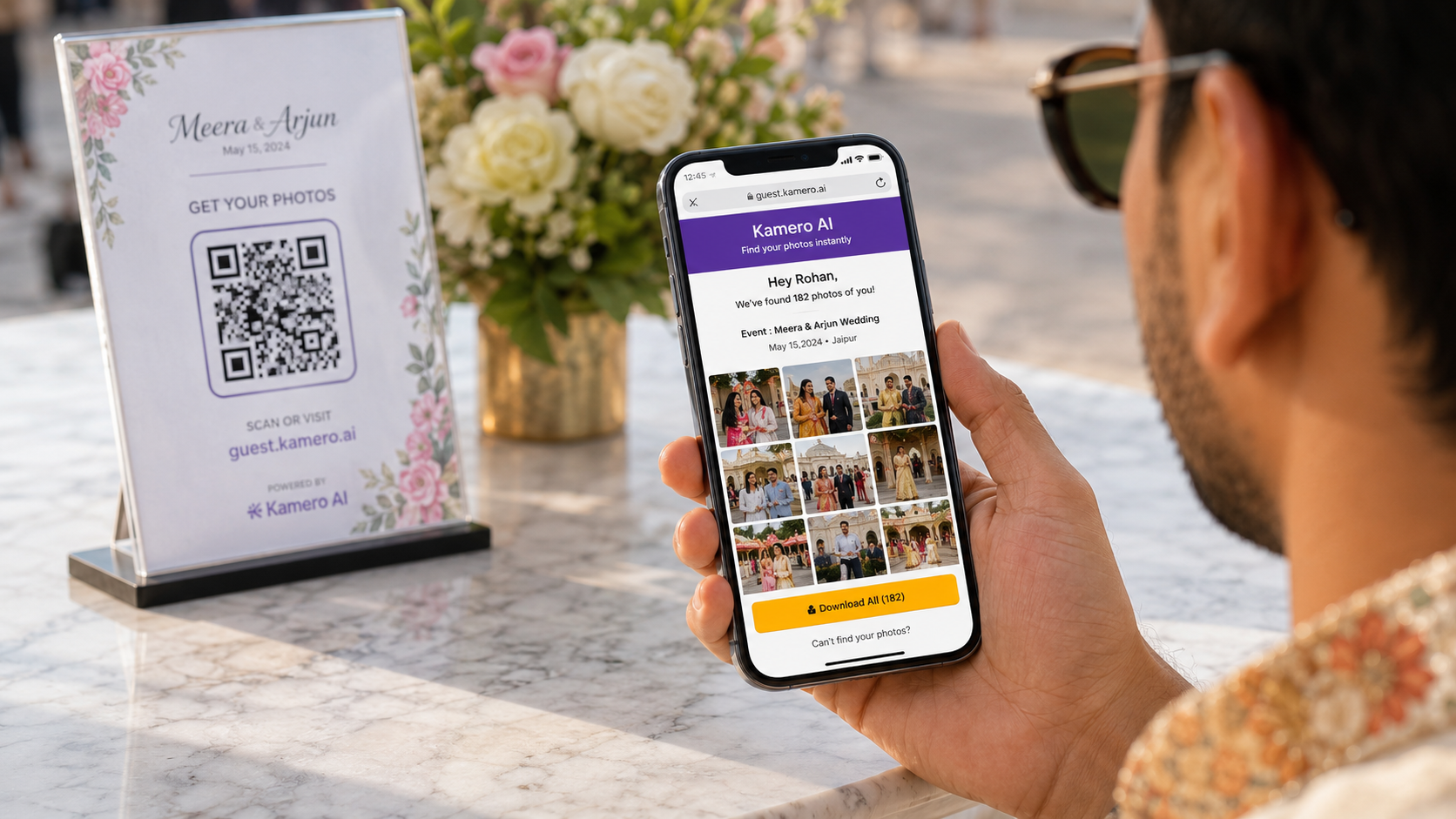
Managing client galleries for large destination weddings can be difficult due to the sheer volume of guest requests for photos. Advanced media platforms resolve this by using AI face-matching models. The platform analyzes facial geometry to create distinct mathematical vectors, automatically sorting and displaying personalized image feeds to guests. This system enables attendees to instantly view every photo they appear in without scrolling through thousands of unrelated files.
Securing Attendee Trust by Restricting AI Parameter Indices Strictly to Active Event Borders
Privacy and data security are critical for high-profile, luxury events. Unlike public social media platforms that use open-ended facial recognition, professional systems restrict their AI scanning exclusively to the specific event folder. This means guest data is never cross-referenced against external databases or used for public tracking. Restricting data processing to the active event honors guest privacy and builds trust with discerning clientele.
On-Ground Guest Onboarding via Branded QR Assets
Deploying Custom Physical QR Standees at Destination Venues for Seamless On-Site Interaction
To maximize guest engagement, studios can place branded, event-specific QR codes on signs and table cards throughout the venue. Guests simply scan the QR code with their mobile devices to access the private event portal, bypassing the need for complex URLs, long registration forms, or app downloads.
Capturing First-Party Client Leads Natively Inside the Mobile Interactive Gallery Environment
This smooth onboarding process serves as an excellent lead generation channel for the studio. When guests access their personalized galleries, the platform can collect basic contact information through integrated inquiry forms. This enables the studio to naturally capture high-intent, organic leads from a pool of people who have already seen the quality of the studio's work in real time.
Dual-Logo Dynamic Watermarking Across Regional Workspaces
Safeguarding Studio Copyrights with Adjust-on-the-Fly Watermark Placement Modifications
Protecting intellectual property across multiple simultaneous regional events requires adaptable security features. Advanced gallery systems offer dynamic watermarking, allowing studios to apply, adjust, or update watermarks across thousands of images simultaneously. This removes the need to burn permanent watermarks into files during export, giving studios total control over image presentation throughout the proofing process.
Blending Photographer Branding with Corporate or Event-Sponsor Visual Footprints in Real Time
For high-end corporate events, destination sports, or multi-sponsored weddings, studios often need to display both their own branding and partner logos. Dynamic systems support dual-logo configurations, placing both the studio mark and corporate sponsor assets clearly across the gallery view. This feature protects image rights while adding clear, professional value to corporate clients and event partners.
Optimizing the Cash Flow Loop: Print Album Selection and In-Gallery Stores
Accelerating the Print Album Selection Cycle by 80%
Compressing Selection Timelines with Mobile-First, One-Click Client Proofing Portals
Traditional physical album proofing can often stall studio cash flow. Clients frequently drag out the selection process for months when dealing with confusing file lists, shared spreadsheets, or complex desktop proofing tools. Moving to a mobile-friendly, single-click image shortlisting system clarifies this step for clients. Clients can easily browse their galleries and select favorites directly on their phones, simplifying the final selection process.
Eliminating Choice Paralysis to Shorten Invoicing and Secure Final Milestone Payouts Natively
Simplifying the image selection interface helps clients overcome choice paralysis. This allows studios to compress their album proofing cycles by up to 80%, moving projects into print production much faster. Accelerating this step helps studios close out projects quickly and collect final milestone payments without administrative delays.
Monopolizing Post-Event Traffic via In-Gallery E-Commerce
Activating Localized, Seamless Checkouts Supporting "Per Photo" and "All My Photos via Selfie" Packs
The high volume of digital traffic driven to a gallery through AI face-matching presents an excellent monetization opportunity. By integrating built-in e-commerce features, studios can turn galleries into active digital storefronts. Galleries can offer flexible purchase options, allowing guests to buy high-resolution digital files through single-image downloads or personalized "All My Photos" bundles.
Driving High-Margin Print and Digital Merchandising Sales Natively Inside the Viewport
Integrated checkout systems allow guests to purchase prints, canvas wall art, and digital packages directly within the gallery interface. This smooth, frictionless shopping experience helps studios generate high-margin print and merchandising revenue without any extra operational overhead.
Tracking Performance Funnels with Centralized Studio Analytics
To manage a growing multi-city photography studio successfully, owners need reliable business data. Centralized data dashboards track user behavior across all active event galleries, monitoring metrics like unique views, image download rates, and checkout conversions. These insights help studio directors evaluate the performance of remote teams, track customer engagement, and optimize their pricing structures to maximize profitability.
The Competitive Matrix: Selecting Infrastructure Built for Scale
When expanding a multi-city photography business, relying on a patchwork of consumer file-sharing tools and basic web plugins can slow down growth. Studios require a dedicated operational system built to manage decentralized teams.
Kamero vs. Legacy Global Links (Pixieset / SmugMug)
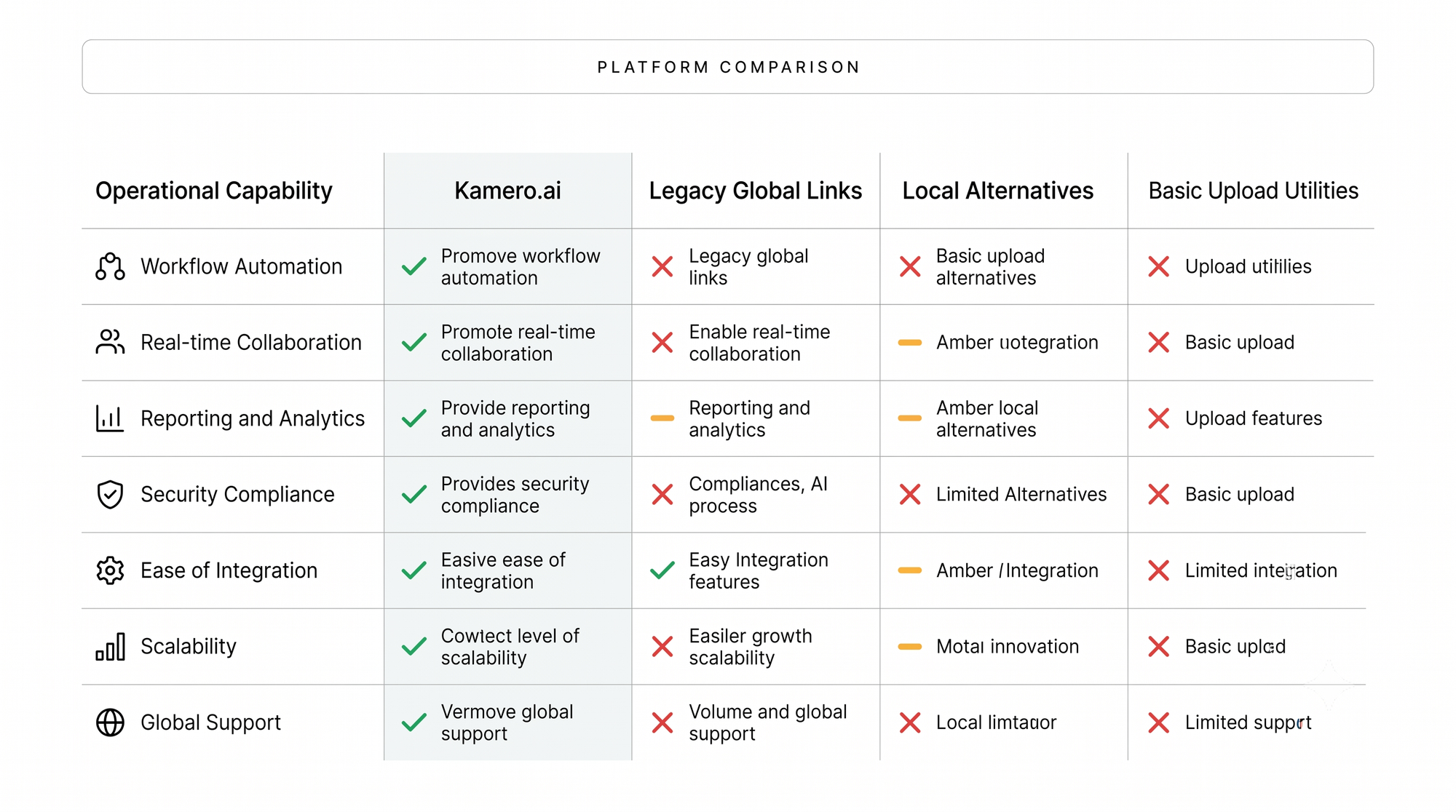
Legacy international platforms were built primarily for desktop web browsers, which can create a slower experience on mobile devices. Kamero is designed with a mobile-first approach, offering native iOS and Android app experiences alongside responsive web galleries.
Additionally, standard global tools rely on slow manual file uploads. Kamero provides Kam-Sync (real-time camera-to-cloud FTP), which allows on-ground teams to stream images directly from their cameras to the cloud during live events, helping studios scale their production speeds significantly.
Kamero vs. Local Alternatives (Samaro.ai / Kwikpic)
Many local alternatives rely on basic chat interfaces or simplified link sharing, which often lack the security features required for high-end events. Kamero offers professional security controls, including multi-level PIN privacy and role-based administration permissions. These enterprise-level protections ensure that sensitive client media remains secure, giving studios the robust data governance needed to manage premium corporate and high-net-worth client projects safely.
Kamero vs. Fotoowl / Memzo
Basic upload utilities generally function as simple storage links, offering minimal business growth or client management tools. Kamero serves as a comprehensive centralized photo editing and delivery platform, complete with fully white-labeled business portals, custom lead capture engines, and unified client profiles. This setup transforms photo delivery into a valuable growth asset, helping multi-city studios maintain consistent branding, capture clean client leads, and scale their businesses efficiently.
Operational Playbook: Multi-City Studio Management Checklist
1. Standardizing Remote Crew Ingestion Protocols via Automated Platform Ingestion Tools
- Enforce a unified file-naming convention and metadata tagging structure across all regional teams before shooting begins.
- Require on-ground leads to deploy real-time upload tools to initiate asset transmission directly from the venue.
- Verify that remote teams use automated folder structures to sort images by sub-event, keeping files organized for the editing team.
2. Pre-Configuring Enterprise Access Controls and Role-Based Admin Matrices
- Set up specific user roles within your studio management platform to control access for internal editors, contract retouchers, and regional managers.
- Apply multi-level PIN privacy configurations to protect high-profile client assets from unauthorized access.
- Maintain active system logs to track file modifications, download volumes, and gallery deliveries across all regional branches.
3. Deploying Dynamic Brand-Color Themes to Unified Client Portals Across Regions
- Apply your studio’s custom color palette, logos, and typography across all digital galleries to maintain a premium, consistent brand identity.
- Set up dynamic dual-logo watermarks to safeguard image copyrights while highlighting key event sponsors or partner brands.
- Link all regional galleries directly to your central business profile to capture customer inquiries and drive studio growth across every event.
Conclusion: Future-Proofing the Multi-Studio Empire
Scaling a destination wedding photography studio requires moving past the operational friction of local hard drives, manual file routing, and disconnected communication tools. By adopting a modern, cloud-native media pipeline, studio owners can break through traditional operational bottlenecks, secure their data workflows, and drastically cut down post-production delivery timelines.
Utilizing advanced tools like real-time camera-to-cloud synchronization, precise AI face-matching, and integrated e-commerce features allows multi-city studios to protect their margins and deliver a premium experience that satisfies both luxury clients and event guests. Centralizing your media workflow ensures your business remains scalable, efficient, and highly profitable in a competitive market.
Unify Your Multi-City Photography Workflows Today
Bring efficiency to your distributed photography teams, eliminate post-production delays, and deliver an elite experience to every client worldwide. Scale your destination studio operations with Kamero's advanced event media platform.
- Book a Personalized Demo to explore our enterprise workflows.
- Sign up on Kamero to launch your first real-time event gallery.
- Follow us on Instagram for the latest industry insights and platform updates.

About Nidhi S
Hey there! I’m an MBA student with a keen interest in the evolving world of digital marketing and business strategy. I enjoy exploring how brands build their online presence and the creative process behind turning strategic goals into engaging stories.
When I’m not caught up in marketing trends, you’ll probably find me down a YouTube rabbit hole or binge-watching sitcoms. I’m a fan of good stories—whether they’re in a marketing campaign or a 20-minute TV episode—and I’m always looking for new perspectives to keep things interesting!