How to open an event in the Kamero app
Photographers: send this page to your guests.
The Kamero app shows the photos from an event on your phone. You open an event once with its event ID or QR code, and the app keeps it for next time. You can also open the same event in a browser without the app.
Install the app
Get Kamero from Google Play or the App Store. If your photographer has their own branded app, install that one instead. It works the same way and shows their name and colours.
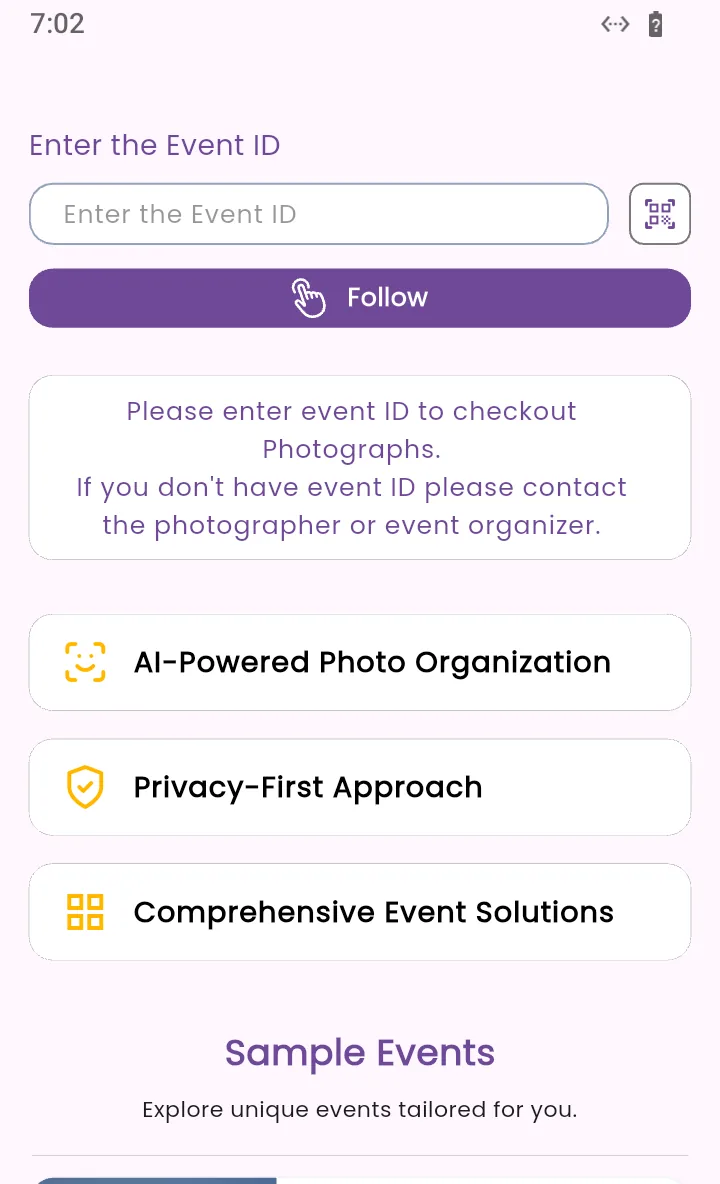
Enter the event ID or scan the QR code
The first screen asks for the event. Use one of these ways:
- Type the ID: type it in Enter the Event ID and tap Follow. You can type it with or without the KAM- at the start.
- Scan the QR code: tap the scanner icon at the right of the box and point your camera at the event's QR code. If someone sent you the QR code as a picture, tap Upload from gallery on the scanner screen and pick it.
- Tap the gallery link: if the app is installed, a kamero.ai event link opens the event in the app.
The scanner reads Kamero QR codes, which hold a kamero.ai link. If it shows Could not read event code from this QR code., the code is not a Kamero event code. Type the event ID instead.
A code that starts with FA- adds all of a studio's events at once. See following all of a studio's events.
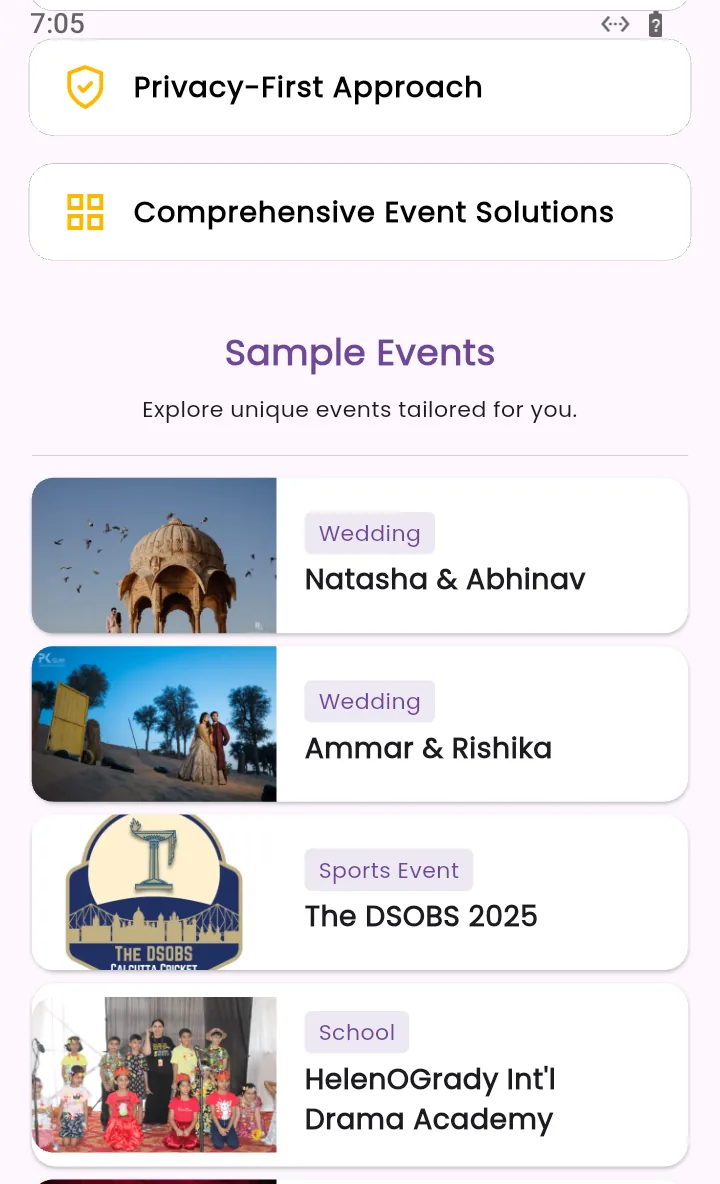
Below the box, Sample Events lists real galleries from Kamero studios, such as weddings, a sports event, a school and a college.
The event home
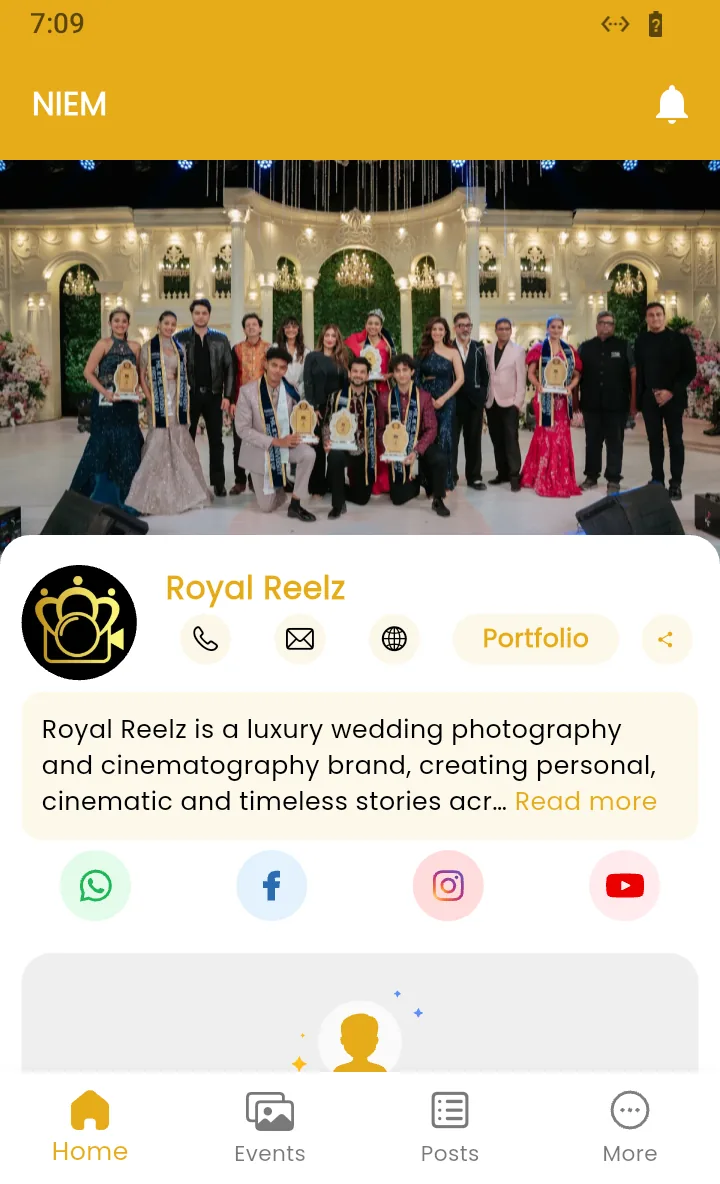
The event opens on the Home tab. From top to bottom it shows:
- The event name and a bell icon for notifications.
- The cover photo.
- The studio card: the photographer's logo and name, buttons to call, email or visit their website, Portfolio for their other work, and a share button.
- A short text about the studio. Tap Read more to see all of it.
- The studio's WhatsApp, Facebook, Instagram and YouTube links, if they added them.
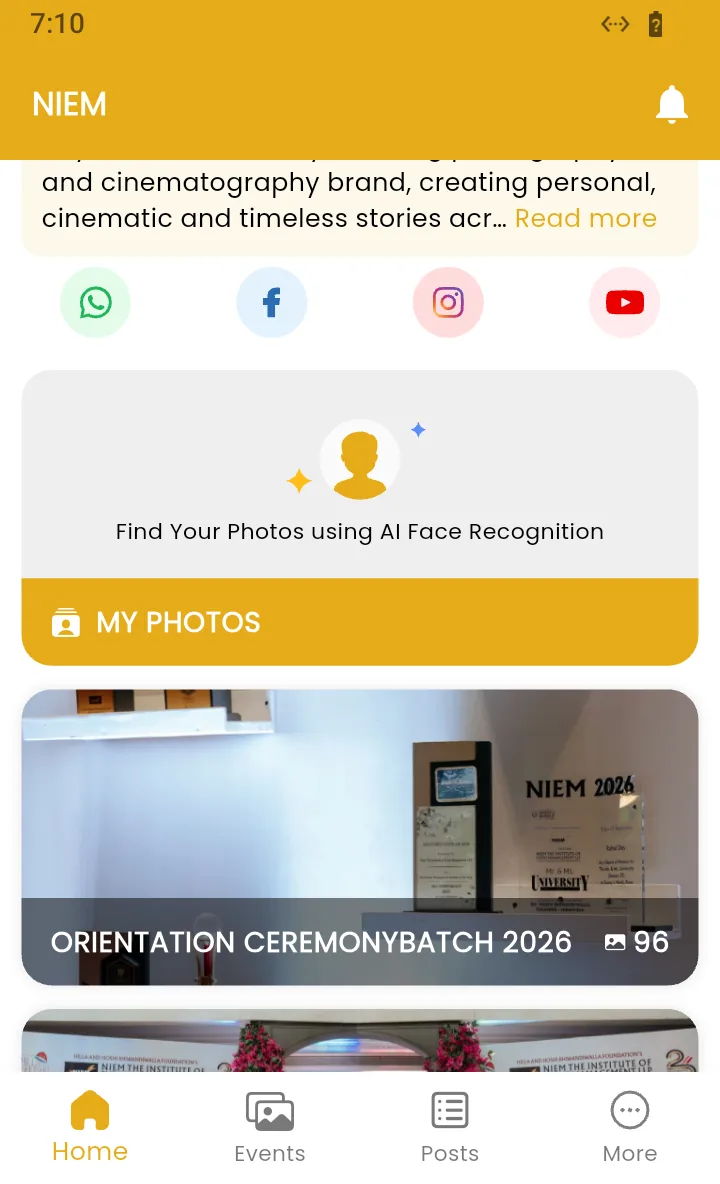
Scroll down for:
- Find Your Photos using AI Face Recognition with the MY PHOTOS button. Take a selfie to see only the photos you are in. See finding your photos with a selfie.
- My Favourites, once you have marked photos with the heart.
- The albums, each with its name and number of photos. Tap one to open it. See browsing and saving photos.
The four tabs
- Home: the event you are looking at.
- Events: follow more events and switch between them.
- Posts: news and offers from the studio.
- More: sign in, get all photos by email, mute or unfollow the event. See the More tab.
Some branded apps also have an About tab with the studio's details. Events and Posts are covered in switching events, posts and notifications.
Private and expired events
- Private event: the albums stay hidden until you enter the event's 4-digit PIN. The screen says Unlock All Photos access. If you don't have the PIN, ask the photographer, or tap Go to My Photos to view your photos to see just the photos you are in.
- Expired event: the app shows This event has expired on and the date, and hides the albums. The photographer or the event's client can renew it. See renewing an expired event.
- Paused event: the app says Access to this event has been paused temporarily. Contact the photographer.
Frequently asked questions
Where do I find the event ID?
Your photographer or the event organiser gives it to you. It is often printed on a poster or table card next to a QR code, or sent with the gallery link on WhatsApp or email. It is the last part of the gallery link, for example niem in kamero.ai/niem.
Do I need an account to open an event?
No. You can open an event, browse its albums and view photos without signing in. You need to sign in to mark favourites, and some events also ask you to sign in before you download photos or search with a selfie.
The app says Invalid event id. What should I do?
Check the ID for typing mistakes and try again. If it still does not open, ask the photographer for the correct ID, or scan the QR code instead of typing.
The event opens but I cannot see any albums. Why?
The event is private. Enter the 4-digit PIN from your photographer to unlock all photos, or use My Photos to see only the photos you are in.
Can I follow more than one event?
Yes. Open the Events tab and use Follow a New Event to add another event. You can switch between them at any time. See switching events in the Kamero app.
More Kamero app tutorials
Try it in your dashboard
Sign in to Kamero and follow along. Questions? Raise a support ticket from the dashboard.