Renew an expired event as a guest or client
Every Kamero event is valid until a set date. After that date, the gallery shows an expired notice instead of the photos. Anyone with the renewal link can pay to renew the event, so a parent, a school or the couple can keep the gallery open. You don't need a Kamero account.
Kamero may archive (remove) an event 7 days after it expires; renew before then to be safe.
Find the renewal link
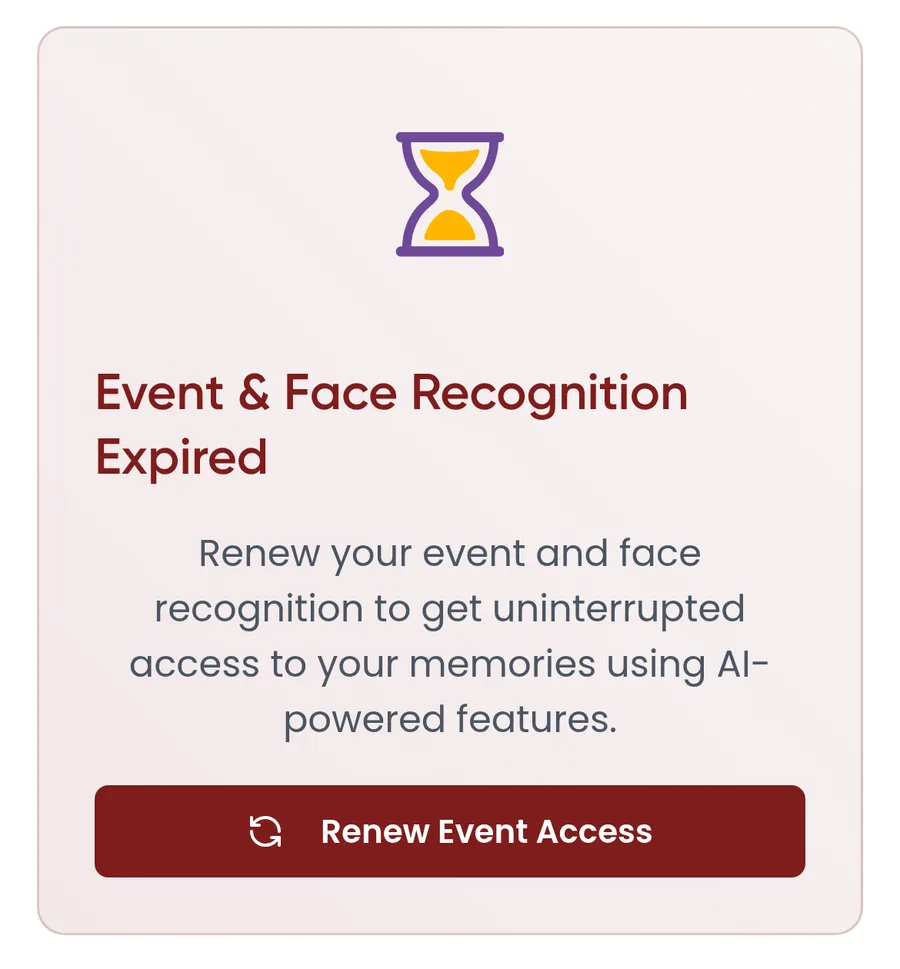
- In the gallery: open the event link as usual. An expired event shows "Event Access Expired", or "Event & Face Recognition Expired", with a Renew Event Access button. If only face recognition has expired, a "Face Recognition Expired" banner appears above the photos with a Renew Face Recognition button.
- From your photographer: they can send you a renewal link by WhatsApp or email. A link that starts with kamero.ai/renew/ is the full-price link. A link that starts with kamero.ai/renewal/ is a discount link.
- From a reminder email: if you started a renewal for the event before, Kamero emails you once a day after the event expires. Each event in the email has a Renew → link.
The renewal page always opens on kamero.ai, even if the gallery is on your photographer's own website.
Renew the event
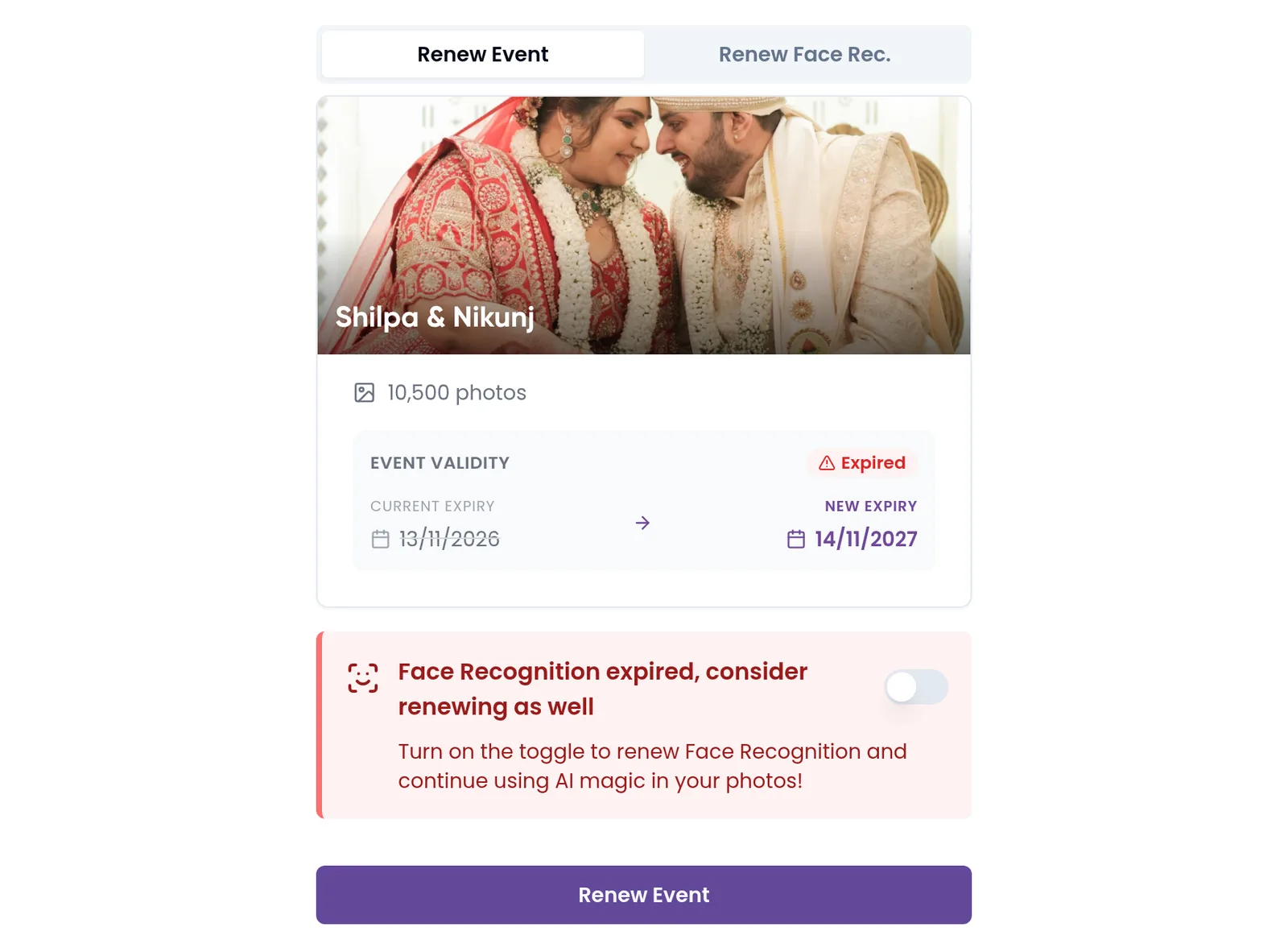
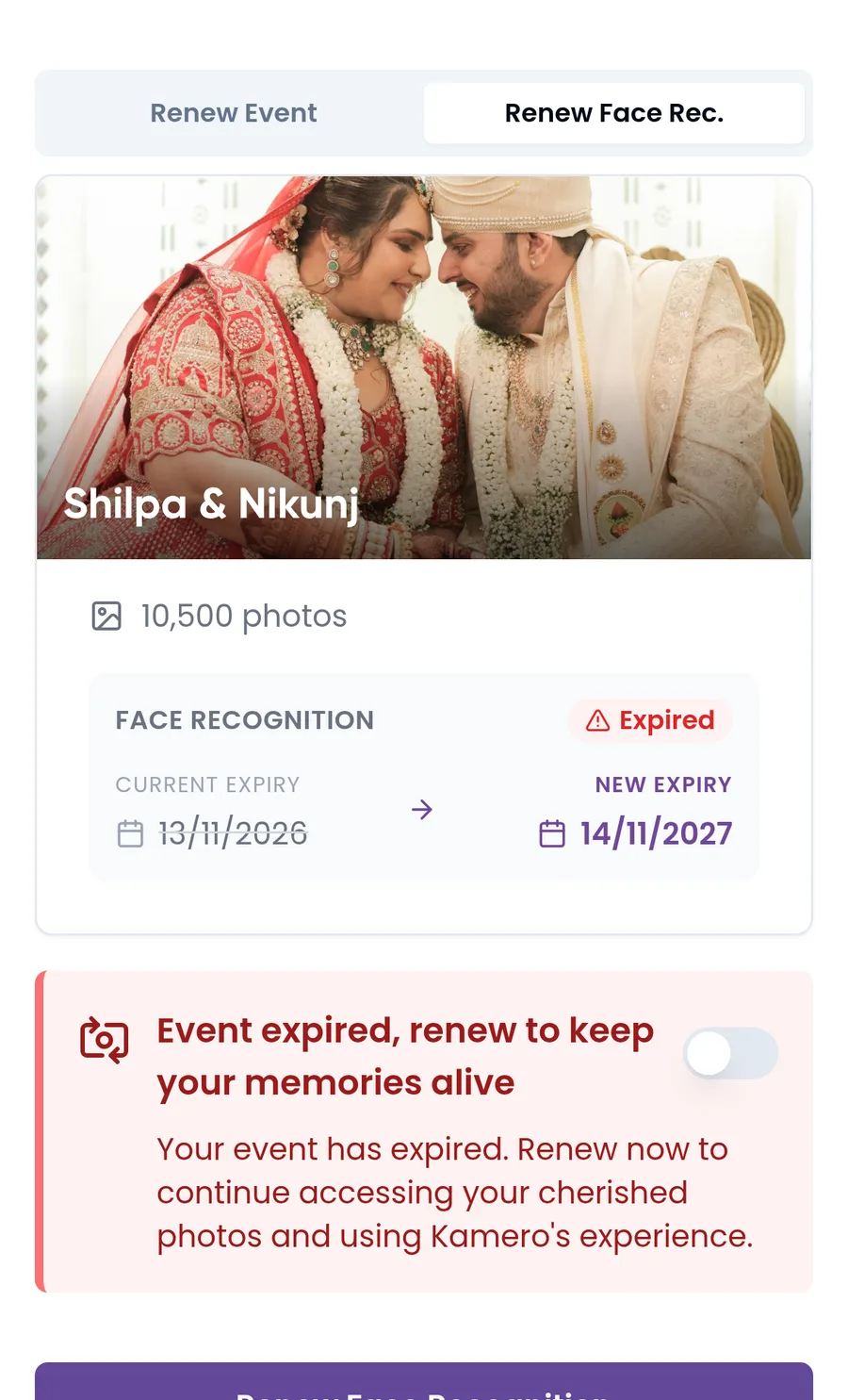
- Open the link. The Renew Event tab is selected. The card shows the event's cover photo, name and number of photos.
- Check the EVENT VALIDITY box. The badge reads Expired, Expiring Soon (within 30 days) or Active. The current expiry date is crossed out, and the new expiry date is next to it.
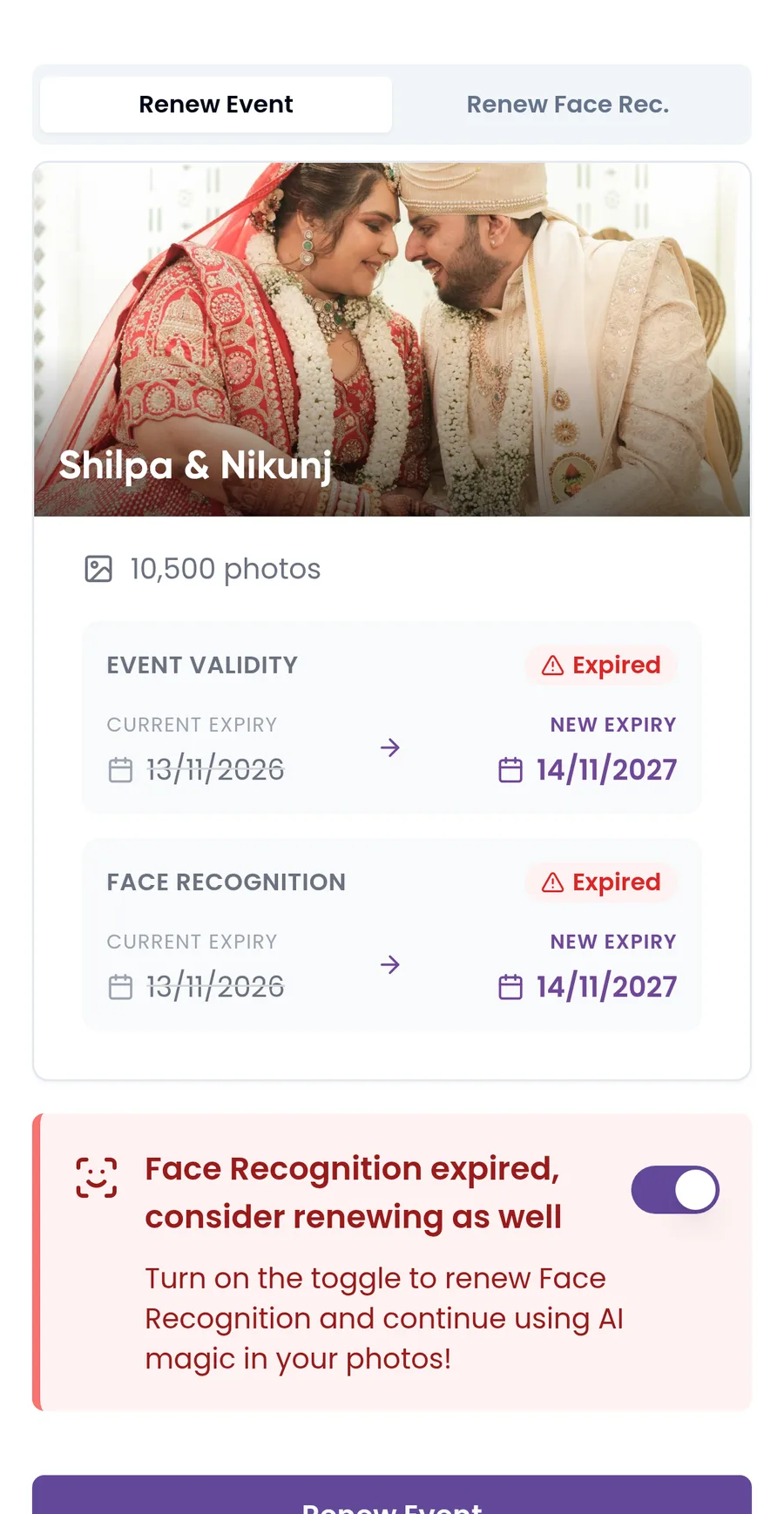
- To renew face recognition in the same order, turn on the switch in the tip box below the card. A FACE RECOGNITION box appears with its own dates.
- Click Renew Event.
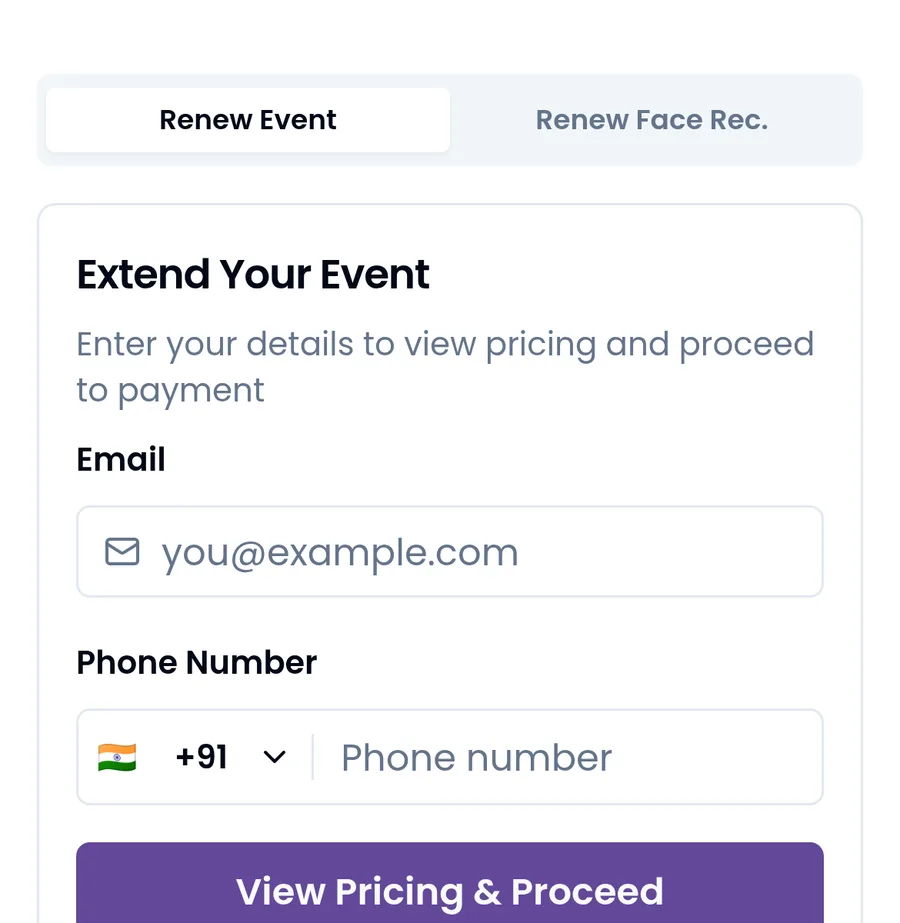
- Under Extend Your Event, enter your email and phone number. Click View Pricing & Proceed.
- Check the Order Summary: the event renewal, face recognition if you added it, the subtotal, GST and the total. Click Edit to change your email or phone number.
- Click the Pay button, which shows the amount, and complete the payment.
Add or renew face recognition
Face recognition lets guests find their photos with a selfie. It has its own expiry date and is renewed separately from the event.
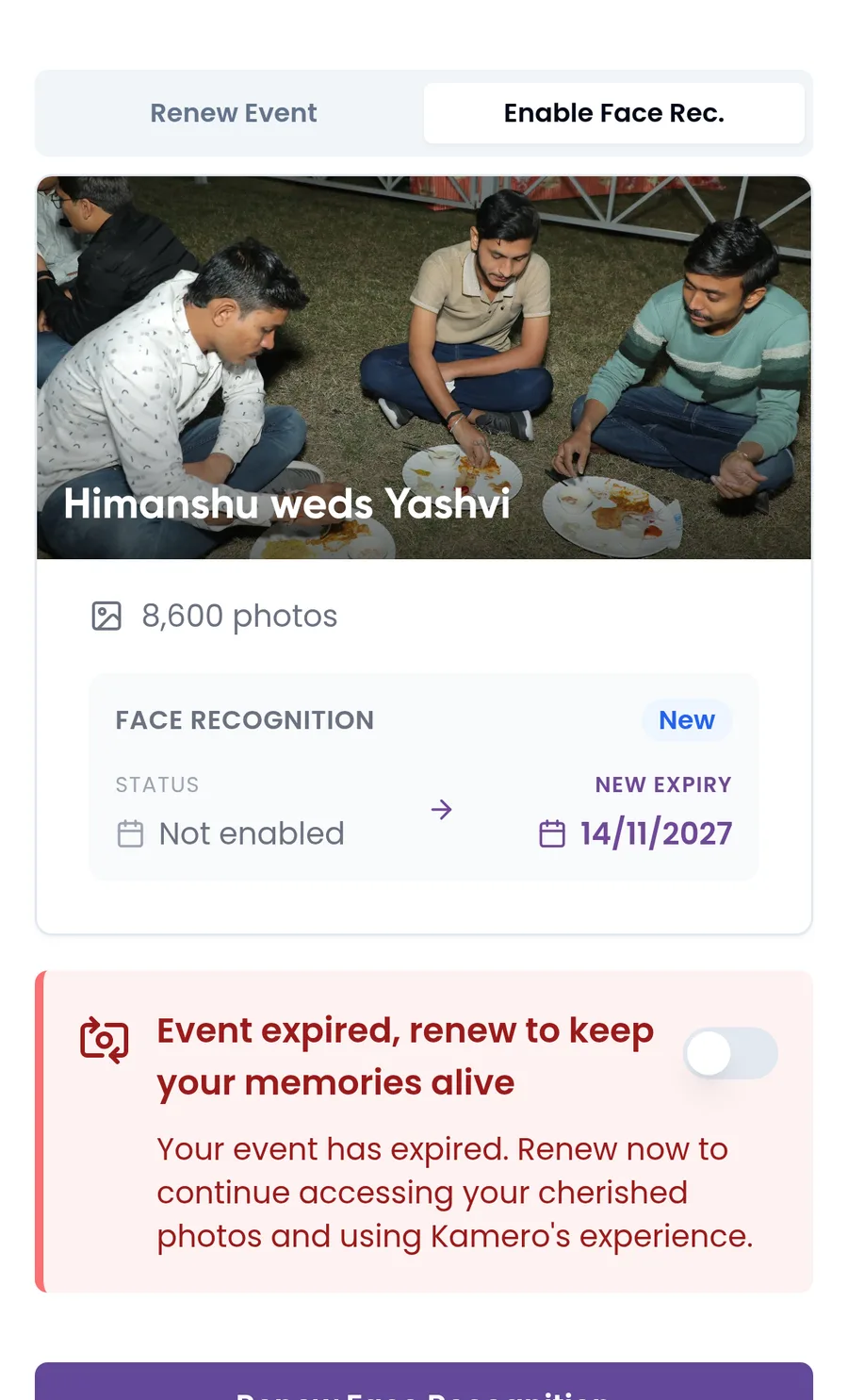
- Open the Renew Face Rec. tab. If face recognition was never turned on for the event, the tab is called Enable Face Rec., the box shows New, and the status is "Not enabled".
- Check the dates. If the event itself has expired, the tip box says so. Turn on its switch to renew the event in the same order.
- Click Renew Face Recognition and continue as for the event.
The Order Summary lists it as Face Recognition Renewal, or as Face Recognition Activation the first time.
Prices, currency and GST
The renewal page picks the currency from where you are. In India you pay in rupees through Razorpay, and 18% GST is added. Outside India you pay in US dollars through PayPal, with no GST.
The event price depends on the event's photo limit:
| Photos | Price in India | Price outside India |
|---|---|---|
| 100 | ₹100 | $5 |
| 250 | ₹150 | $10 |
| 500 | ₹350 | $15 |
| 1,000 | ₹700 | $30 |
| 2,000 | ₹1,000 | $45 |
| 3,000 | ₹1,350 | $60 |
| 4,500 | ₹2,000 | $90 |
| 6,000 | ₹2,500 | $120 |
| 10,000 | ₹3,500 | $180 |
Other limits are priced as a mix of these sizes. Face recognition costs ₹750 ($10) for events up to 4,500 photos and ₹1,000 ($15) above that.
For example, a 1,000-photo Annual Day event costs ₹700 plus ₹126 GST, so ₹826. With face recognition it is ₹1,450 plus ₹261 GST, so ₹1,711.
- Your photographer can set their own renewal pricing, so your price may be higher than the table.
- A discount link (kamero.ai/renewal/) takes 50% off the event price. Face recognition is 50% off only if it has not expired yet. A first activation is always full price.
Need a GST invoice?
This is for rupee payments only. Before you pay, click Need a GST invoice? on the Order Summary. The "GST invoice details" dialog asks for:
- Business / Person Name
- GSTIN, which is optional. Leave it blank if you are not GST registered; you still get a proper invoice. When you enter one, the dialog shows the state it is registered in.
- Address Line 1 (Line 2 is optional), Pincode, City and State
Click Save details. The link then reads "GST invoice:" with your GSTIN or name. Click Remove to drop the details. They can't be changed after payment, so check them first.
After you pay
- The event gets 12 more months, counted from its current expiry date if that is still ahead, or from the day you pay if it has passed. The photo limit stays the same.
- Face recognition, if you paid for it, also gets 12 months, counted the same way from its own expiry date.
- With Razorpay you see "Payment Successful" and the order details. Click Download Invoice to save your invoice.
- With PayPal you return to the renewal page. It shows "Confirming your payment", then "Payment successful". Click Done.
Open the gallery link again to see the photos. See open an event gallery.
If something goes wrong
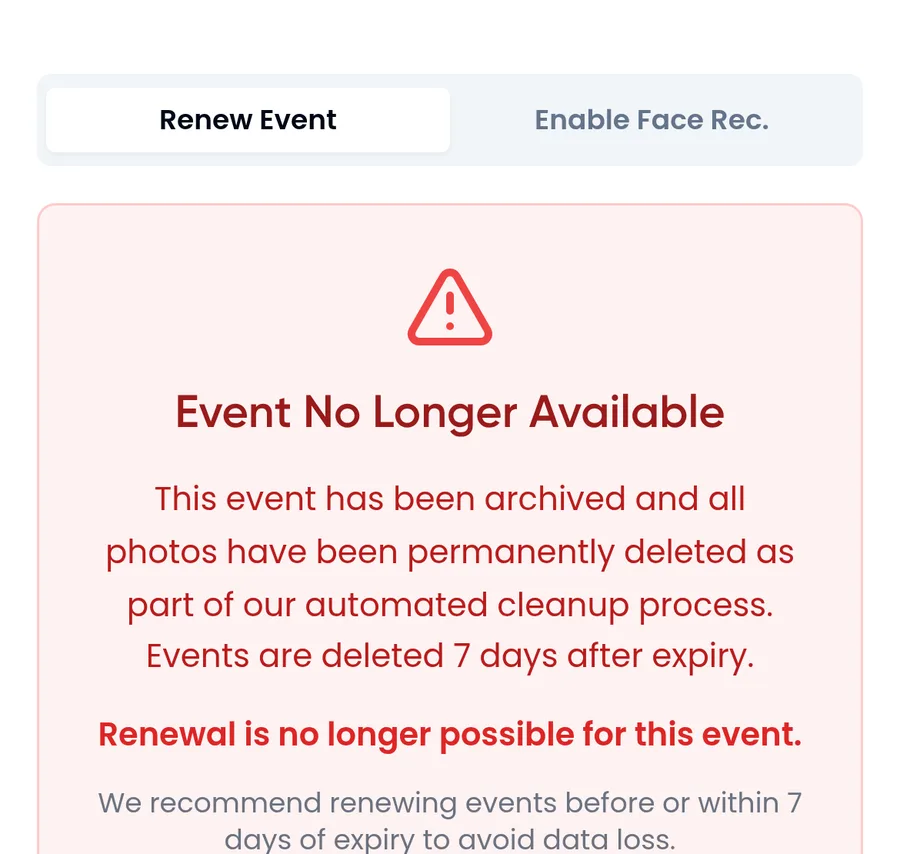
- "Event No Longer Available": the event has been archived and its photos removed. It can't be renewed. Ask your photographer about it.
- "Event Not Found": the link is wrong. Check it, or ask your photographer for it again.
- "Couldn't load pricing": click Try again.
- "This event has 0 photos": there is nothing to renew, so there is no pay button.
- "Payment not confirmed" after PayPal: if you were charged, don't pay again. The renewal completes once the payment settles. If it doesn't, write to support@kamero.ai.
Photographers: to send a renewal link to a client, see increase an event's photo limit or renew it. Commission from client renewals is in the commission ledger. For how expiry works, see event validity and expiry.
Frequently asked questions
Do I need a Kamero account to renew an event?
No. You enter your email and phone number on the renewal page, then pay. Anyone with the event's renewal link can renew it.
Does renewing add more photos to the event?
No. Renewing adds 12 months of validity. The photo limit stays the same. Only the photographer can add photos to the event's limit.
Is face recognition renewed with the event?
No. Face recognition has its own expiry date. Turn on the switch on the renewal page to pay for both in one order, or use the Renew Face Rec. tab.
Why is my price different from the price table?
Your photographer may have set their own renewal pricing, which raises the price. A discount link from your photographer takes 50% off the event price. The Order Summary always shows the exact amount before you pay.
Can I renew an archived event?
No. Once an event is archived, its photos are removed and the renewal page shows Event No Longer Available.
Can I get a GST invoice?
Yes, when you pay in rupees. Click Need a GST invoice? on the Order Summary before you pay and enter your business details.
More For guests tutorials
Try it in your dashboard
Sign in to Kamero and follow along. Questions? Raise a support ticket from the dashboard.