How to read your commission ledger
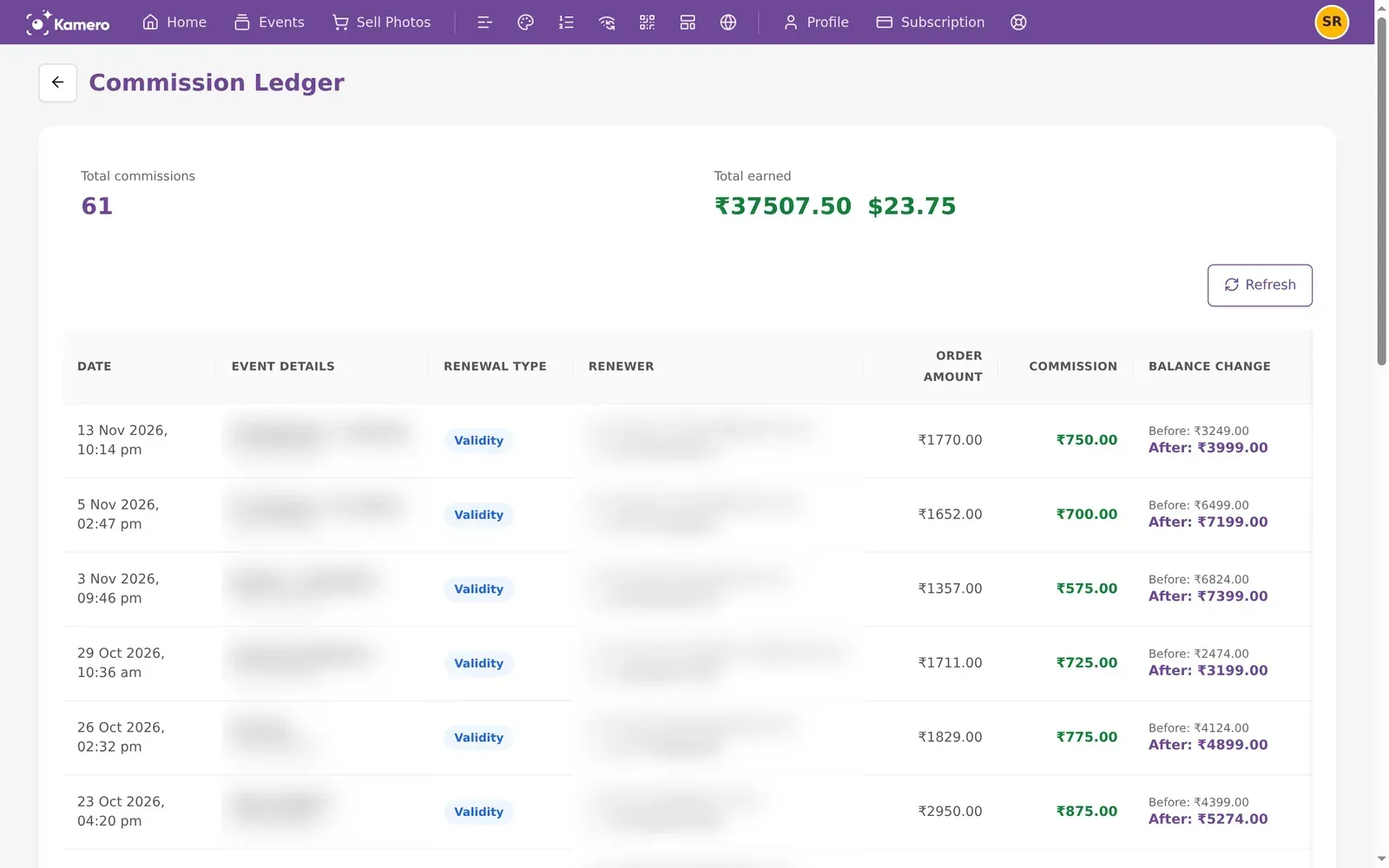
When one of your events is about to expire, a guest or your client can renew it themselves from the event's renewal link. If they pay the full price, part of that payment comes back to you as commission. The Commission Ledger lists every commission you have earned this way.
Who sees this page
Every Kamero account has the page. It fills up only if you own events that other people renew and pay for. If nobody has renewed one of your events, the page shows No commissions found.
Where to find it
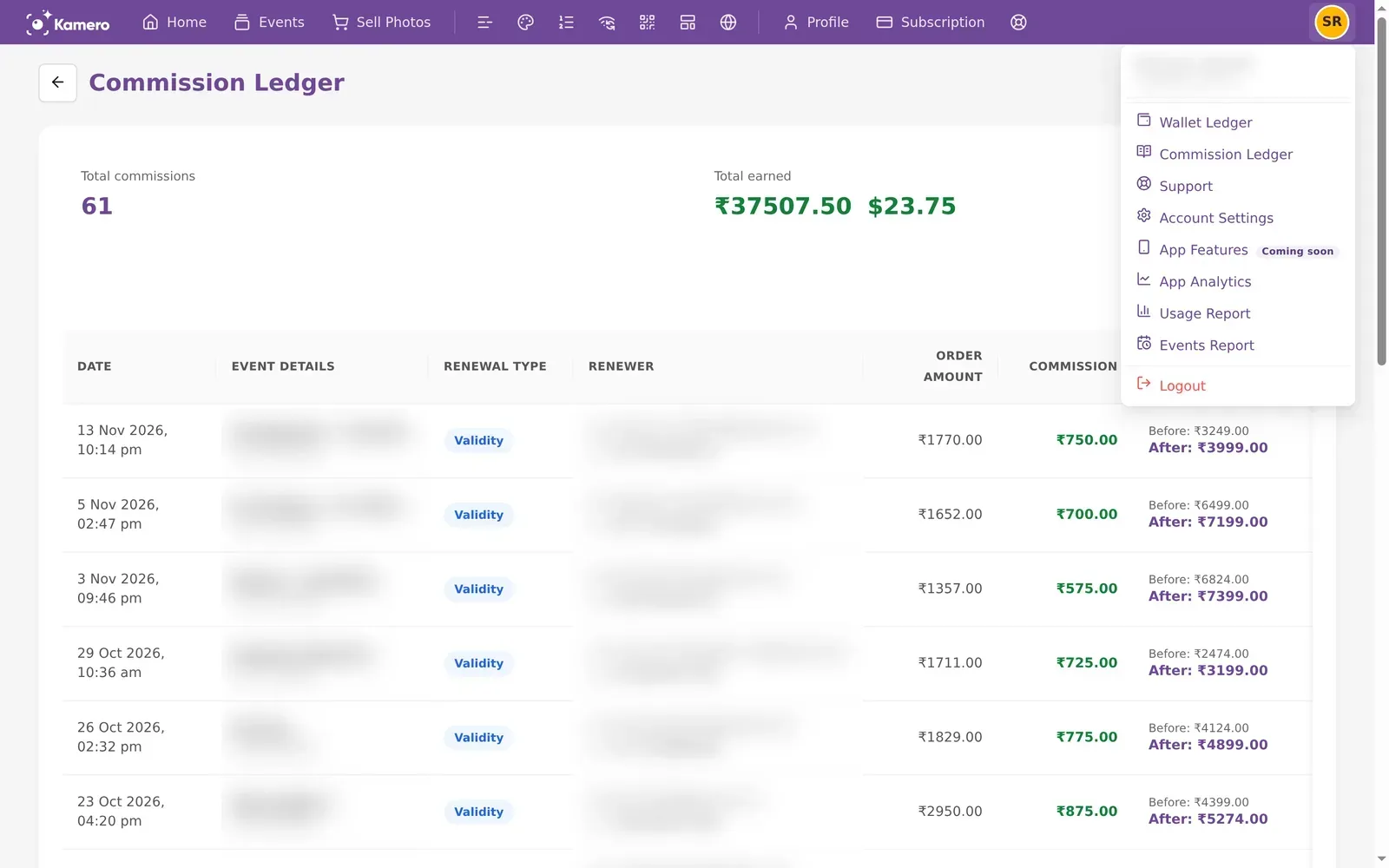
- Click your profile picture at the top right and choose Commission Ledger.
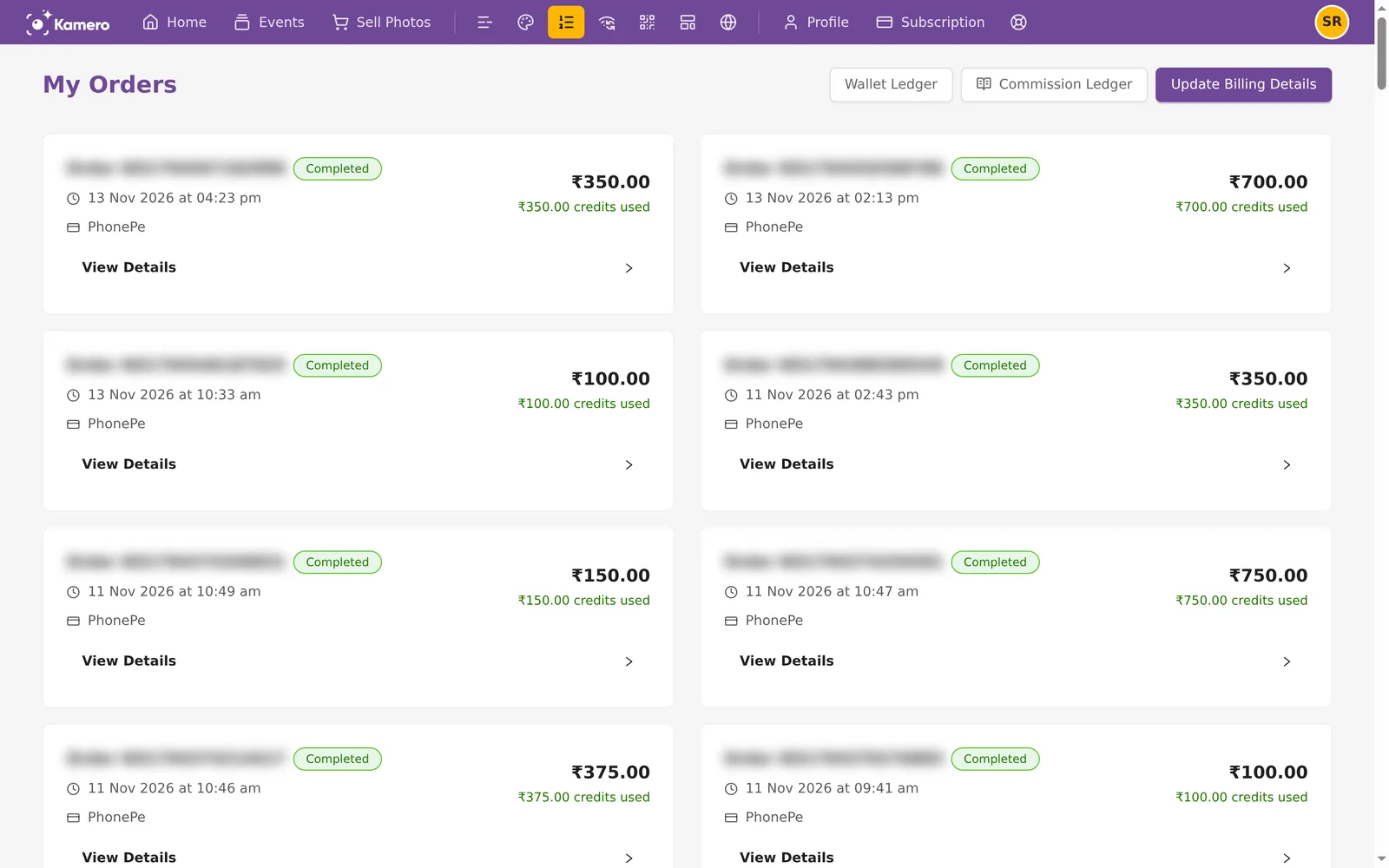
- Or open Orders and click Commission Ledger at the top of the My Orders page.
When you earn commission
You earn commission only when someone other than you renews your event's validity from the full-price renewal link, kamero.ai/renew/ followed by the event code. Guests reach that link from:
- The Renew Event Access button in the gallery of an expired event.
- The renewal reminder emails Kamero sends after an event expires.
- A link you send with Share Renewal Link while "Pass 50% discount to the client/users" is off.
To see what the renewer sees, read renew an expired event as a guest.
How commission is worked out
Kamero sets a base renewal price for each event, based on its photo limit. Your commission is the price the renewer pays for validity, before GST, minus half of the base price. Kamero keeps that half.
As a formula: commission = base price × multiplier − base price ÷ 2. Without a multiplier, the multiplier is 1, so you get half of the base price.
For example, your Sports Day event has a base renewal price of ₹1,500. A parent renews it for ₹1,500 plus 18% GST, so they pay ₹1,770. Kamero keeps ₹750 and you get ₹750.
To earn more, raise the renewal price. Go to Account Settings, open Custom Renewal Pricing, switch on Enable Custom Price Multiplier and set a Price Multiplier between 1.0 and 10.0. With a multiplier of 2.0, the parent pays ₹3,000 plus GST. Kamero still keeps ₹750 and you get ₹2,250.
You don't earn commission when:
- The renewer used the discount link (kamero.ai/renewal/), the one you send with "Pass 50% discount to the client/users" on. This holds even if you set a multiplier.
- Face recognition was renewed. Face recognition never earns commission, even with a multiplier. In an order for both, only the validity part counts.
- You or your team renewed the event from the dashboard or the app.
Each order pays commission once, when the payment is confirmed. If the renewal is refunded later, the commission stays in your wallet. You also get an email with the subject "Commission Deposited to Your Kamero Wallet", showing the commission amount and your new wallet balance.
The summary at the top
- Total commissions: how many renewals have paid you commission.
- Total earned: the sum of your commission. Rupee and dollar amounts are shown separately and are never converted.
Click Refresh to load renewals that came in after you opened the page.
Each entry
Each row is one paid renewal:
- Date: when the renewal was paid.
- Event details: the event name, with its event code below it.
- Renewal type: Validity, Facial Recognition, or Both.
- Renewer: the email and mobile number of the person who paid.
- Order amount: what they paid, including GST.
- Commission: your share, in green.
- Balance change: your wallet balance before and after the commission was added.
On a phone, each renewal shows as a card with the same details.
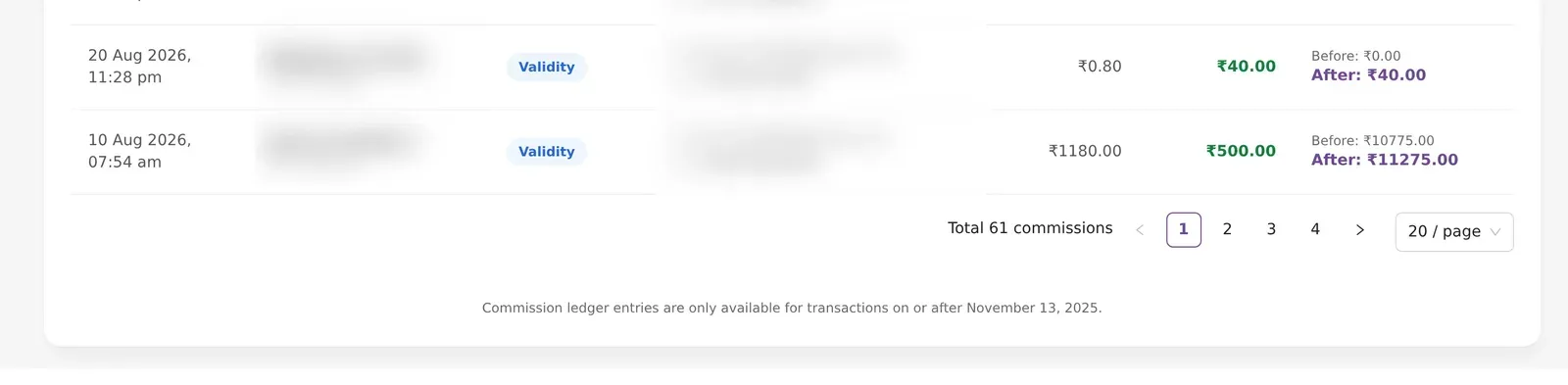
The ledger starts on November 13, 2025. Renewals before that date are not listed.
Payouts
Commission is paid as credits into the Kamero wallet of the event's owner. Rupee orders add to your INR balance and dollar orders add to your USD balance. On a whitelabel account, the whole whitelabel shares one wallet. Each commission also appears in your wallet ledger as a Credit called Renewal Commission. See Wallet ledger.

Wallet credits can't be withdrawn to a bank account. You spend them on Kamero orders, such as photo packs and renewals. See Subscription plans and buying.
Money from selling photos is separate. It is on the Seller Dashboard. See Sell Photos setup.
If something looks wrong
- Check the renewal type. Face recognition renewals earn nothing.
- Check which link the renewer used. The discount link (kamero.ai/renewal/) earns nothing.
- Open the wallet ledger and find the Renewal Commission credit for the same date.
- If it is still missing, open a ticket with the event code and the date. See Support tickets.
For when events expire and are archived, see event validity and expiry.
Frequently asked questions
Why is my commission ledger empty?
You earn commission only when someone other than you renews one of your events from its full-price renewal link (kamero.ai/renew/). If nobody has done that since November 13, 2025, the page shows No commissions found.
Do I earn commission on face recognition renewals?
No. Face recognition never earns commission, even with a price multiplier. If a guest renews both validity and face recognition in one order, the commission comes from the validity part only.
Why did a renewal of my event earn no commission?
The renewer most likely used the discount link (kamero.ai/renewal/), which takes 50% off and pays no commission, even if you set a multiplier. Only the full-price link (kamero.ai/renew/) earns commission. Renewals you make yourself from the dashboard or app earn none either.
How do I take the commission out as money?
You can't withdraw it. Commission is added to your Kamero wallet as credits, and you spend those credits on photo packs, renewals and other Kamero orders.
Is this where my photo sales show up?
No. Money from Sell Photos events is on the Seller Dashboard, not in the commission ledger. The commission ledger lists event renewals only.
Can I earn more on each renewal?
Yes. Turn on a price multiplier under Account Settings, Custom Renewal Pricing. Guests on the full-price link then pay more, and everything above Kamero's half of the base price goes to you.
Is commission taken back if the renewal is refunded?
No. Once commission is in your wallet, a refund of the renewal does not remove it.
More Plans, orders & billing tutorials
Try it in your dashboard
Sign in to Kamero and follow along. Questions? Raise a support ticket from the dashboard.