How to read your orders and download GST invoices
Every payment you make to Kamero is an order. This includes credits, photo packs, event renewals, face recognition and plans. The My Orders page lists them all. From there you can check whether a payment went through and download the invoice. You can also set the name, address and GST number that appear on your invoices.
Where to find your orders
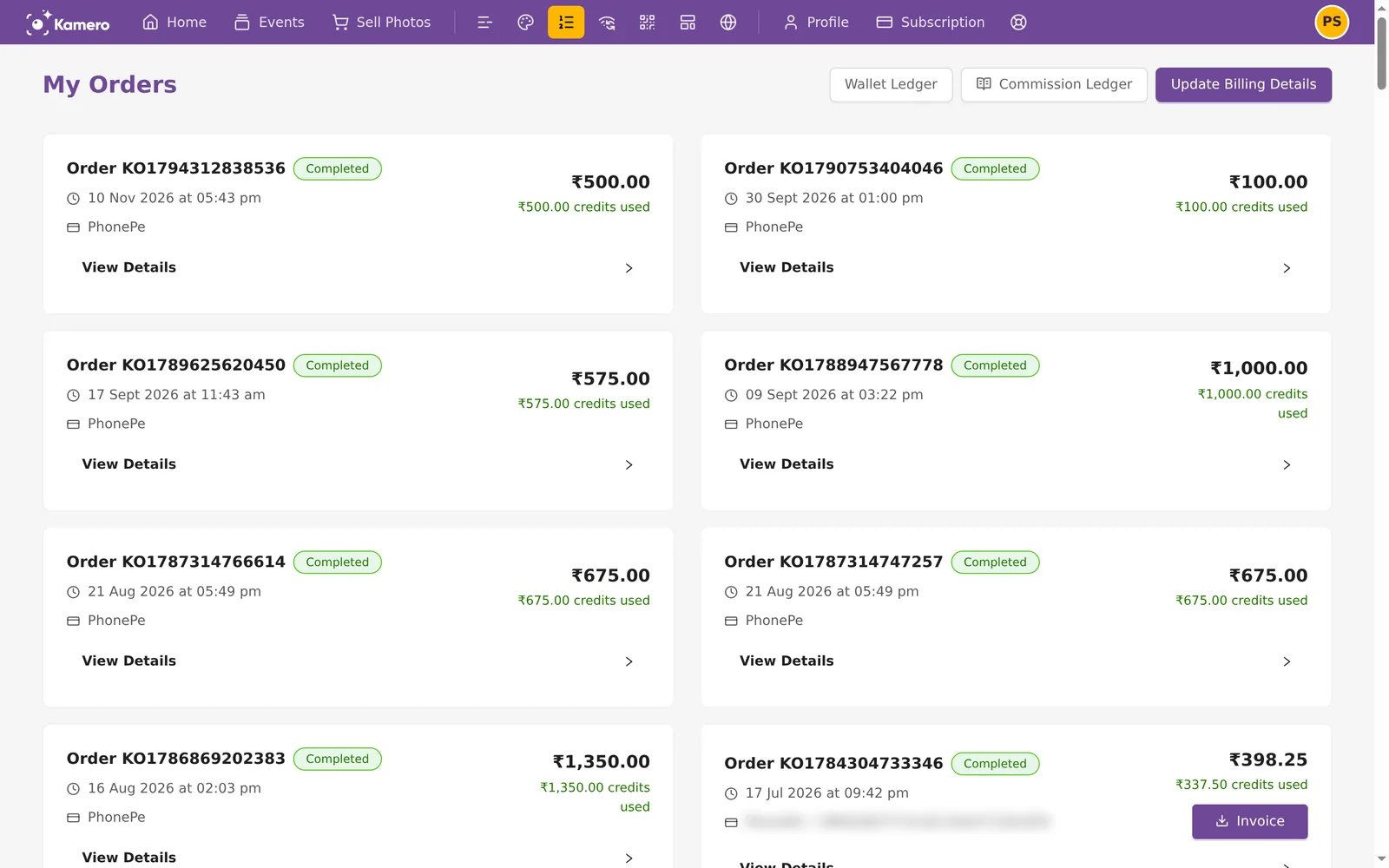
- On a computer: click the Orders icon in the top bar. It looks like a numbered list. Hold the mouse over it to see the label Orders.
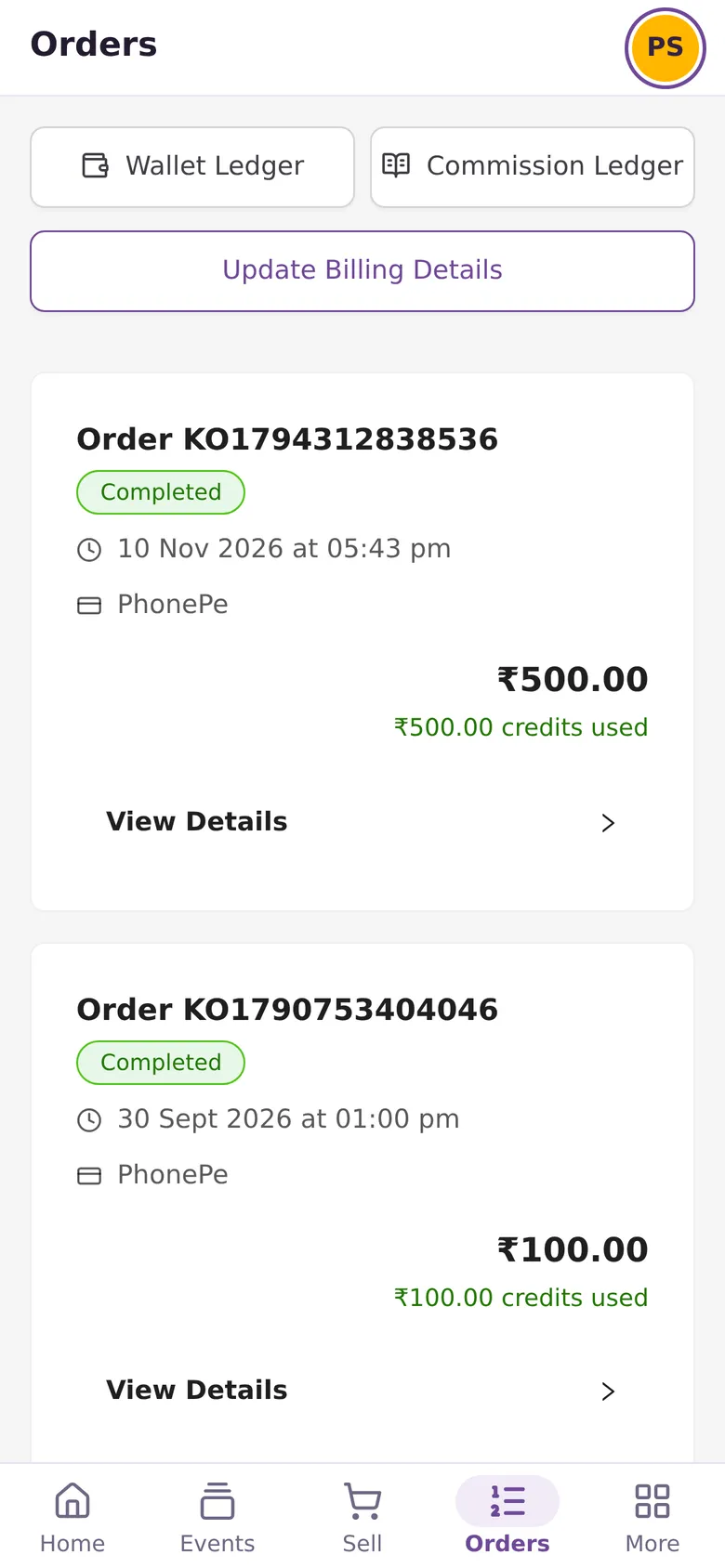
- On a phone: tap Orders in the bottom bar.
The page opens with your newest order first and shows up to 100 orders. The buttons at the top go to the Wallet Ledger, the Commission Ledger and your billing details.
What each order card shows
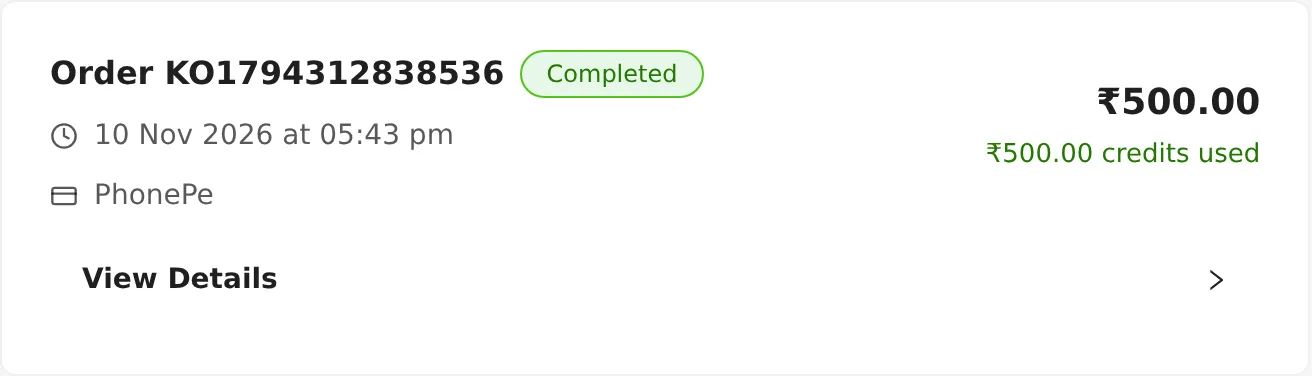
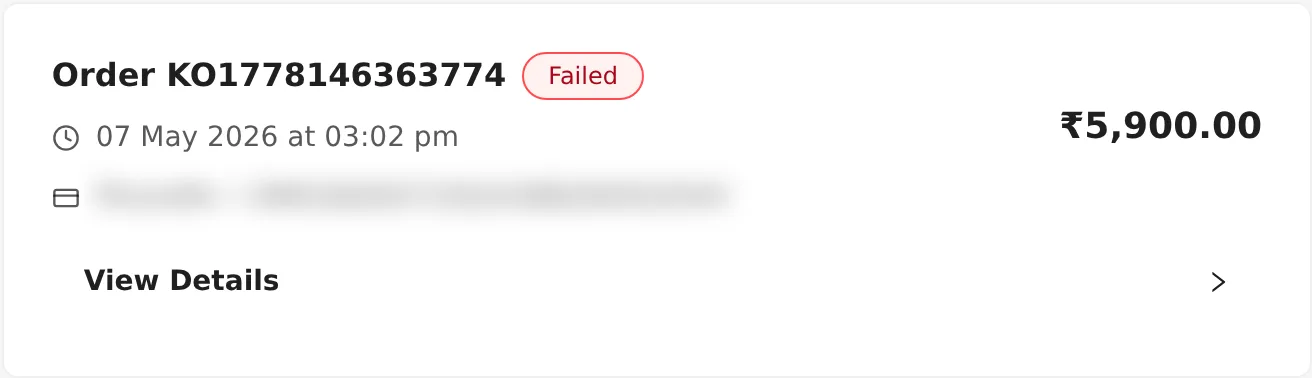
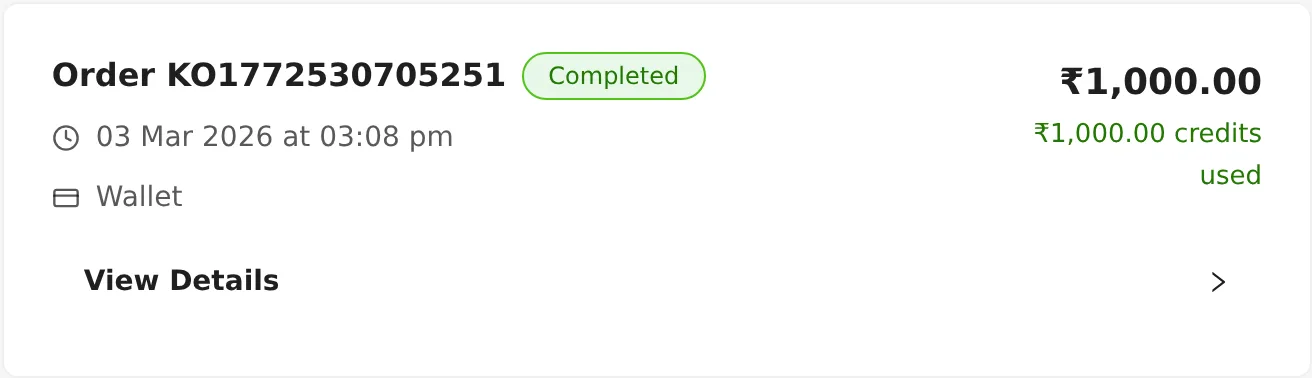
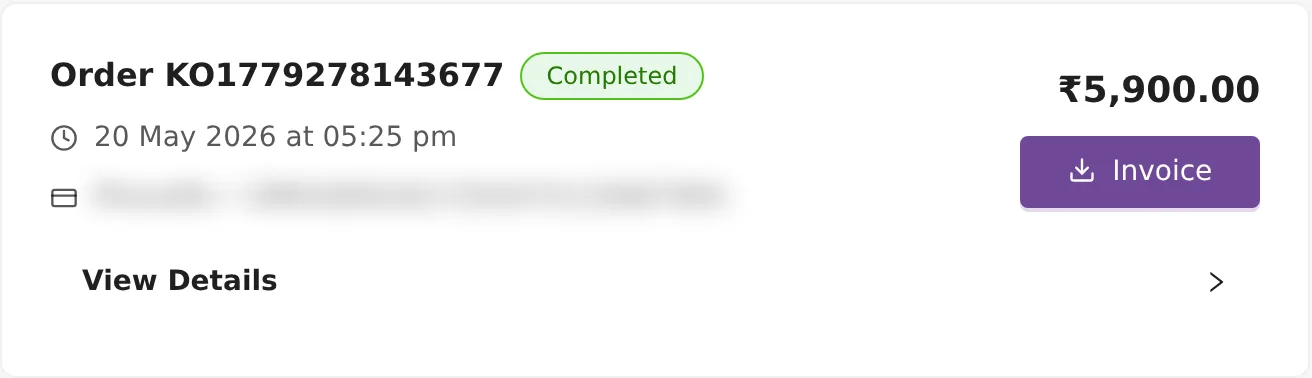
- Order ID. Most orders start with
KO. Plan payments start withBO-. Older orders from late 2025 may start withSOP. Quote this ID when you contact support. - Status tag. Completed, Pending, Failed or Cancelled. See the next section.
- Date and time you placed the order.
- Payment method: PhonePe, Razorpay, PayPal or Wallet. When a gateway was used, its transaction ID follows the name.
- Amount. This is what the order cost. If credits paid some or all of it, a green line below says how much, for example "₹500.00 credits used".
- Invoice button, when the order has an invoice.
- View Details, which opens the items and the price breakdown.
What the statuses mean
- Completed (green): the payment went through and you got what you bought.
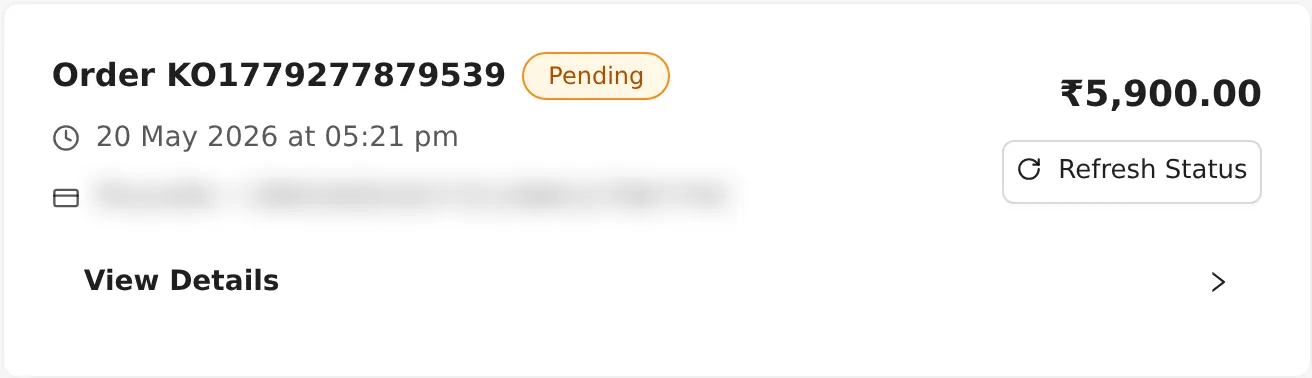
- Pending (amber): the order was created but the payment has not been confirmed. This happens if you closed the payment page early or the bank is still processing it.
- Failed (red): the payment did not go through. Nothing was added to your account.
- Cancelled (grey): the order was stopped before payment.
What each order type is
Open View Details to see what an order was for. The Product column shows Kamero's internal product name. This table tells you what each one means.
| Product shown | What you bought |
|---|---|
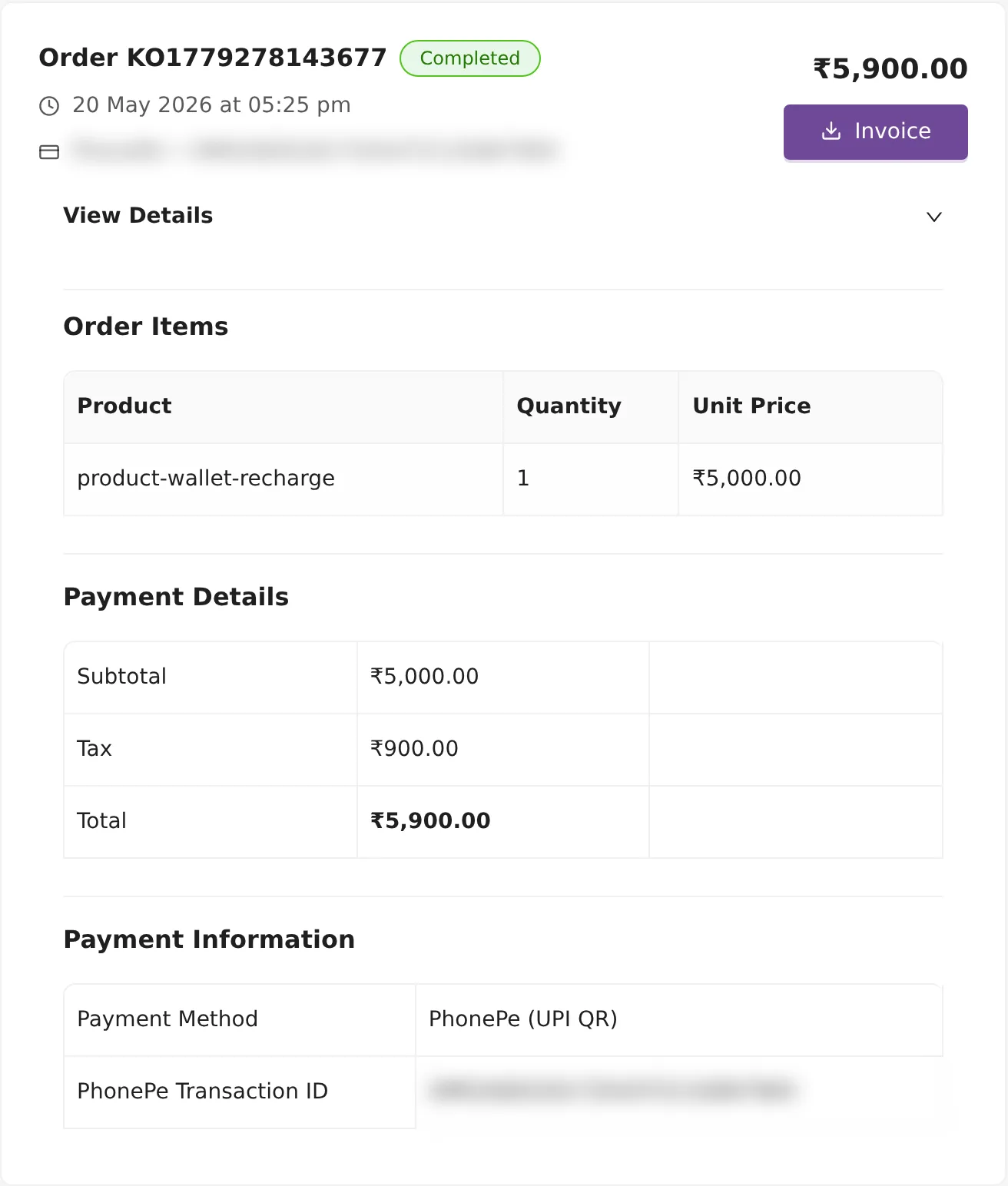
product-wallet-recharge | Credits for your wallet. 1 credit is ₹1. In India, 18% GST is added, so ₹5,000 of credits costs ₹5,900. |
product-basepack-100 to product-basepack-10000 | A photo pack. The number is how many photos it adds to an event. Each pack is valid for 12 months. |
validity-extension-product or increase_event_validity | Event renewal. It keeps an event online for another 12 months. |
facial-support-product-12 or facial_support_12 | The face recognition add-on for one event, for 12 months. |
Plan names such as starter_plan_yearly or starter_plan_monthly | A subscription plan payment. These orders start with BO-. |
Photo pack prices in India:
| Photos | Price |
|---|---|
| 100 | ₹100 |
| 250 | ₹150 |
| 500 | ₹350 |
| 1,000 | ₹700 |
| 2,000 | ₹1,000 |
| 3,000 | ₹1,350 |
| 4,500 | ₹2,000 |
| 6,000 | ₹2,500 |
| 10,000 | ₹3,500 |
To buy a pack for an event, see Increase an event's photo limit. For plans, see Subscription plans and buying.
The price breakdown
Under View Details you see three sections:
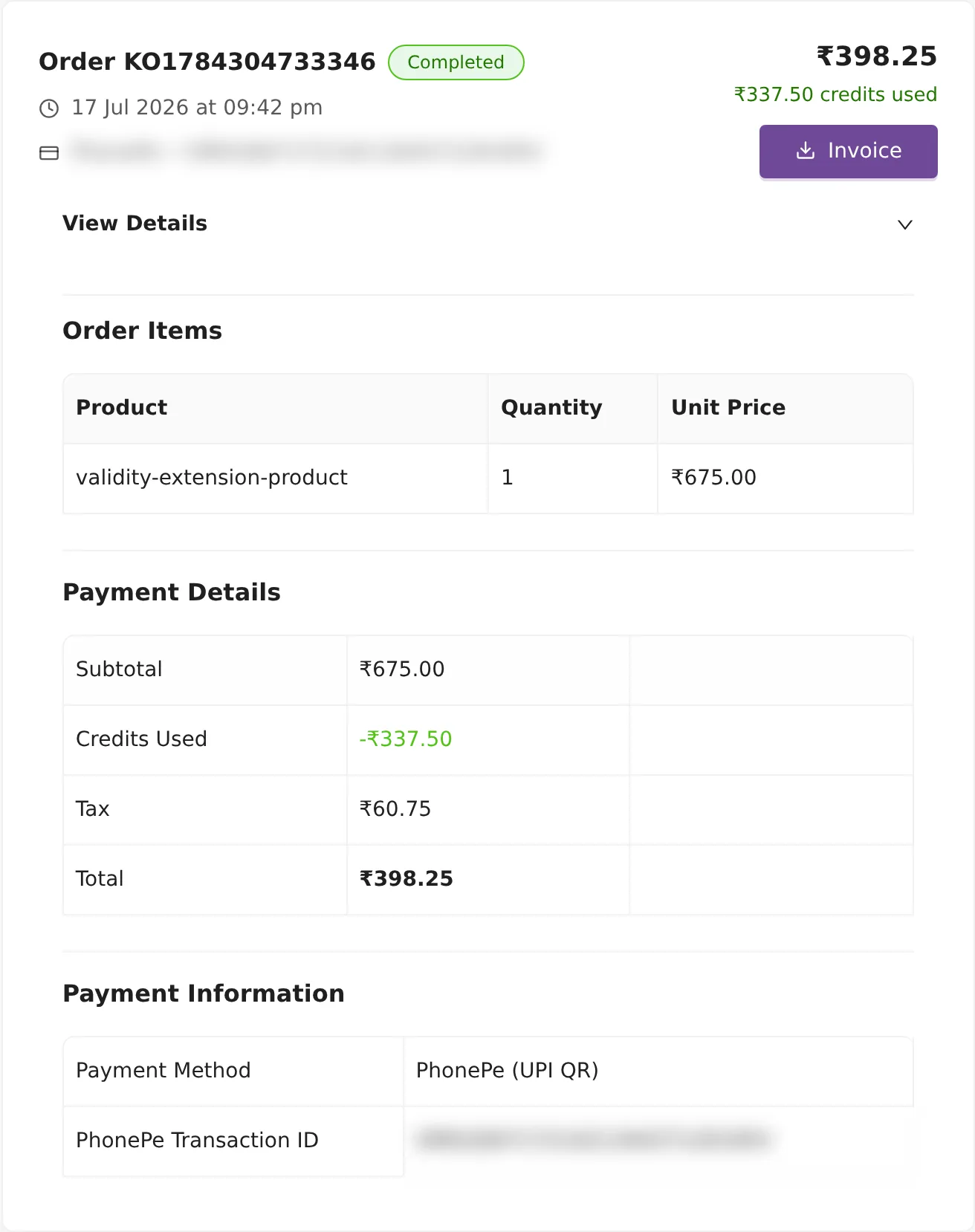
- Order Items: the product, quantity and unit price.
- Payment Details: Subtotal, Credits Used, Discount, Tax and Total. Lines that are zero are hidden.
- Payment Information: the payment method, such as "PhonePe (UPI QR)", and the gateway's transaction or order ID.
Tax is worked out only on the part you pay through the gateway. In the renewal below, the subtotal is ₹675.00. Credits covered ₹337.50, so 18% GST was added to the other ₹337.50. That makes ₹60.75 tax and a total of ₹398.25.
How to download an invoice
- Find the order on My Orders.
- Click Invoice. The PDF opens in a new tab, where you can save or print it.
The download link works for one hour. If it stops working, click Invoice again.
Indian invoice numbers start with INVKAM. International invoices start with INVINT. After the prefix come the year and month (YYMM) and a 5-digit number that starts again each month, so INVKAM261100109 is invoice 109 of November 2026.
Kamero also emails each invoice when the payment completes, with the subject "Invoice - <number> for Kamero Order (INR)", or (USD) for dollar orders.
Orders with no Invoice button
Orders that your credits paid in full have no invoice, because no new money changed hands. You already received a GST invoice when you bought those credits. Find that purchase in the list (its product is product-wallet-recharge) and download its invoice.
My Orders lists your 100 most recent orders, so older orders and their Invoice buttons are not shown. For one of those invoices, open a support ticket with the order ID or date.
Add billing details for GST invoices
Your invoices use the name, address and GST number saved in your billing details. If you have not added them, the orders page shows a reminder: "You have not added billing details yet."
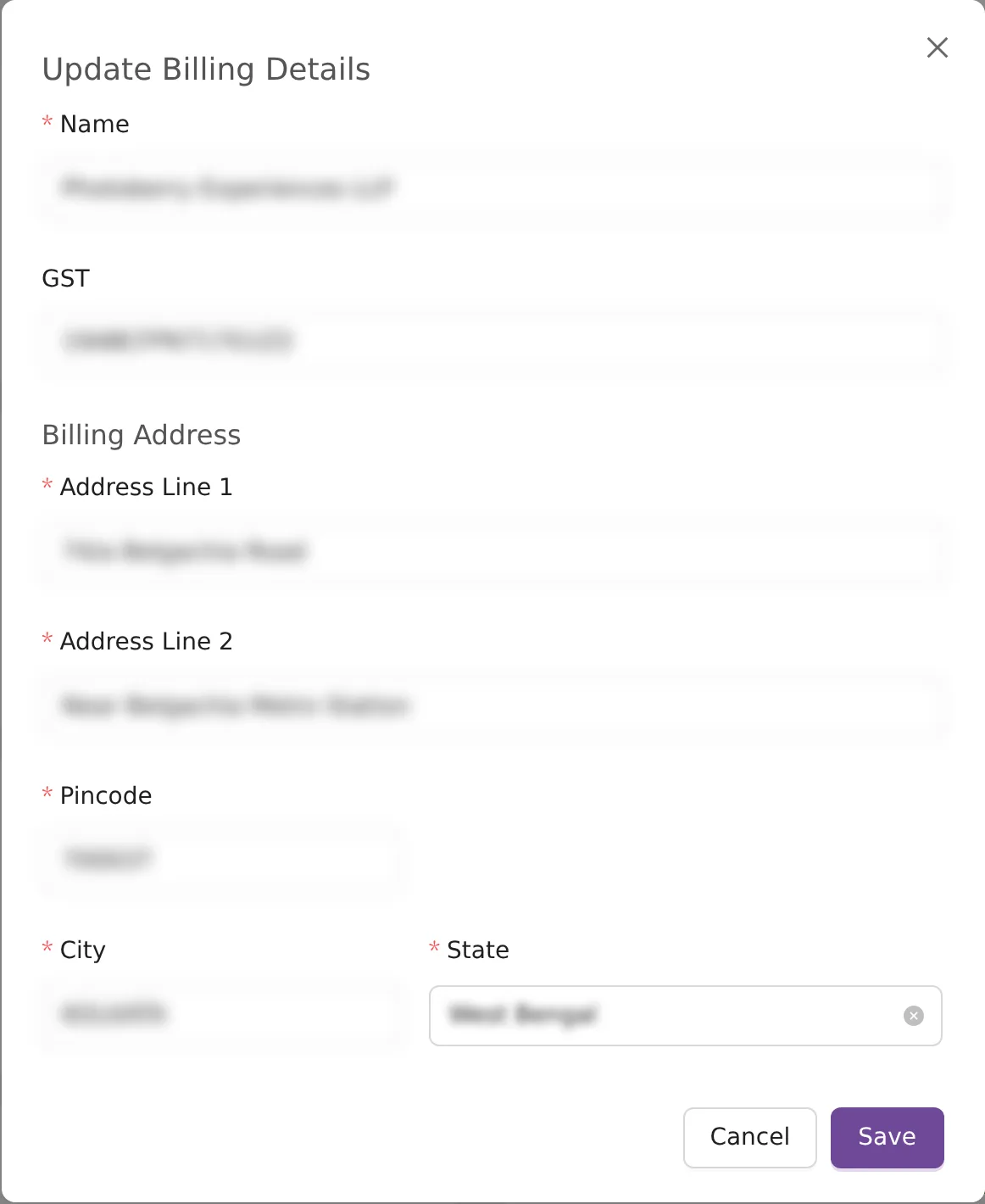
- Click Add Billing Details on My Orders. Or open your profile picture, choose Account Settings, and click Manage Billing Details. You can also go straight to
/account-settings/billing-details. - Enter a Name, the person or business name for the invoice. It needs at least 3 characters.
- Enter your GST number if you have one. It is optional. Kamero checks that it is a valid GSTIN and fills in your state from it.
- Fill in Address Line 1 and Address Line 2. Both are required.
- Enter your 6-digit Pincode. City and State fill in by themselves. Check them, and pick Other in State if yours is not listed.
- Click Save.
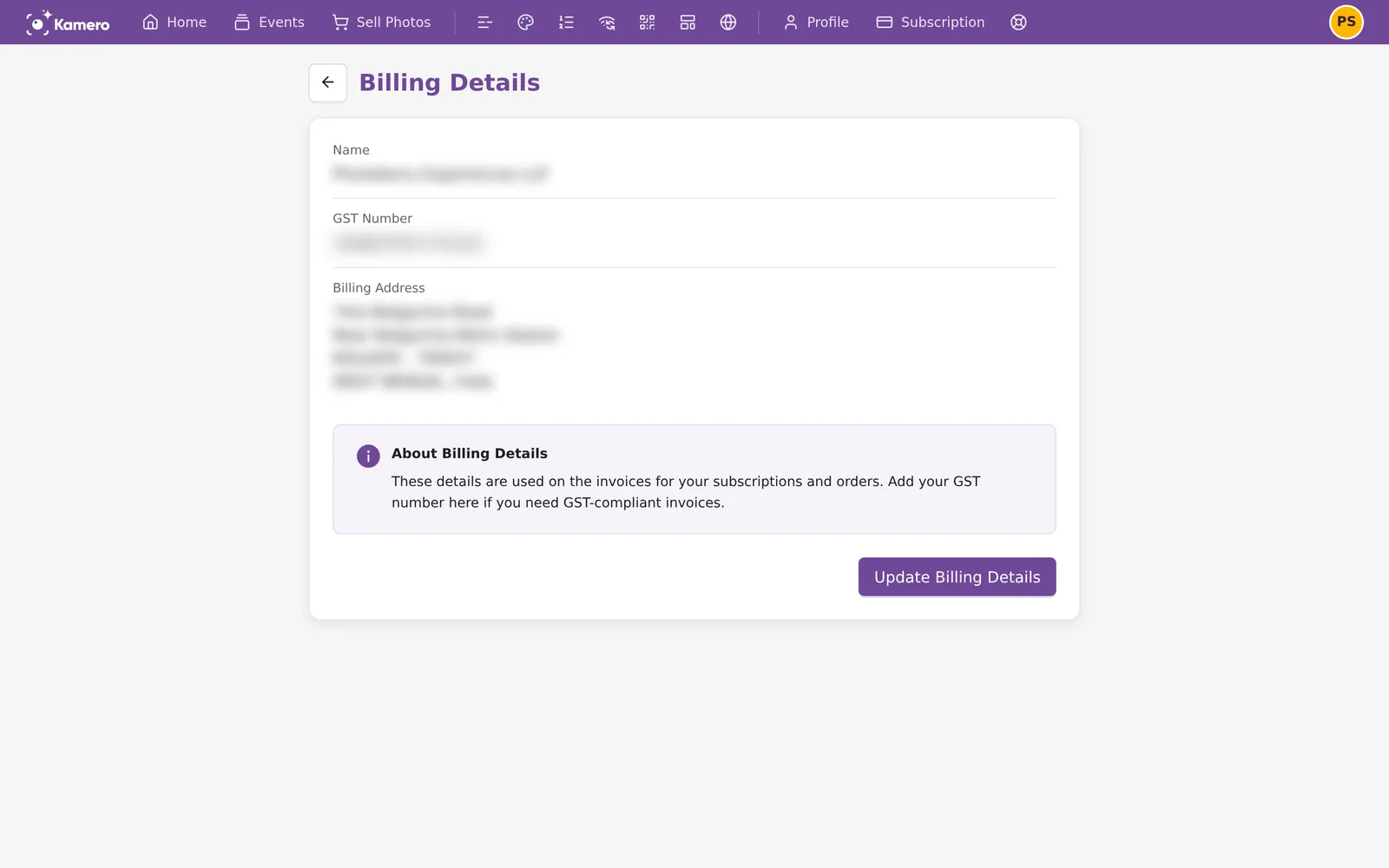
The Billing Details page shows what is saved now. To change it, click Update Billing Details. New details apply to orders you pay from then on, so save them before you pay. Invoices that were already made do not change. If you need a correction, open a support ticket with the order ID.
How GST appears on the invoice
- GST is 18%.
- The state in your GST number decides the place of supply. Without a GST number, the State in your billing details decides it. With no billing details saved, the invoice is treated as Gujarat.
- For Gujarat, the GST is split into 9% CGST and 9% SGST.
- For every other state, it shows as 18% IGST.
- If you pay in US dollars from outside India, no GST is added. The invoice is titled INVOICE instead of TAX INVOICE and says "Export Invoice - No GST Applicable".
For claiming input tax credit, see GST invoice for your business. For dollar payments, see Paying from outside India. More settings for your account are in Account settings.
What to do when a payment fails
- Check the status on My Orders. If the order is Pending and has a Refresh Status button, click it. Kamero asks PhonePe for the latest result and updates the tag.
- If the order says Failed and no money left your account, try again. A failed order stays in the list but costs nothing.
- If money left your account but the order still says Failed or Pending, do not pay again yet. Open a support ticket with the order ID and the date. See Support tickets.
Credits you buy and spend are listed one by one in the Wallet ledger. Money you earn when clients renew your events is in the Commission ledger. Photo sale earnings are on the Seller Dashboard in Sell Photos.
Frequently asked questions
Why is there no Invoice button on some of my orders?
An invoice is made only when part of the order was paid through PhonePe, Razorpay or PayPal. If your credits paid the whole amount, there is no new payment to invoice, so the order has no Invoice button. You were charged GST when you bought those credits, and that purchase has its own invoice.
How do I get my GST number on my invoices?
Go to Account Settings, open Billing Details and click Add Billing Details or Update Billing Details. Enter your GST number and save before you pay. Invoices for orders you pay after that show your GST number. Invoices that were already made keep the details they were made with. If one needs correcting, open a support ticket with the order ID.
My payment failed but money left my bank account. What do I do?
Open the order and click Refresh Status if you see it. If the order still says Failed or Pending, open a support ticket from the dashboard with the order ID (it starts with KO or BO) and the date. Do not pay again for the same thing until the team replies, or you may be charged twice.
Is GST charged again when I pay with credits?
No. In India you pay 18% GST when you buy credits. When you later spend those credits, no GST is added on the part they cover. GST is added only on the part you pay through the payment gateway.
Why does my invoice show IGST instead of CGST and SGST?
Kamero bills from Gujarat. The state in your GST number decides it. Without a GST number, the State in your billing details decides it, and with no billing details saved the invoice is treated as Gujarat. For Gujarat, the 18% GST is split into 9% CGST and 9% SGST. For any other state it shows as 18% IGST. The total is the same either way.
How far back does the orders list go?
The page shows your 100 most recent orders, newest first. For an older invoice, open a support ticket with the order ID or date.
More Plans, orders & billing tutorials
Try it in your dashboard
Sign in to Kamero and follow along. Questions? Raise a support ticket from the dashboard.