How your subscription upload limit is counted and when it resets
A Kamero subscription gives your account one upload limit for the year. Every event you create from the subscription uses the same limit. This guide explains how the number you can still upload is worked out, when it resets, and what to do when you run out. It also covers the separate limit on events made from event packs.
Where to see your limit
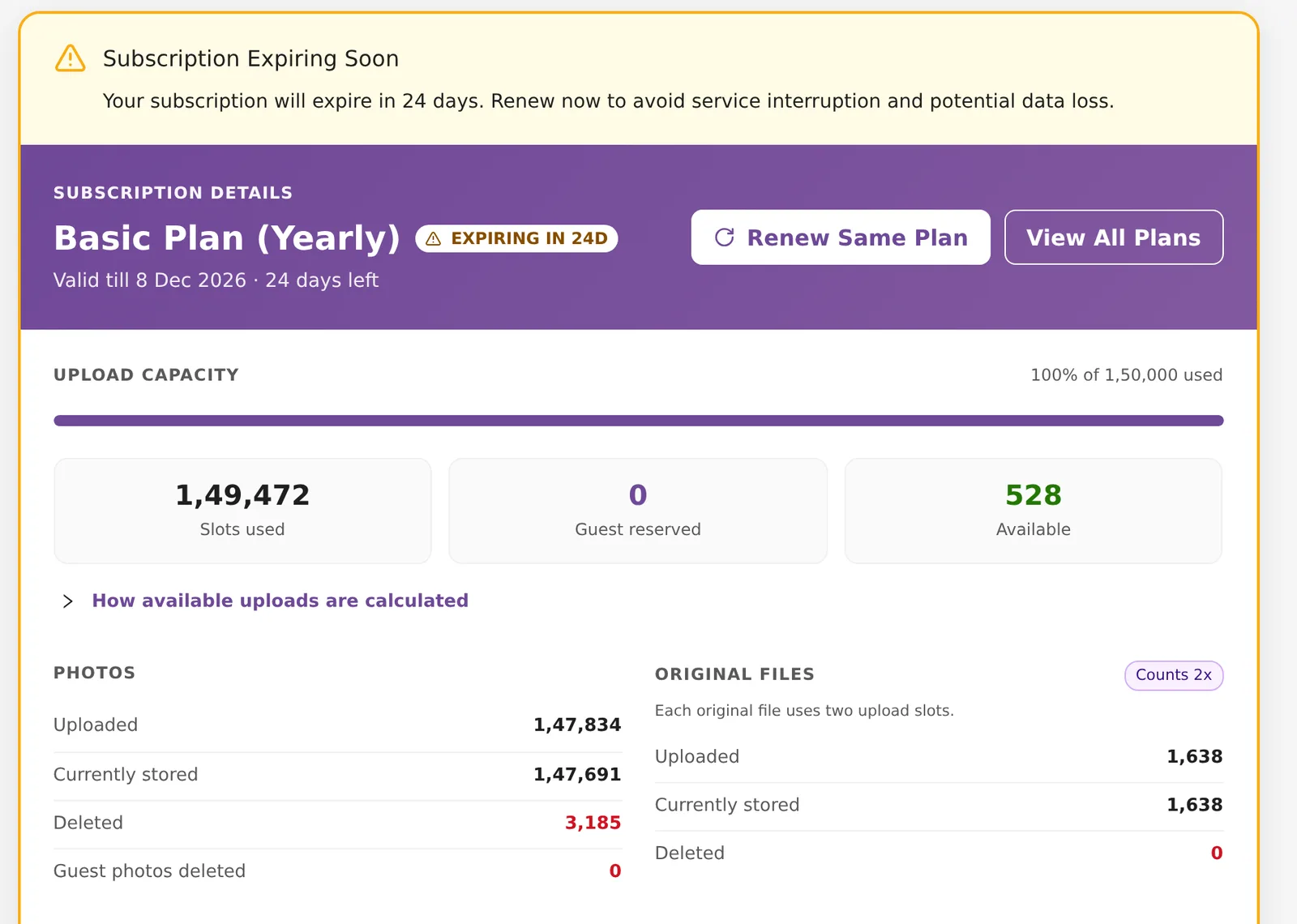
Click Subscription in the top menu. The card at the top shows UPLOAD CAPACITY with three numbers:
- Slots used: what counts against your limit.
- Guest reserved: space held back for guest uploads.
- Available: what you can still upload.
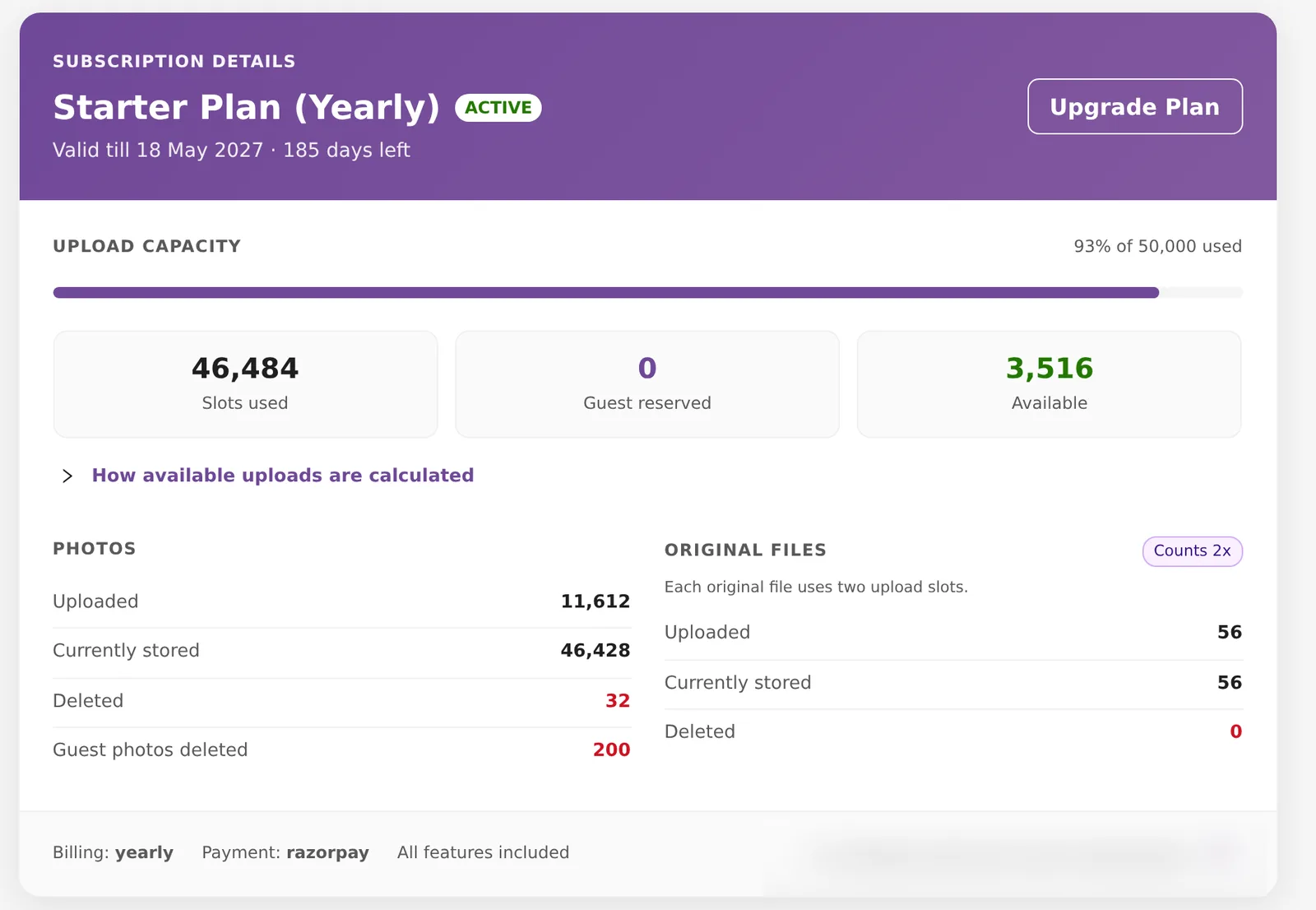
Below the bar, PHOTOS shows Uploaded, Currently stored, Deleted and Guest photos deleted. ORIGINAL FILES carries a Counts 2x tag: each original file uses two upload slots because it takes more storage. A standard photo uses one.
How the available number is worked out
Click How available uploads are calculated on the card to see the sum for your account. In plain words:
- Add up everything you have uploaded in the current 12-month period, deleted photos included. Originals count twice.
- Add up everything you have stored right now, from any period. Originals count twice.
- Take the higher of the two. This is what counts against your limit.
- Take off the space reserved for guest uploads.
- What is left is what you can still upload.
A worked example
The account in the screenshot above is on Starter, with a limit of 50,000 a year.
- Uploaded this period: 11,612 photos and 56 originals. 11,612 + 56 = 11,668.
- Stored now: 46,428 photos and 56 originals at two each. 46,428 + 112 = 46,484. Most of these were uploaded in an earlier year and are still kept.
- The higher of the two is 46,484.
- Guest reserved is 0.
- Available: 50,000 − 46,484 = 3,516.
Because this account keeps photos from earlier years, deleting some of those old photos would give space back. Deleting photos uploaded this period would not, because they still count as uploaded.
When the limit resets
The limit resets once every 12 months, on the yearly anniversary of the day your current subscription period started. This is the same if you pay yearly, quarterly or monthly. Paying a quarterly or monthly instalment does not reset it.
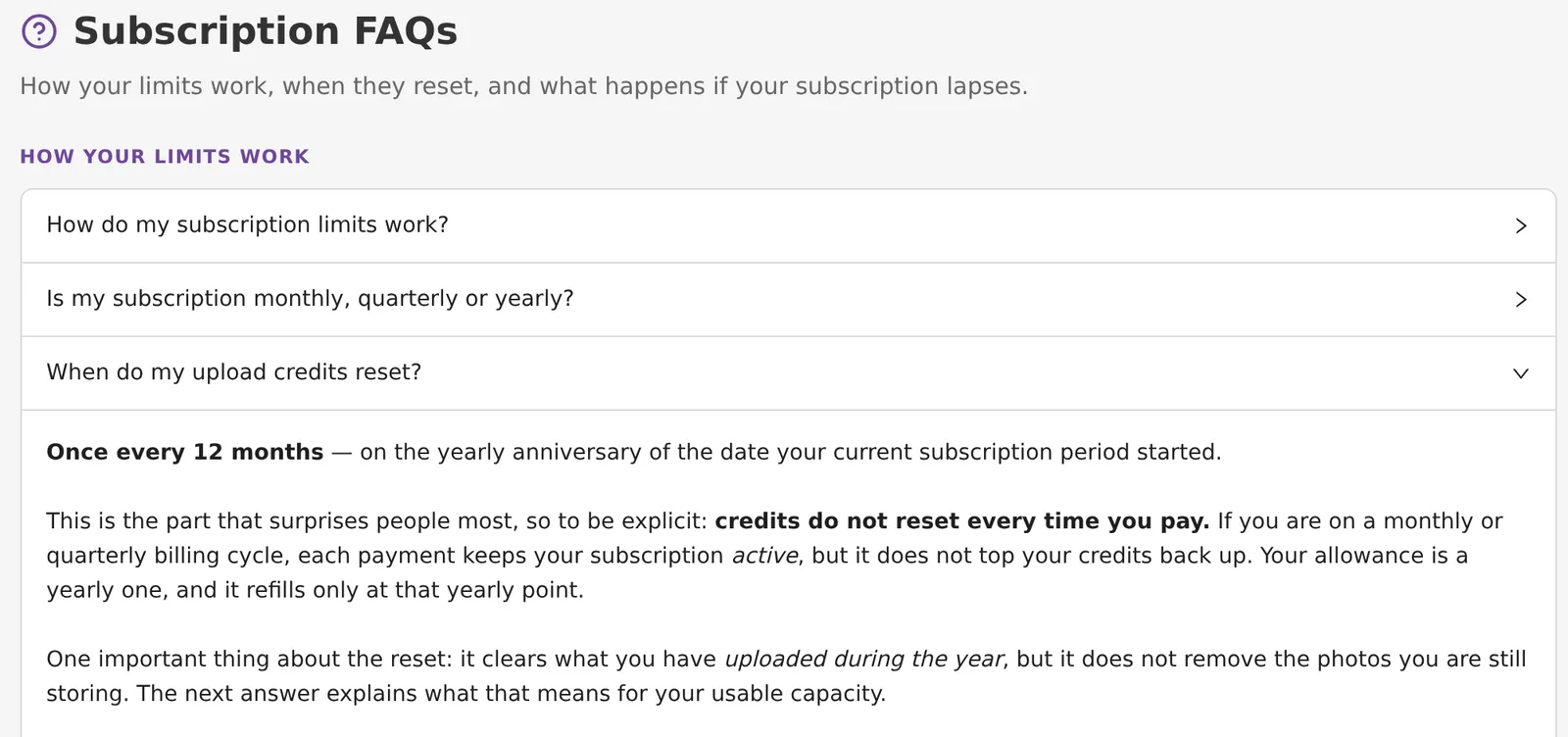
At the reset, the "uploaded this period" count goes back to zero. Photos you still keep go on counting as stored. So after the reset you can upload up to your limit minus what you still keep.
Renewing early does not reset the count. If your subscription lapses and you then renew, a new period starts and the count starts again from that day.
Guest upload reservations
When you switch on guest uploads for a subscription event, the number you set in Max Photos For Guest Upload is reserved straight away. It shows as Guest reserved and is taken off Available, even before any guest uploads. The space comes back when you turn guest uploads off or the event is archived. To set this up, see Event settings and how guests upload photos.
What happens at the limit
When Available reaches 0, new uploads are refused. The upload screen tells you how many you have used, for example "(X of Y uploads used this period, deleted photos included)". If you try to upload more files than you have room for, it tells you how many upload slots are left. Photos already in your events stay as they are.
You have three ways out:
- Upgrade to a bigger plan (below).
- Delete photos you uploaded in an earlier period and no longer need.
- Contact support to ask about extra capacity.
Upgrade to a bigger plan
When you are running low, the Subscription page shows an Upgrade Your Plan banner with how many uploads you have used.

- Click Upgrade Plan on your subscription card, or scroll to the plan cards. Your plan is tagged YOUR PLAN, and bigger plans show how much more space they give.
- Click Upgrade on the plan you want.
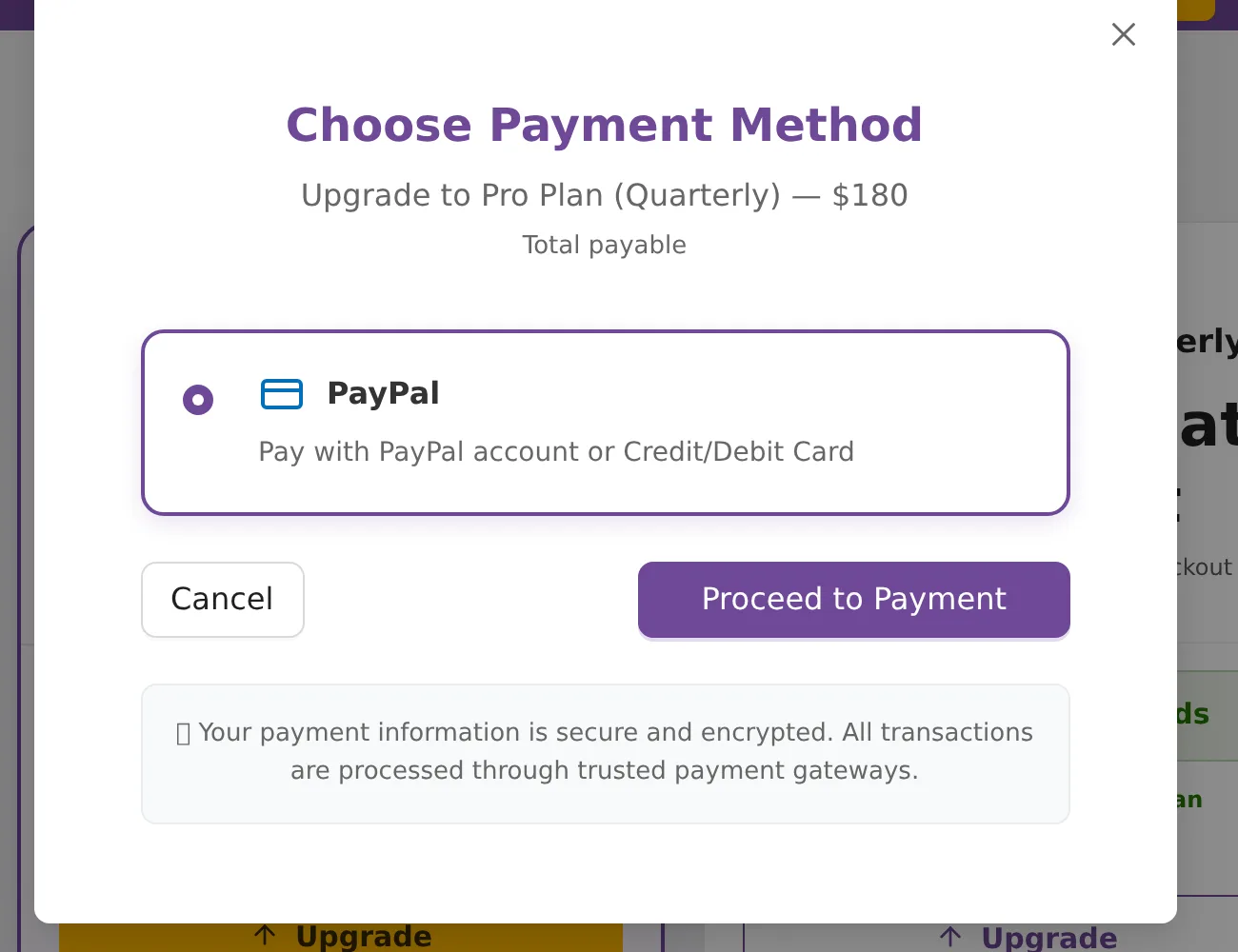
- In Choose Payment Method, check the amount and click Proceed to Payment.
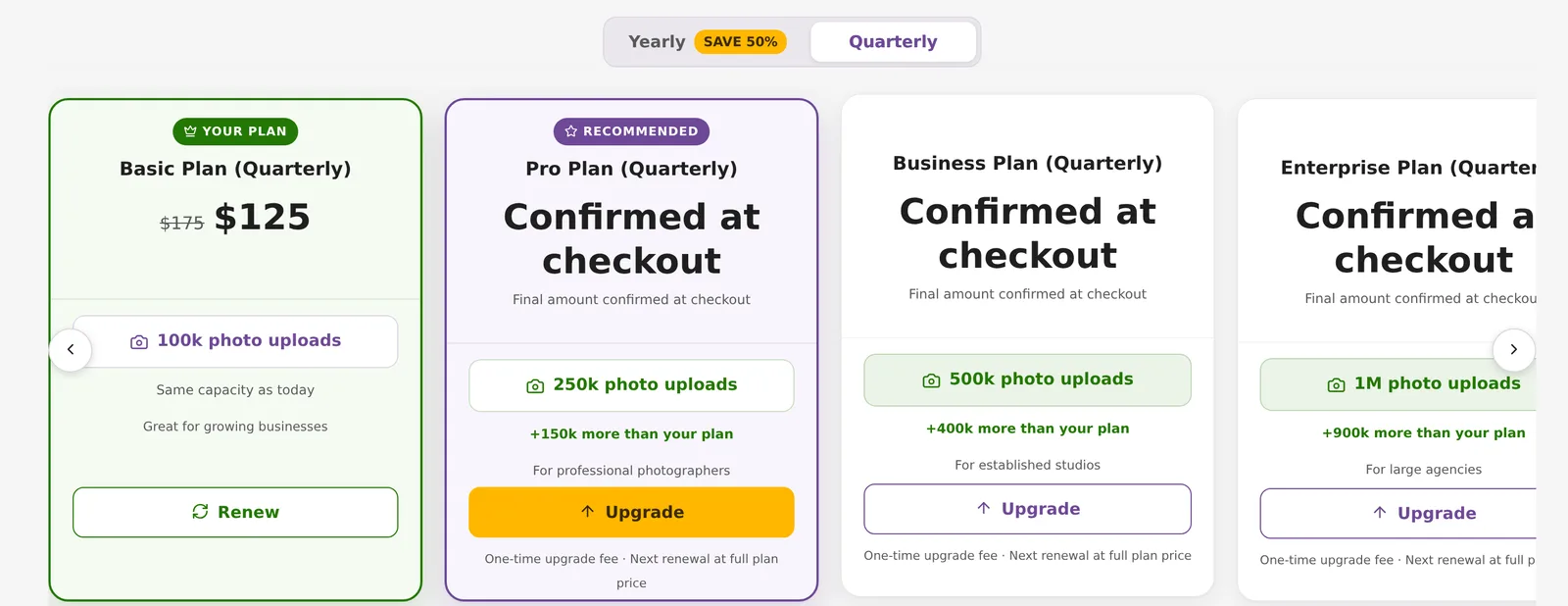
The tabs you see depend on how you pay now:
- Yearly subscribers see only Yearly.
- Quarterly subscribers see Yearly and Quarterly.
- Monthly subscribers see Yearly, Quarterly and Monthly.
What an upgrade costs
You pay the difference between the new plan's price and your current plan's price, plus a one-time fee of ₹1,000 in India or $20 outside India. In India 18% GST is added. If the new plan does not cost more than your current one, the charge is 20% of the new plan's price, plus the fee.
For example, Starter yearly to Basic yearly in India: (₹15,990 − ₹8,490 + ₹1,000) plus GST = ₹10,030.
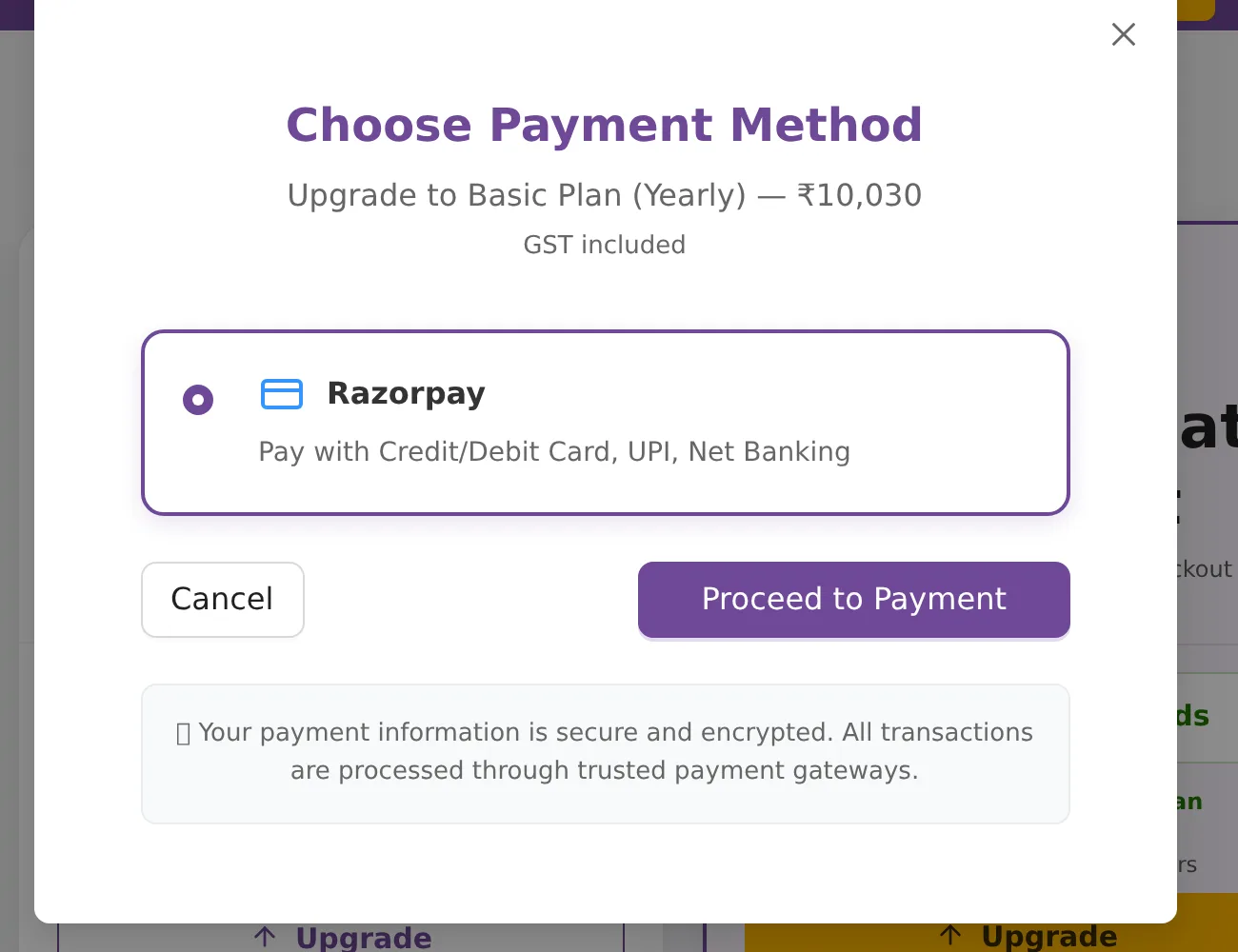
The new limit applies as soon as the payment goes through. Your renewal date does not change, and the next renewal is charged at the full price of the new plan. The upgrade is paid in the same currency and through the same gateway as your current autopay. If your subscription has already expired, you renew at the normal plan price and no upgrade fee applies.
No downgrades
Plans smaller than yours are not offered. If you renew onto a smaller plan, you keep your bigger limit.
Renew before it runs out
Close to the end date, the card shows Subscription Expiring Soon with the days left, and buttons for Renew Same Plan and View All Plans.
What happens to your events when a subscription ends is covered in Event validity and expiry. Prices and payment methods are in Subscription plans and buying.
Events made from event packs
An event created from an event pack does not use your subscription. It has its own limit, and two checks apply. You can upload up to the smaller of the two.
- Space now: the event's photo limit, minus space reserved for guest uploads, minus the photos stored in it now (originals count twice). Deleting photos gives this space back.
- Lifetime uploads: 2.5 times the event's photo limit, minus everything ever uploaded to the event, deleted photos included. Deleting photos does not give this back. A 1,000-photo event can take 2,500 uploads in its lifetime.
When an upload is refused, the message says which check was hit: "(X of Y photos used)" or "(X of Y lifetime uploads used, deleted photos included)". Buying more photos with Increase Photo Limit raises both checks. It does not change the expiry date. See Increase an event's photo limit, and Event pack or subscription for how the two compare.
Frequently asked questions
I pay monthly. Do I get the full limit every month?
No. Every subscription is yearly. Monthly and quarterly are only ways to split the yearly price. A Starter plan holds 50,000 photos a year whether you pay yearly, quarterly or monthly.
If I delete photos, do I get space back?
Not for photos uploaded in the current 12-month period, because they still count as uploaded. Deleting photos from an earlier period does give space back, because those photos stop counting as stored.
Does renewing early reset my upload limit?
No. The limit resets only on the yearly anniversary of your current period. If your subscription has lapsed and you renew, a new period starts and the count starts again.
Can I move to a smaller plan?
No. Smaller plans are not offered as upgrades, and if you renew onto a smaller plan you keep your bigger limit.
Can I buy extra capacity without changing plan?
Not from the dashboard. Upgrade to a bigger plan, or contact support to ask about extra capacity.
Does upgrading change my renewal date?
No. The bigger limit applies straight away and your renewal date stays the same. The next renewal is charged at the full price of the new plan.
More Plans, orders & billing tutorials
Try it in your dashboard
Sign in to Kamero and follow along. Questions? Raise a support ticket from the dashboard.