How long your events stay online, and what happens when they expire
Every Kamero event has an end date. After it, guests can no longer open the gallery until the event is renewed. This guide explains how long each kind of event lasts, what you and your guests see after expiry, which reminder emails go out, and how to renew in time.
How long each kind of event lasts
| Event made from | How long it lasts |
|---|---|
| An event pack | 12 months from the day you create the event. A pack you have bought but not used never expires. |
| The free trial | 1 month and 15 days from when your account was created (about 45 days) |
| A subscription | As long as your subscription is active. Every subscription event shares its end date. |
The Event Date you type when creating an event does not change any of this. To compare packs and subscriptions, see Event pack or subscription.
Where to see the date
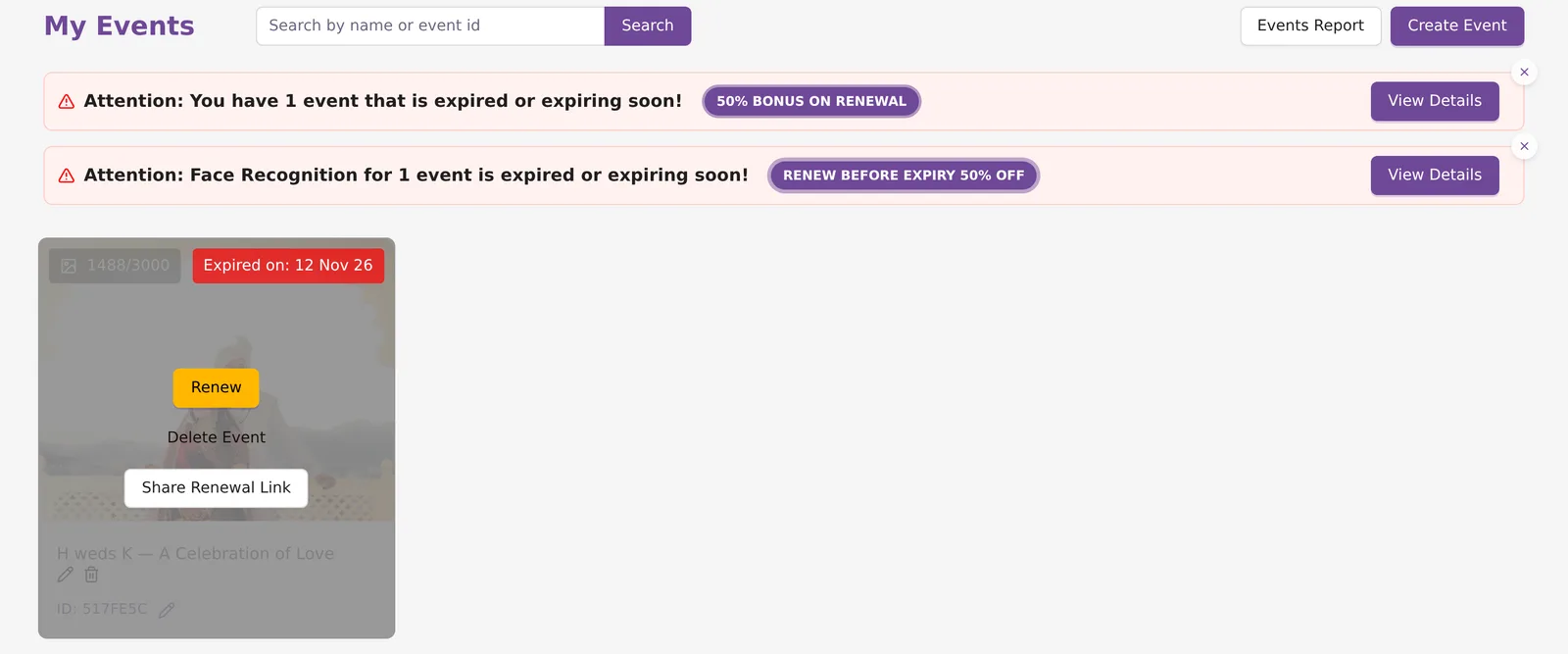
Each card on My Events shows Valid up to: and the date. After expiry it shows Expired on: instead. For a subscription event the date is your subscription's end date. The Subscription page shows the same date as Valid till.
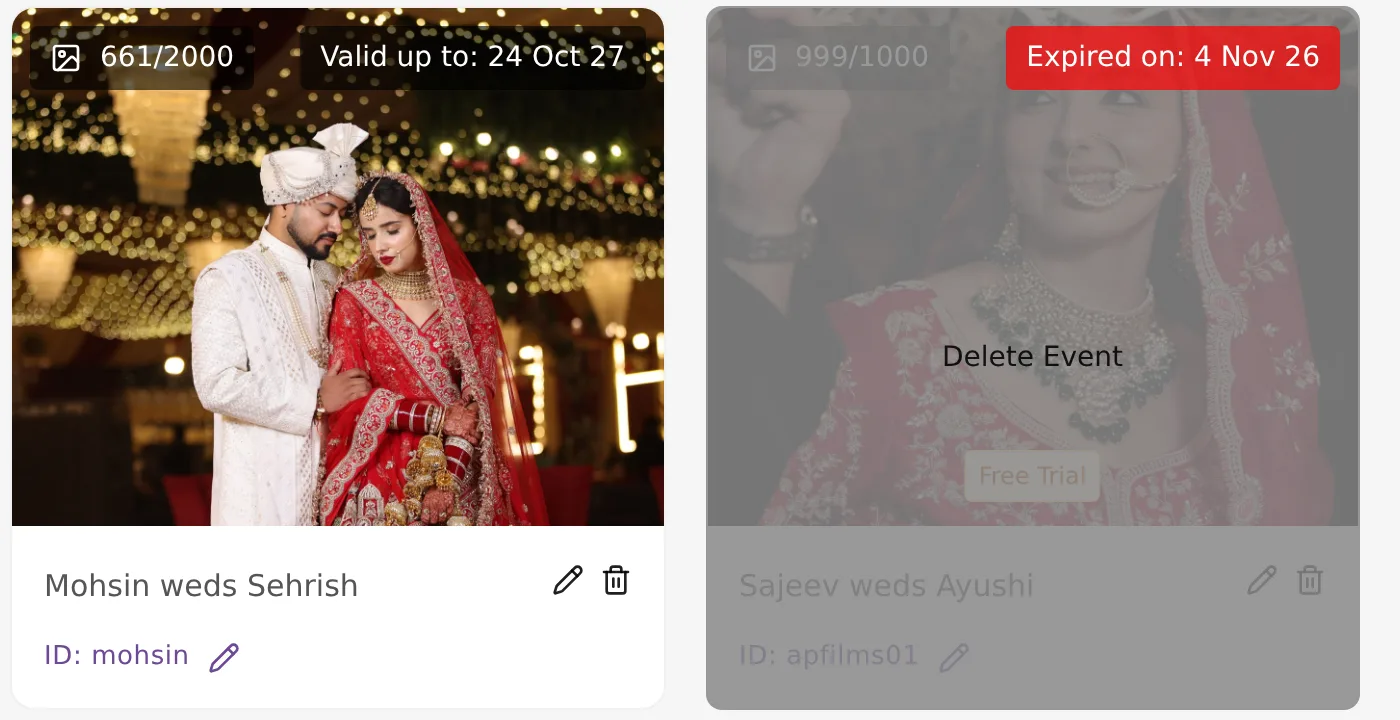
The free trial event cannot be renewed. When it ends, its card offers only Delete Event. Buy an event pack or a subscription and create a new event to carry on.
Warnings before expiry
From 30 days before an event expires, My Events shows a banner, "Attention: You have 1 event that is expired or expiring soon!", tagged 50% BONUS ON RENEWAL. A second banner covers face recognition, tagged RENEW BEFORE EXPIRY 50% OFF. Click View Details on either to see the events with Renew and Share Renewal Link buttons. The event page itself shows an Attention Required banner in the same period.
These warnings are in the dashboard only. No email goes out before the expiry date.
What you see after expiry
A pack event
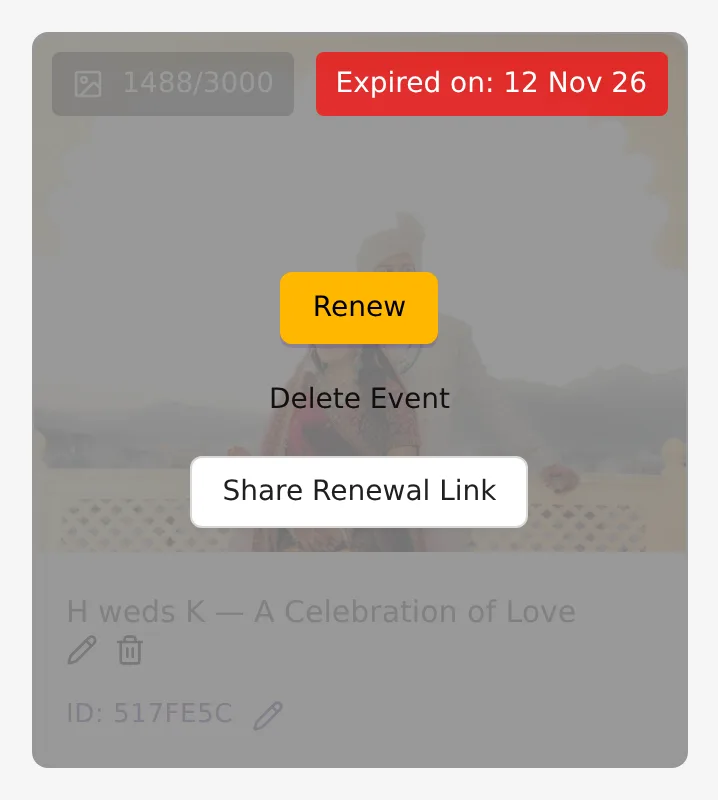
The card shows Expired on: with the date, and three buttons: Renew, Delete Event and Share Renewal Link.
A subscription event
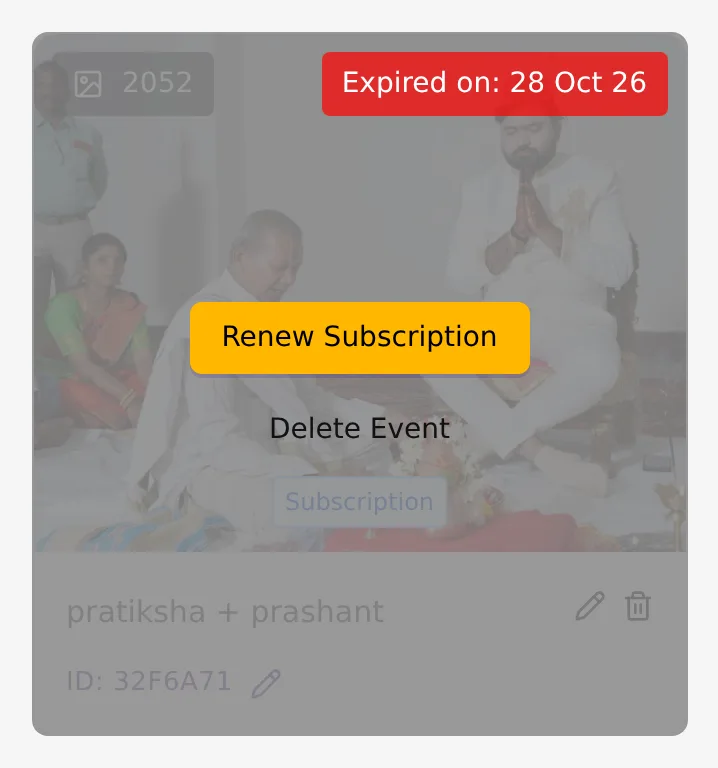
The card carries a Subscription tag and shows Renew Subscription and Delete Event. Subscription events are not renewed one by one. You renew the subscription.
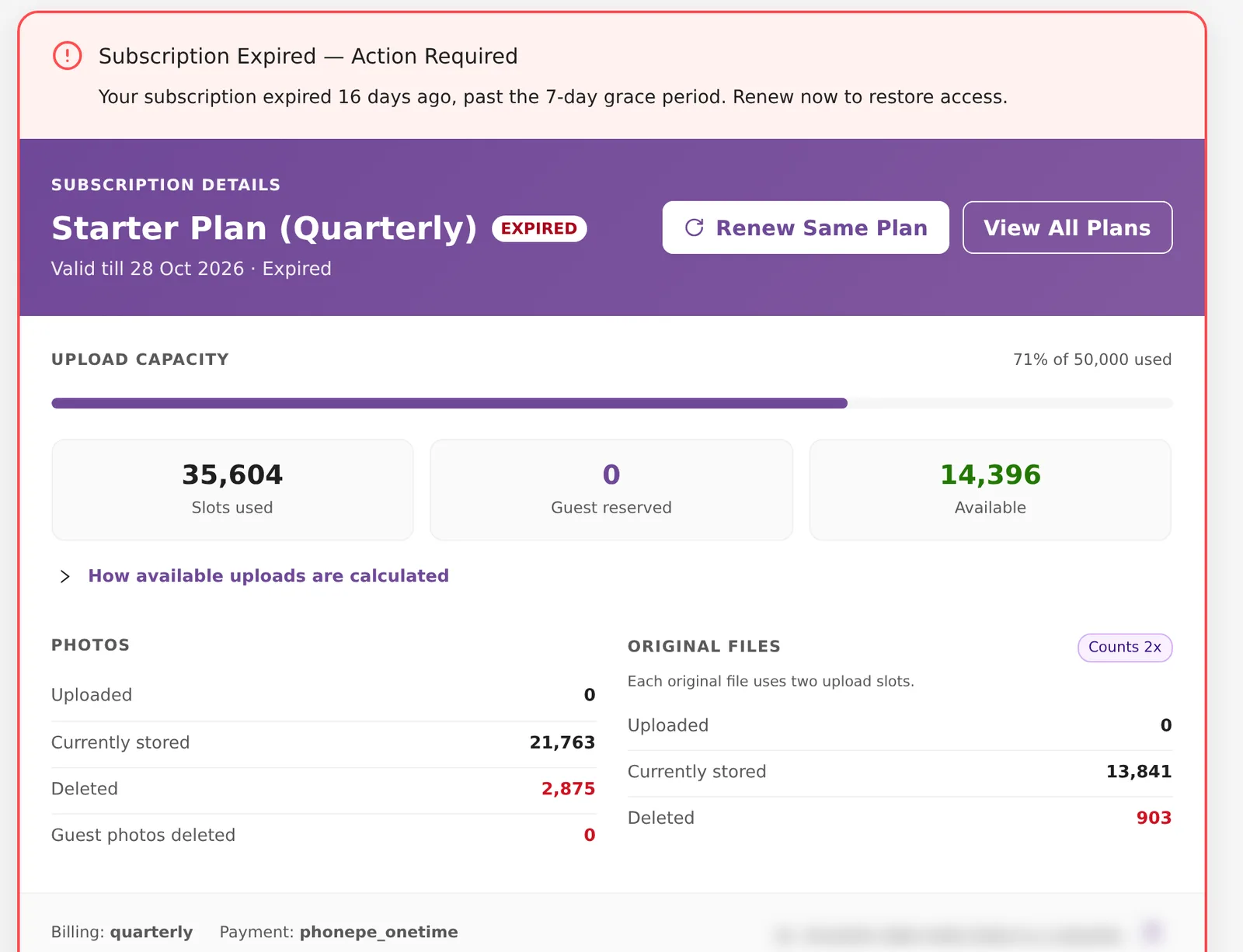
The Subscription page then shows a Subscription Expired alert asking you to renew, and the card is marked EXPIRED.
What your guests see
Guests are blocked from the moment the event expires. When they open the gallery link they see "Event Access Expired" and "Your event has expired. Please renew it to get uninterrupted access to your memories.", with a Renew Event Access button.
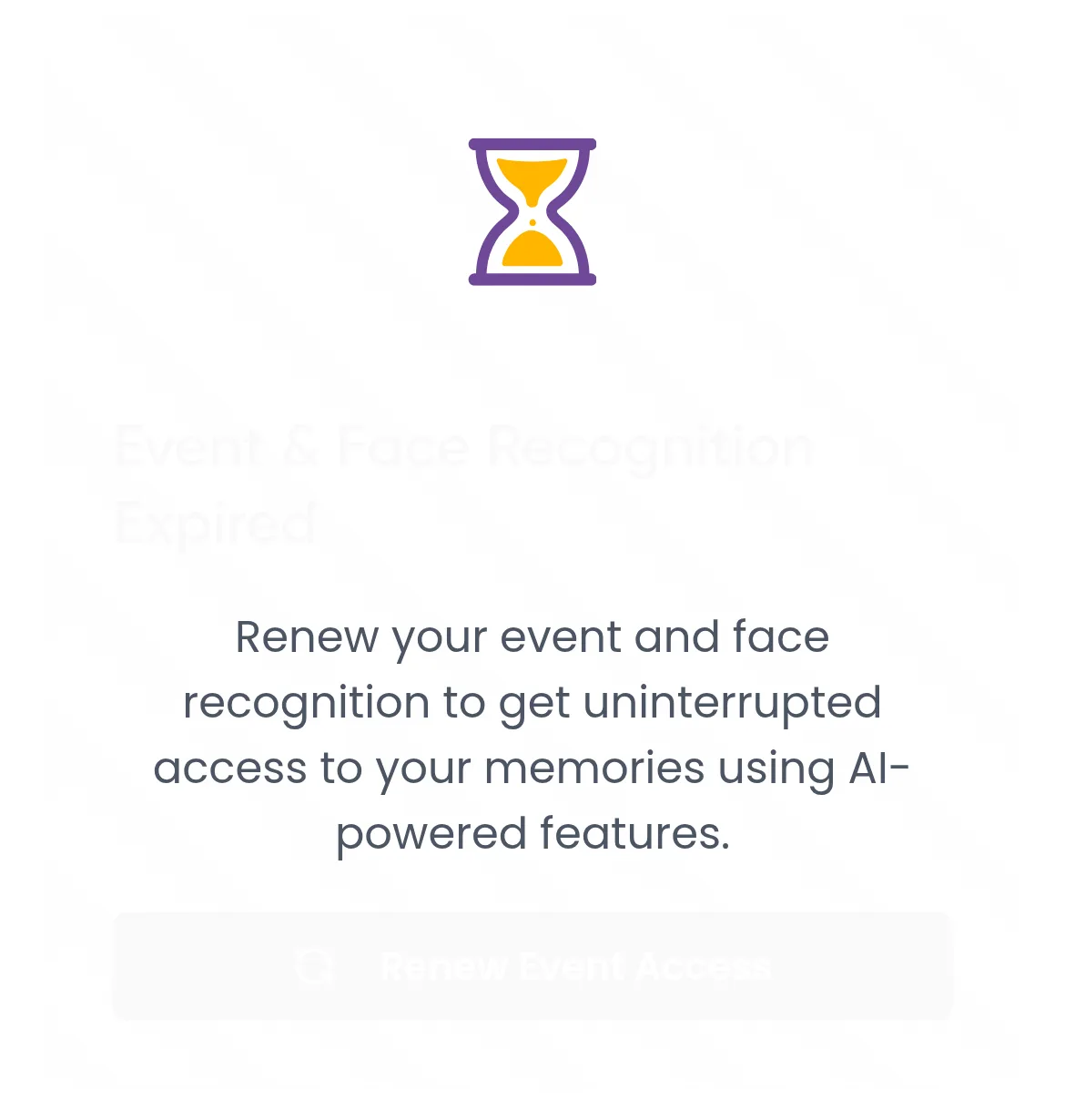
- If the event and its face recognition have both expired, the heading reads "Event & Face Recognition Expired".
- If only face recognition has expired, guests can still see the photos, with a "Face Recognition Expired" notice and a Renew Face Recognition button.
Renew Event Access takes the guest to the full-price renewal page, so you earn commission if they pay. What the guest sees there is covered in Renew an event as a guest.
Reminder emails
Kamero sends reminders by email only. There are no WhatsApp, SMS or app notifications.
- Emails start after the event has expired. None are sent before.
- They go out once a day at 09:00 IST until the event is renewed or archived.
- They go to your main email and your other emails, the event's hosts, and anyone who started a renewal on the guest renewal page.
- Events with no photos are skipped.
- Each event in the email has a Renew → link to the full-price renewal page. When a client pays through it, you earn commission.
- There is no reminder email for face recognition.
Turn the emails on or off
- Open Account Settings and find Email Notifications. Click Manage Notifications.
- Use the Event expiry emails switch ("Reminders about your expired events.") and the Subscription expiry emails switch ("Reminders before and after your subscription expires.").
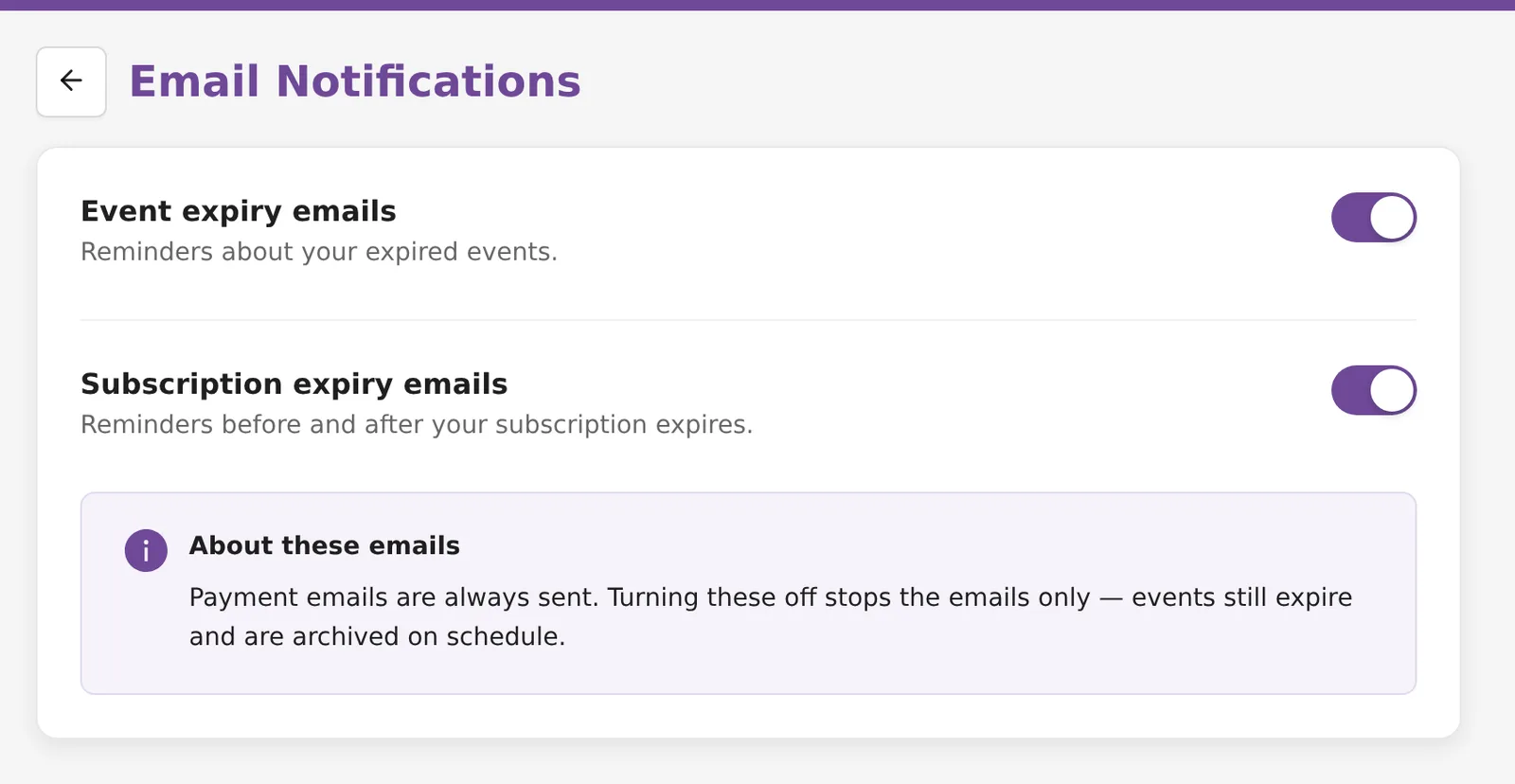
As the page says, payment emails are always sent, and turning these off stops the emails only. Events still expire and are archived on schedule. The switch covers your own addresses. Hosts and guests who started a renewal still get the reminders. More settings are in Account settings.
Renew an event
Kamero may archive (remove) an event 7 days after it expires; renew before then to be safe. An archived event cannot be renewed.
Renew a pack event yourself
- Click Renew on the event card, or in the View Details list.
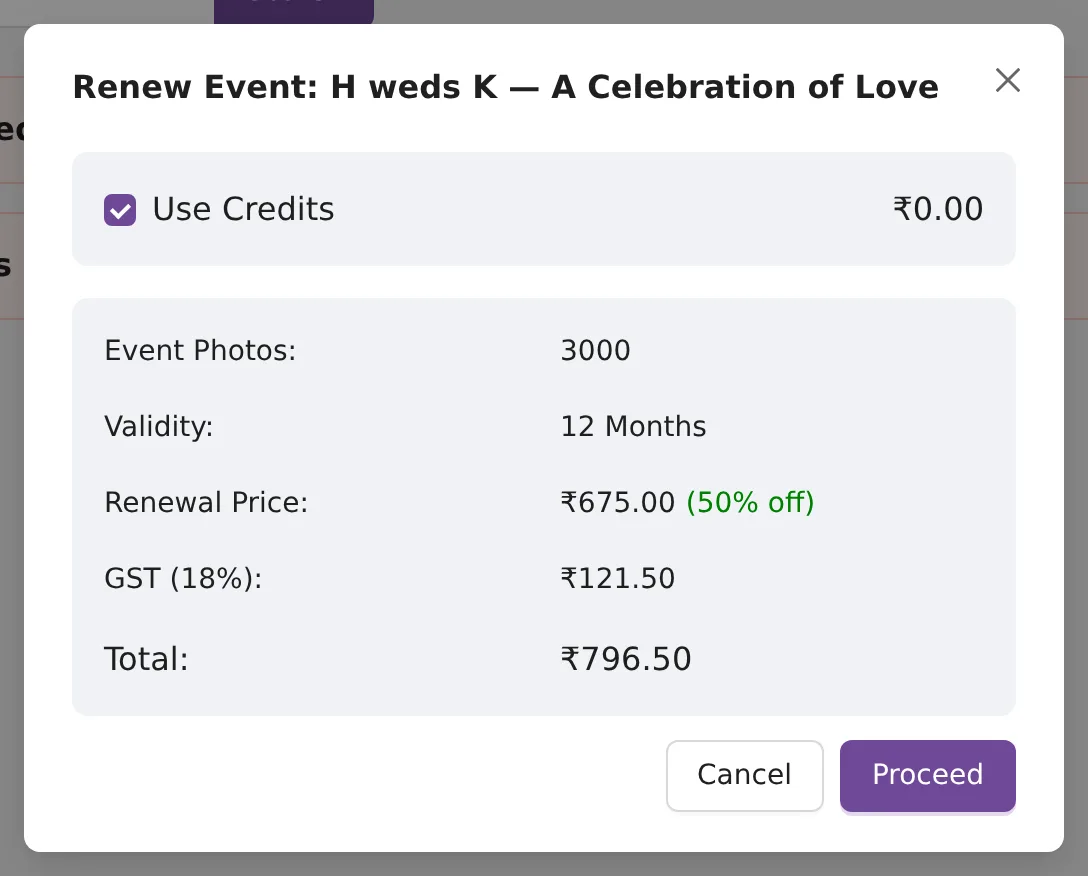
- The Renew Event window shows the event's photos, the 12-month validity and the renewal price at 50% off. For a 3,000-photo event: ₹675.00 + ₹121.50 GST = ₹796.50.
- Tick Use Credits to pay from your wallet if you have a balance, then click Proceed.
Renewing adds 12 months to the expiry date, or to today if the event has already expired. Renewing from the dashboard is always 50% off, before or after the expiry date.
Let your client pay
Click Share Renewal Link and send the link by Copy, Send via WhatsApp or Send Email.
- By default the link is full price, and you get 50% of the price before GST as wallet credits when your client pays.
- Turn on Pass 50% discount to the client/users to give your client the half price instead. You get no commission.
Commission shows in your commission ledger.
Renew a subscription
Click Renew Subscription on an event card, or open Subscription and click Renew Same Plan. One payment brings back every subscription event that has not been archived. See Subscription plans and buying.
Face recognition on pack events
On a pack event, face recognition has its own end date, 12 months after you bought it. Renewing it on or before that date is 50% off. After that date you pay the full price. On subscription events face recognition follows the subscription.
To add photos to an event without changing its dates, see Increase an event's photo limit.
Frequently asked questions
Does the Event Date in the form change how long the event lasts?
No. The Event Date is only shown to guests. A pack event lasts 12 months from the day you create it, whatever date you type.
Do I get a reminder before my event expires?
Not by email. From 30 days before expiry, the dashboard shows banners on My Events and on the event page. Reminder emails start only after the event has expired.
How long do I have to renew after an event expires?
Kamero may archive (remove) an event 7 days after it expires; renew before then to be safe. Once an event is archived it cannot be renewed.
Is renewing after expiry still 50% off?
Yes. Renewing an event from your dashboard is 50% off before or after the expiry date. Face recognition is different: its 50% off applies only if you renew on or before its own expiry date.
If I turn off event expiry emails, will my clients still get them?
Yes. The switch stops the emails to your own addresses only. Event hosts and guests who started a renewal still get them, and the event still expires and can be archived on schedule.
What happens to my subscription events if I renew late?
Renewing the subscription brings back all of its events at once, as long as they have not been archived.
More Events tutorials
Try it in your dashboard
Sign in to Kamero and follow along. Questions? Raise a support ticket from the dashboard.