Get a GST invoice for your business and claim input tax credit
If your studio is registered for GST in India, Kamero can put your GSTIN on every invoice. You then claim input tax credit with that tax invoice, as you would for any other supplier. This guide shows where to add your details, when to add them, and how to find the right invoice for each payment.
What you get
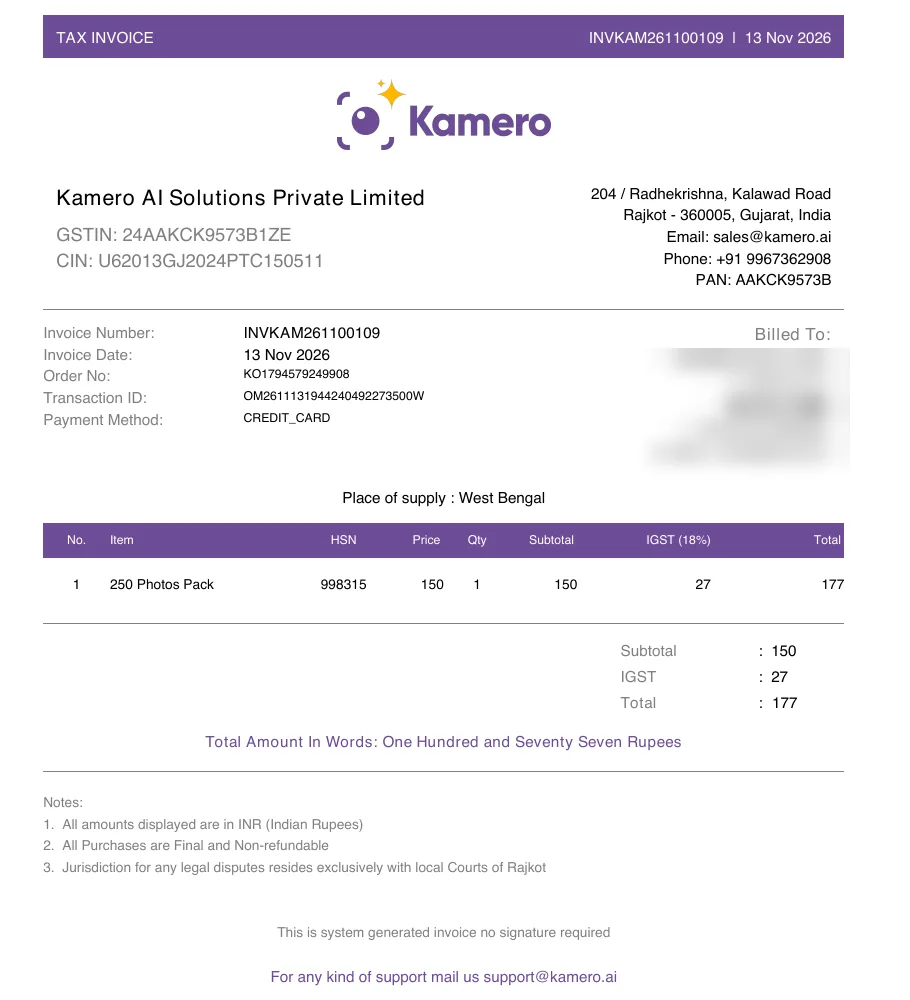
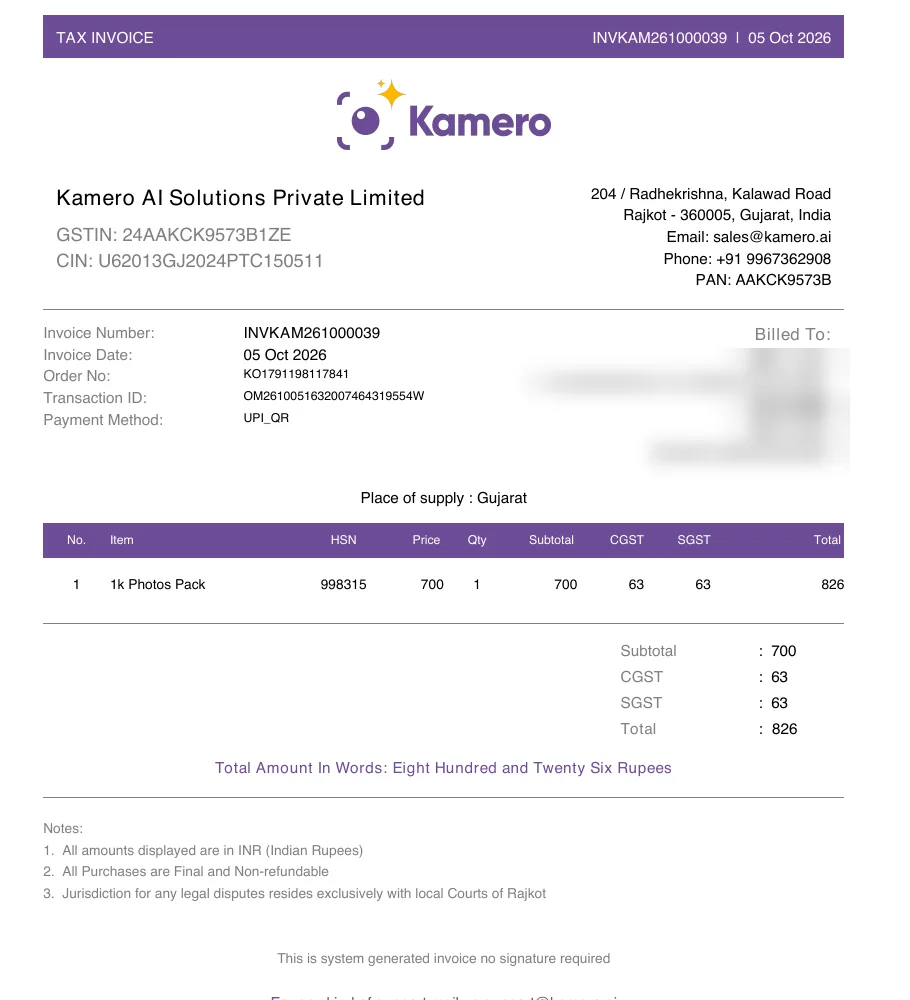
Every order you pay in rupees through a payment gateway gets a PDF titled TAX INVOICE. It shows:
- Kamero AI Solutions Private Limited, Rajkot, Gujarat, with Kamero's GSTIN 24AAKCK9573B1ZE.
- Your name, address and GSTIN under Billed To, taken from your billing details.
- Place of supply, which is your state.
- Each item with SAC 998315 in the HSN column, the price, and the GST on it.
- GST at 18%, either as 9% CGST plus 9% SGST, or as 18% IGST.
Add your GSTIN before you pay
The invoice is made once, at the moment your payment goes through. It uses the billing details saved at that moment. So save your GSTIN first, then pay.
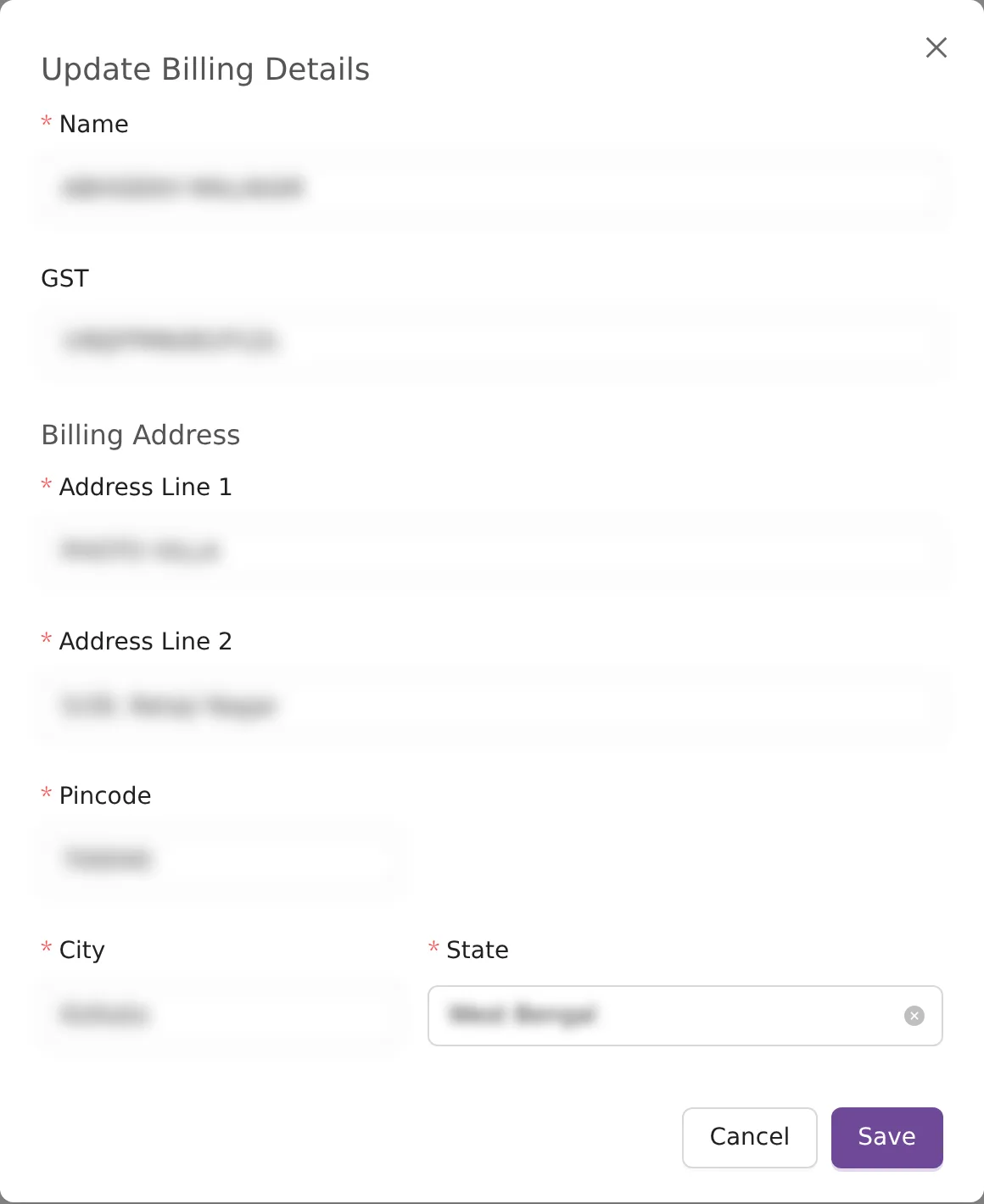
- Click your profile picture at the top right and choose Account Settings. On the Billing Details card, click Manage Billing Details. You can also click Add Billing Details at the top of My Orders.
- Click Add Billing Details, or Update Billing Details if you saved some before.
- In Name, type the business or person name the invoice should carry. It needs at least 3 characters.
- In GST, type your 15-character GSTIN. If it is not a valid GSTIN you see "Invalid GST number". A valid one fills in the State for you.
- Fill in Address Line 1 and Address Line 2. Both are required.
- Type your 6-digit Pincode. City and State fill in from it. Check them.
- Click Save.
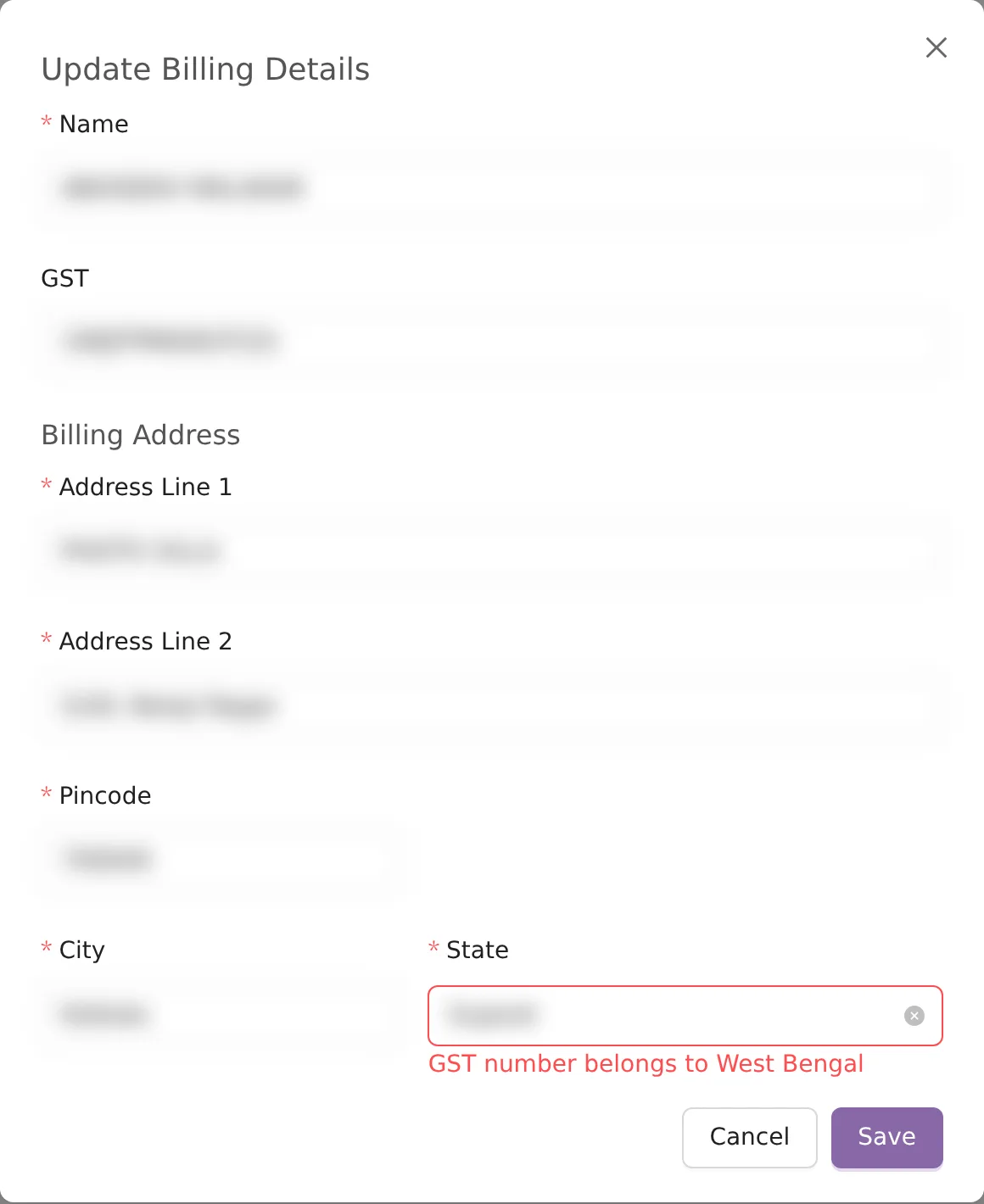
The State must be the state your GSTIN belongs to. If you pick another one, the form shows "GST number belongs to" followed by the right state, and will not save until they match.
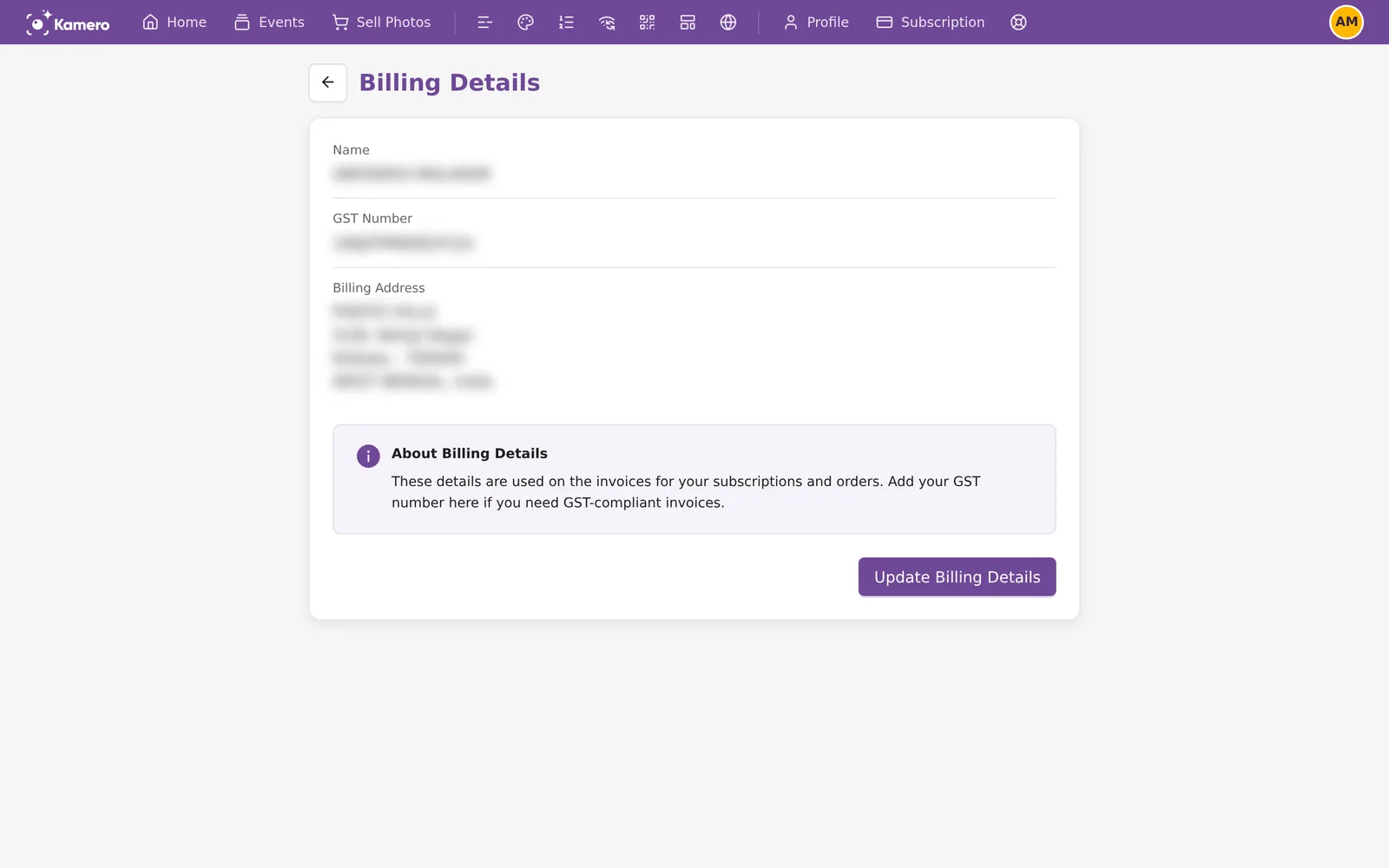
The billing address is for India only. The country is always India. Once saved, the Billing Details page shows your Name, GST Number and Billing Address.
If you start a purchase with no billing details saved, the checkout shows "Add Billing Details first if you want GST Invoice :" with an Add Billing Details button. Use it before you pay.
Which GST your invoice shows
The place of supply on your invoice is decided in this order:
- If you saved a GSTIN, the state of that GSTIN.
- If you saved billing details without a GSTIN, the State you picked.
- If you saved no billing details, Gujarat.
Kamero bills from Gujarat. For a Gujarat place of supply, the 18% is split into 9% CGST and 9% SGST. For any other state, it is 18% IGST. You pay the same total either way.
Orders you paid with credits
When you buy credits in rupees, you pay 18% GST on top. For example, ₹5,000 of credits costs ₹5,900. That purchase gets a tax invoice for ₹5,000 plus ₹900 GST. Claim the input tax credit on that invoice.
- An order that credits paid in full has no invoice and no Invoice button, because no GST was charged on it.
- An order paid partly with credits gets an invoice. It shows the Credits Used, and GST is charged only on the part you paid through the gateway.
- To find the credit purchase on My Orders, click View Details on an order. A credit purchase lists
product-wallet-recharge.
The Wallet ledger shows each credit purchase with its order ID, so you can match it to the invoice.
Download your invoices
- Open My Orders.
- Find the order and click Invoice. The PDF opens in a new tab, where you can save or print it.
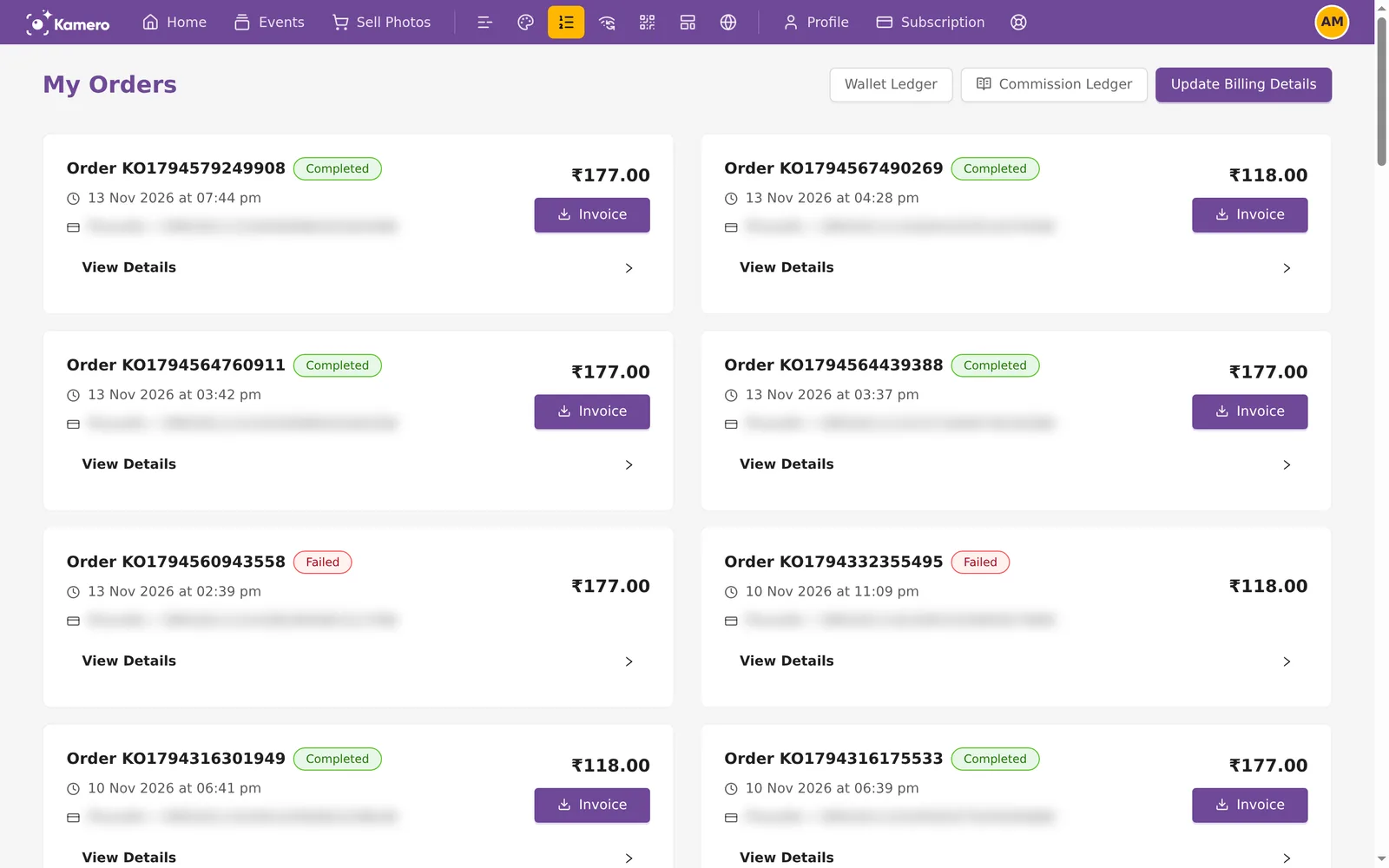
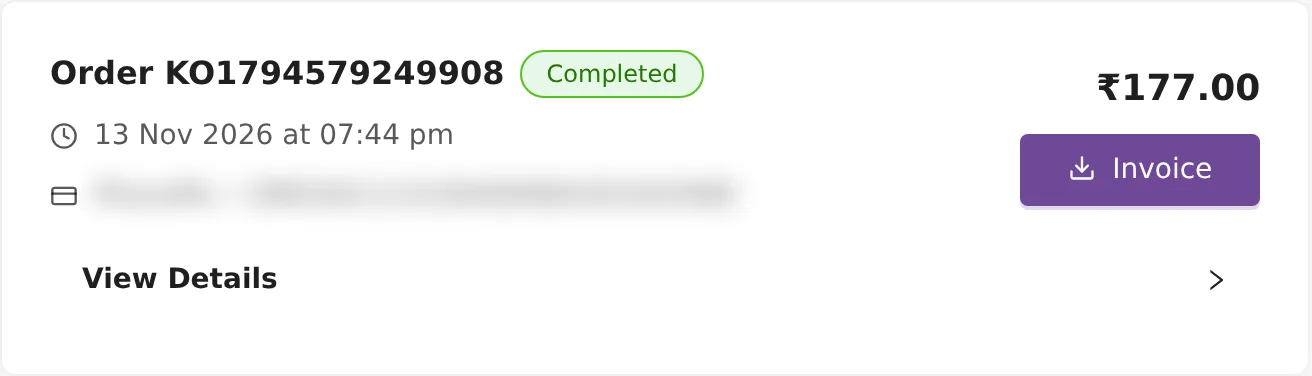
- The download link lasts one hour. If it stops working, click Invoice again.
- Kamero also emails each invoice when the payment completes. The subject reads "Invoice - <number> for Kamero Order (INR)".
- My Orders lists your 100 most recent orders. For an invoice on an older order, open a support ticket with the order ID.
How to read the invoice number
Rupee invoice numbers start with INVKAM, then the year and month (YYMM), then a 5-digit number that starts again each month. So INVKAM261100109 is invoice 109 of November 2026. Dollar invoices start with INVINT instead. See Paying from outside India.
Forgot to add your GSTIN before paying?
- Save your correct billing details as shown above.
- Open a support ticket with the order ID and say that the invoice needs your GSTIN. See Support tickets.
Do not pay for the same thing again to get a new invoice. Saving new details does not change invoices that were already made.
Clients who renew your events
When a client renews one of your events from the renewal link, they pay Kamero directly and get their own invoice. A client in India sees GST (18%) in the Order Summary and a Need a GST invoice? link under it.
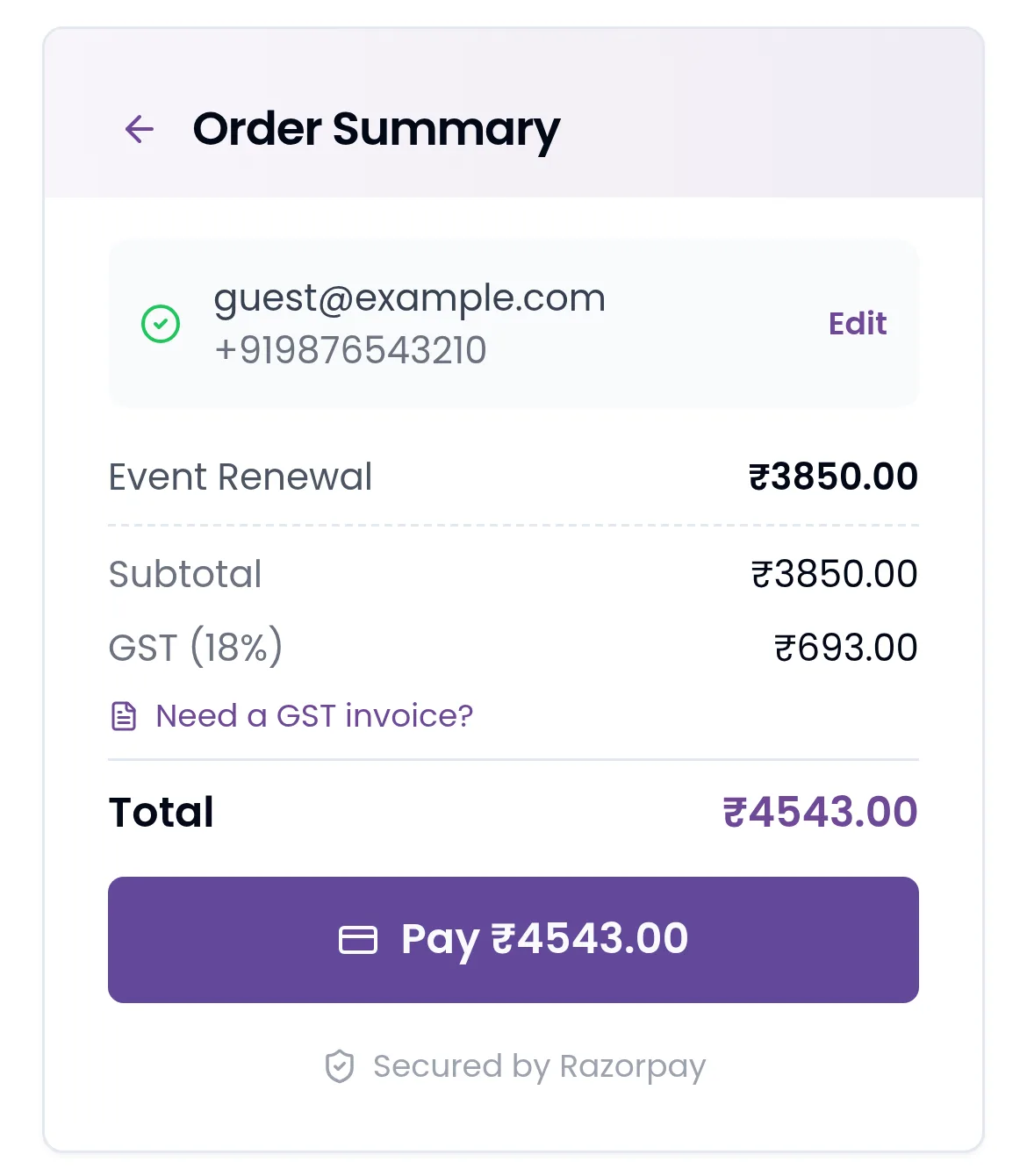
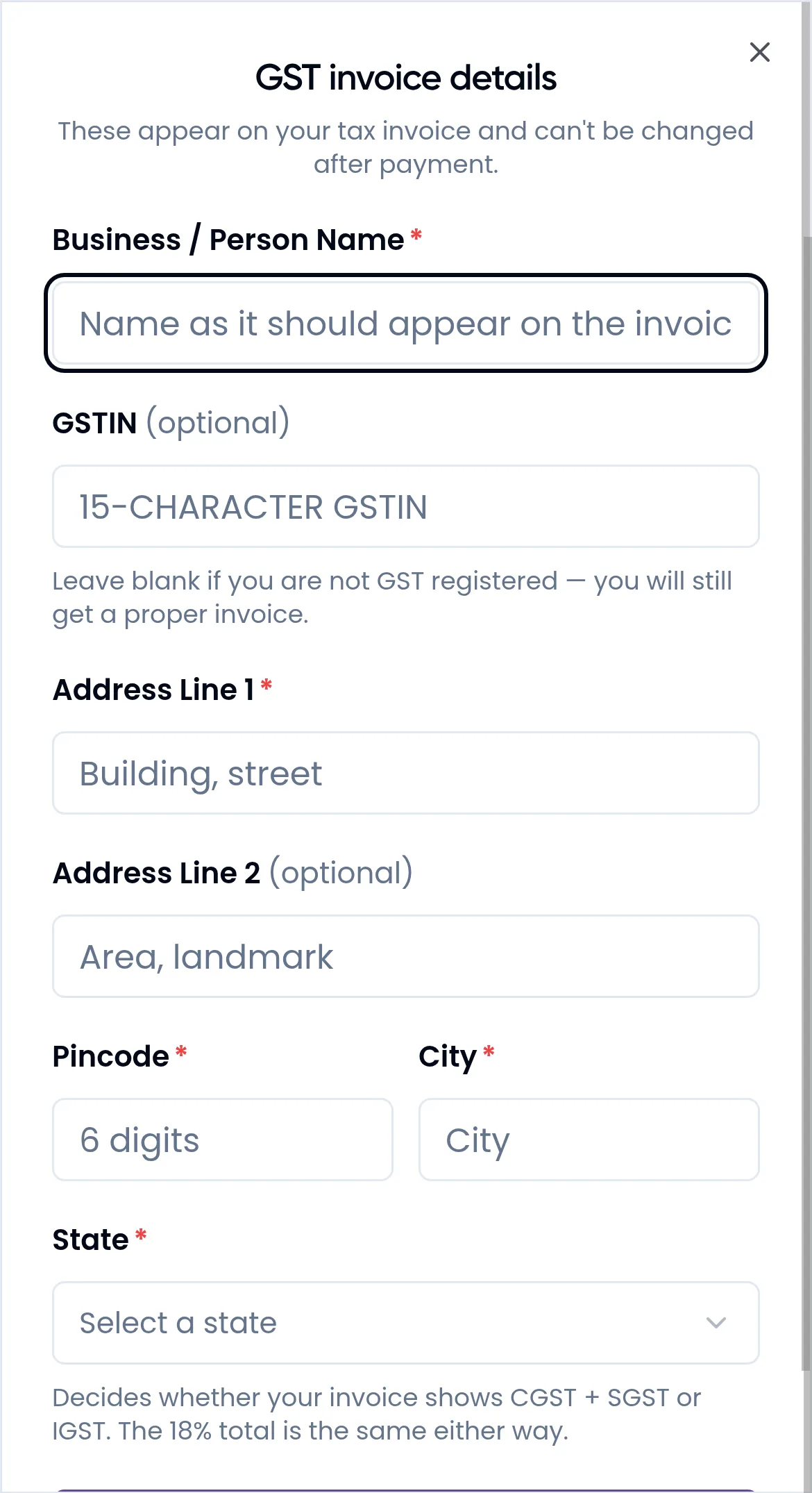
The link opens GST invoice details, which says: "These appear on your tax invoice and can't be changed after payment." Your client fills in Business / Person Name, an optional GSTIN, Address Line 1, an optional Address Line 2, Pincode, City and State, then clicks Save details and pays. Clients paying in US dollars do not see this option, because no GST is charged.
Your share of a client's renewal goes to your wallet as credits. See the Commission ledger.
For the orders list itself, see Orders and invoices. For the other settings on the same page, see Account settings. Plan invoices work the same way; see Subscription plans.
Frequently asked questions
I paid before adding my GSTIN. Can I get a new invoice?
You cannot change an invoice yourself after payment. Save your billing details first, then open a support ticket with the order ID (it starts with KO or BO) and ask for the invoice to be corrected.
Why does my invoice show IGST and not CGST and SGST?
Kamero bills from Gujarat. If the state in your GSTIN is Gujarat, the 18% is split into 9% CGST and 9% SGST. For any other state it is 18% IGST. The total is the same either way.
The form says my GST number belongs to another state. What do I do?
The first two digits of a GSTIN stand for a state, and the State you pick must be that state. Pick the state the form names, or check that you typed the GST number correctly, then click Save.
Why is there no invoice for an order I paid with credits?
When credits pay the whole order, no new payment is made, so no invoice is made. You paid 18% GST when you bought the credits, and that purchase has its own tax invoice. Use that invoice to claim the input tax credit.
Can I bill a different business name on an old invoice?
Not by yourself. New billing details apply only to payments you make after you save them. For an invoice that was already made, open a support ticket with the order ID.
Do I need a GSTIN to get an invoice?
No. Every order you pay through PhonePe, Razorpay or PayPal gets an invoice. Without a GSTIN it is billed to your name and address, or to your account name, email and mobile if you have not saved billing details.
More Plans, orders & billing tutorials
Try it in your dashboard
Sign in to Kamero and follow along. Questions? Raise a support ticket from the dashboard.