Paying for Kamero from outside India (USD and PayPal)
Kamero charges studios in India in rupees and studios everywhere else in US dollars. This guide explains how Kamero decides which one you see, what you can pay for with dollar credits, and what your invoice looks like.
How Kamero picks your currency
When you open the dashboard, Kamero checks which country your internet connection is in. It does not use your account or your profile.
- In India: prices in rupees (₹), 18% GST added on top, and payment through PhonePe or Razorpay.
- Anywhere else: prices in US dollars ($), no GST, and payment through PayPal.
There is no switch to change it. If Kamero cannot work out your country, it shows rupees.
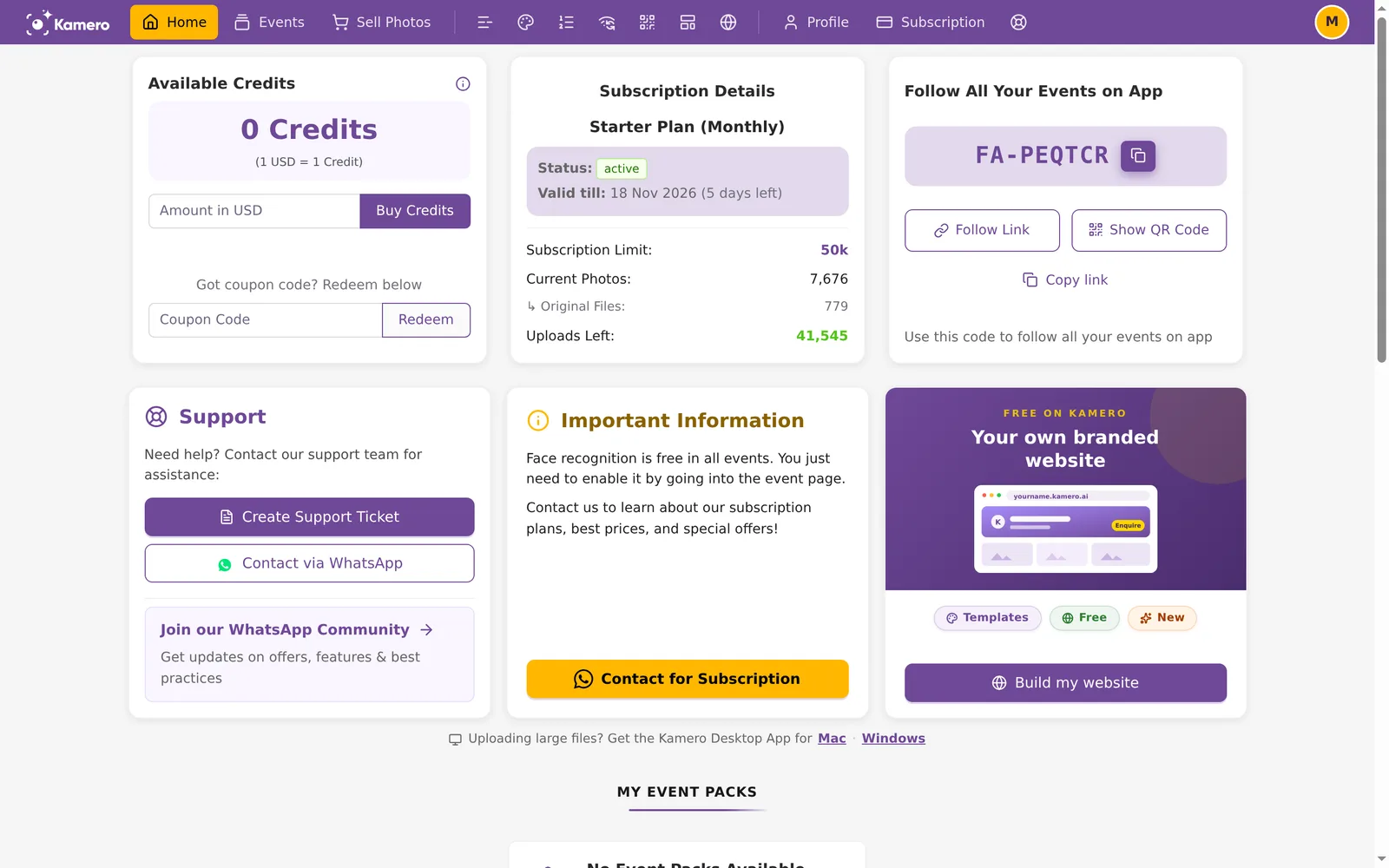
Buy credits in US dollars
- Go to Home and find the Available Credits card. It says "(1 USD = 1 Credit)".
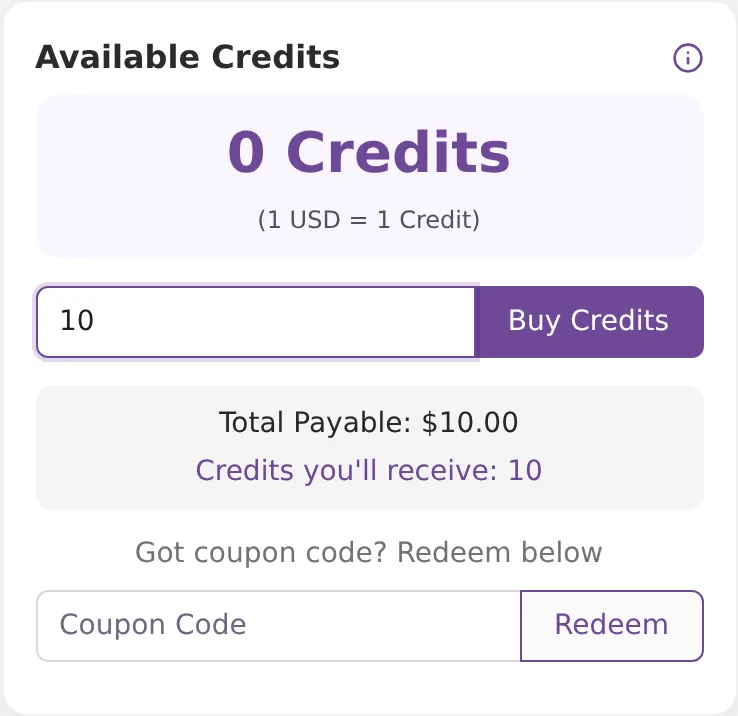
- Type an amount in Amount in USD. The minimum is $10. Below the box you see Total Payable and Credits you'll receive.
- Click Buy Credits and pay with PayPal.
When the payment goes through you see "Payment successful! Credits should reflect shortly." and the page reloads with the new balance.
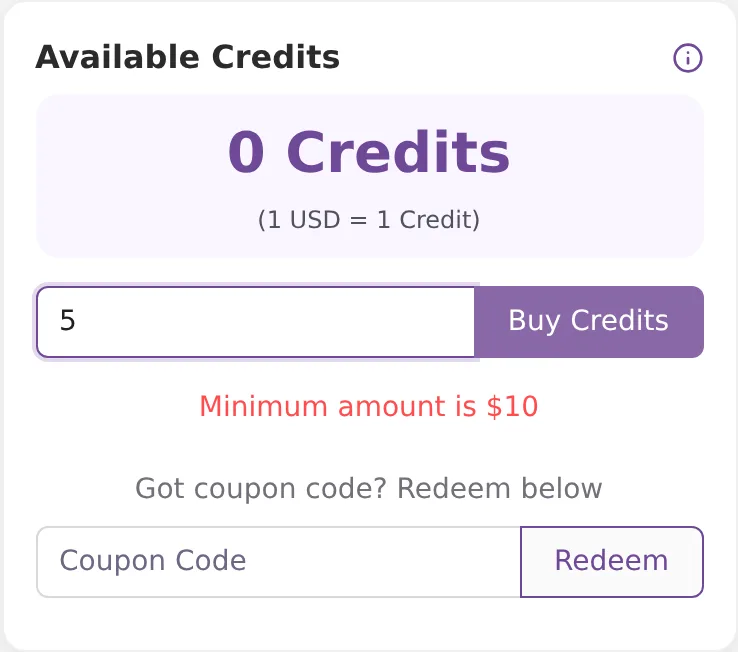
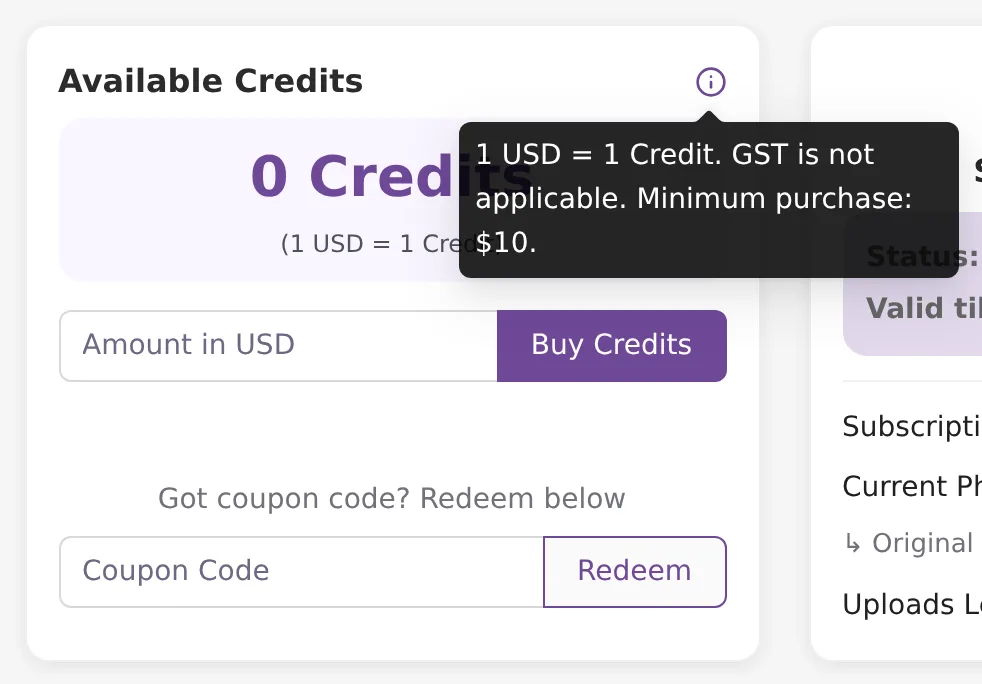
If you type less than $10, you see "Minimum amount is $10". Click the i icon on the card to read the rules: "1 USD = 1 Credit. GST is not applicable. Minimum purchase: $10."
What dollar credits pay for
- Photo packs: yes. At checkout, Use Credits is ticked when you have a dollar balance. Credits pay as much as they can and PayPal takes the rest. See Increase an event's photo limit.
- Event renewals and face recognition: no. From outside India these are paid through PayPal, and the checkout says "Payment will be processed via PayPal in USD".
- Subscription plans: no. Plans are never paid with credits, in any currency. See Subscription plans.
Credits do not expire, and they cannot be withdrawn or turned into cash.
Your rupee and dollar balances
Your account has two separate balances, one in rupees and one in dollars. They never mix: rupee credits pay only for rupee orders, and dollar credits only for dollar orders.
- The Available Credits card on Home shows only the balance for where you are now.
- The Wallet Ledger always shows both, as INR balance and USD balance. Use All, INR or USD above the table to filter the entries.
- Coupons always add rupee credits, even when you redeem them from outside India.
- On a whitelabel (team) account, the rupee balance is shared by the team. Dollar credits stay on your own account.
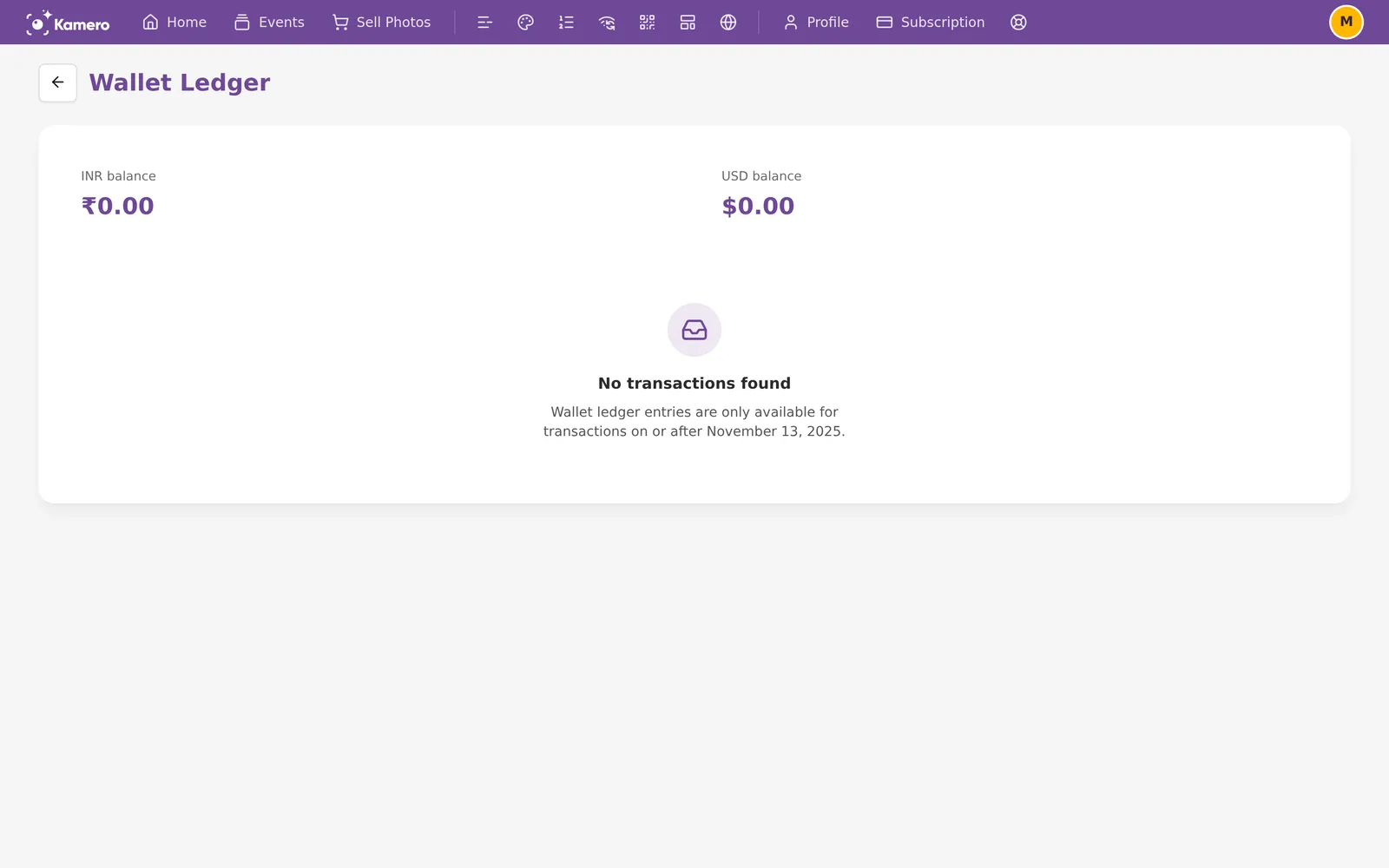
See Wallet ledger for what each entry means.
Travelling or using a VPN
Because Kamero goes by your connection, the currency changes when you travel or turn on a VPN. An Indian studio abroad sees the dollar balance (often 0) and PayPal. Nothing is lost: your rupee credits are still there and come back on Home when you connect from India again.
If you want to spend rupee credits, or pay a renewal in rupees with a GST invoice, wait until you are on a connection in India, or turn the VPN off. Dollar credits you buy abroad pay only for photo packs.
Your invoice
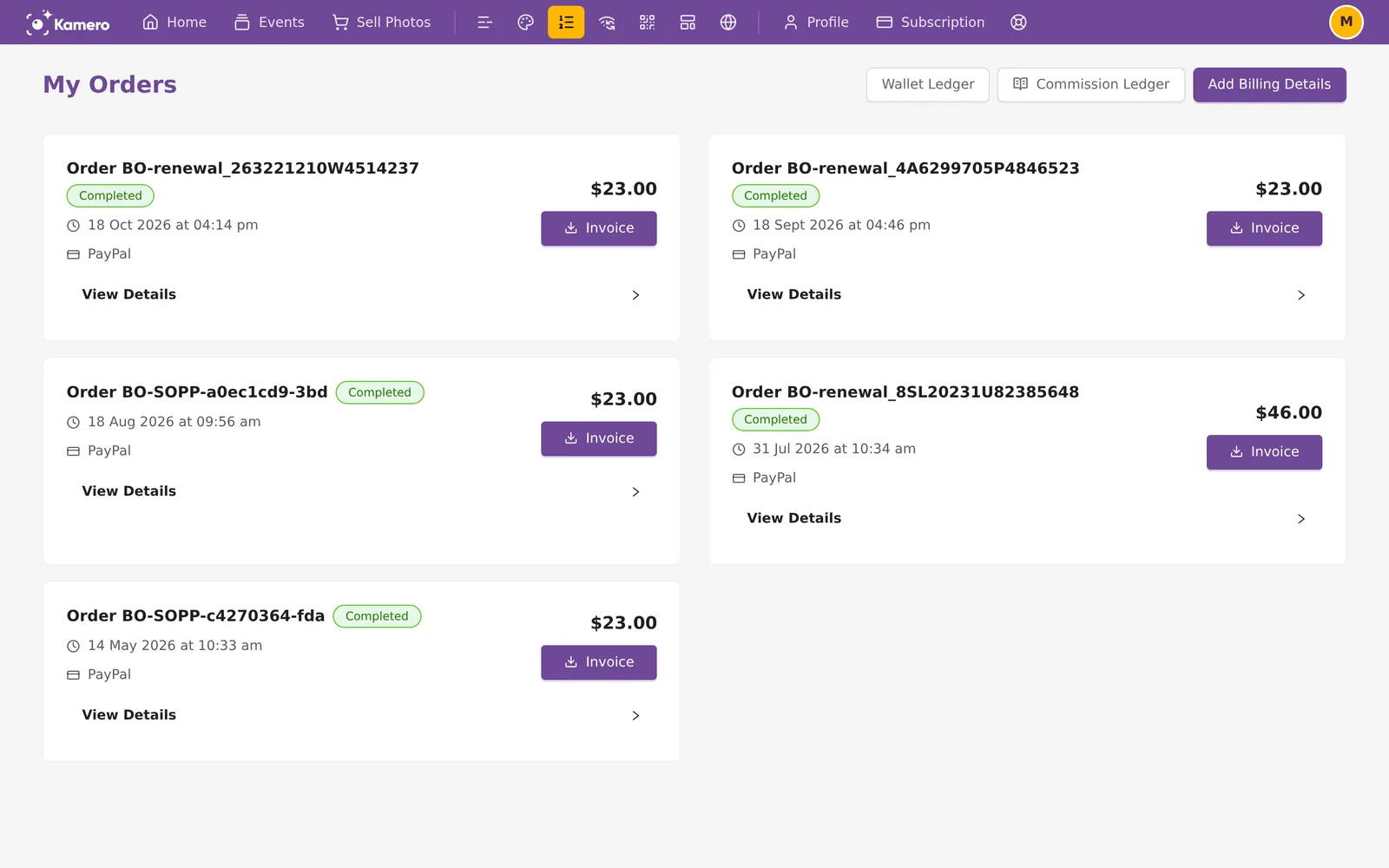
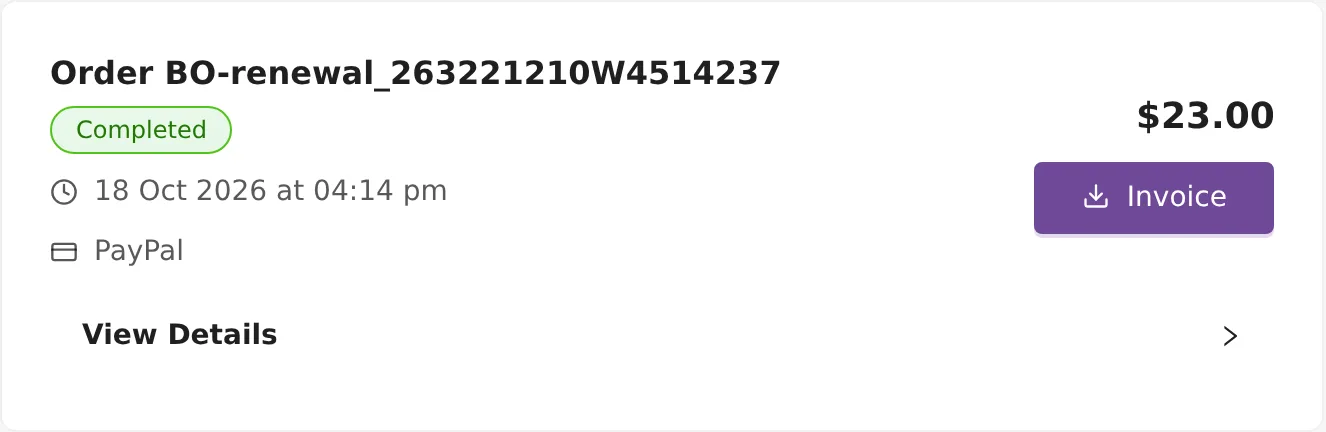
Each dollar payment shows on My Orders with its amount in $ and PayPal as the payment method. Click Invoice to open the PDF.
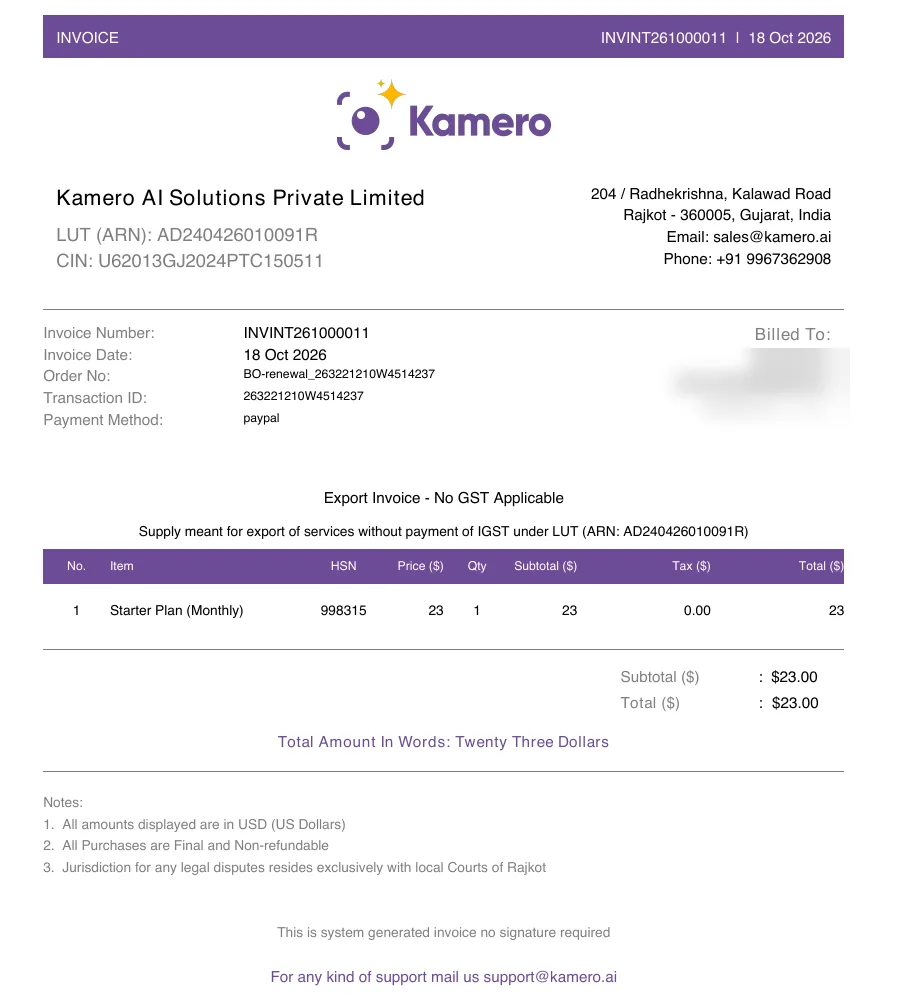
A dollar invoice is an export invoice:
- It is titled INVOICE, not TAX INVOICE.
- The number starts with
INVINT, then the year and month, then a 5-digit number that starts again each month.INVINT261000011is invoice 11 of October 2026. - It says "Export Invoice - No GST Applicable" and "Supply meant for export of services without payment of IGST under LUT", with Kamero's LUT number.
- The tax column shows 0.00, and the notes say all amounts are in USD (US Dollars).
- Billed To shows your account name, email and mobile, and your country when Kamero knows it. The billing details form is for Indian addresses only.
Kamero also emails the invoice when the payment completes, with the subject "Invoice - <number> for Kamero Order (USD)". For more on orders, see Orders and invoices. Studios in India who need a GST invoice should read GST invoice for your business.
Clients abroad who renew your events
When a client outside India opens your renewal link, they see the price in US dollars and pay through PayPal, with no GST. They get an export invoice like the one above.
Your share of their payment is added to your USD balance as a Renewal Commission. You can spend it on photo packs. It shows in the Commission ledger and the Wallet Ledger.
Frequently asked questions
Can I choose to pay in rupees from abroad, or in dollars from India?
No. There is no currency switch. Kamero uses the country of the internet connection you are using. Open the dashboard from a connection in India to pay in rupees, or from one outside India to pay in dollars.
My credits show 0 while I am travelling. Did I lose them?
No. The Home page shows only the balance for the currency of where you are. Your rupee credits are still there. Open Wallet Ledger from your profile menu to see both your INR balance and your USD balance.
Can I use my dollar credits to renew an event?
No. Dollar credits pay for photo packs only. Event renewals and face recognition from outside India are paid through PayPal, and subscription plans are never paid with credits.
Is GST charged when I pay in US dollars?
No. Nothing you pay in US dollars has GST added: not credits, photo packs, renewals, face recognition or plans. Your invoice is an export invoice that says no GST applies.
I redeemed a coupon abroad and my balance did not change. Why?
Coupons always add rupee credits. The Home page abroad shows your dollar balance, so the new credits do not show there. They show as INR balance in the Wallet Ledger, and on Home when you are in India.
Can I put my company address on a dollar invoice?
The billing details form takes Indian addresses only. A dollar invoice is billed to your account name, email and mobile, with your country when Kamero knows it. If you need something else on it, open a support ticket with the order ID.
More Plans, orders & billing tutorials
Try it in your dashboard
Sign in to Kamero and follow along. Questions? Raise a support ticket from the dashboard.