How Sell Photos money works: commission, GST and payouts
When parents buy photos from your school Sports Day event, where does the money go? This page explains what Kamero keeps, how GST is added, how your seller balance grows, and how you get it paid out. To set up selling in the first place, see Set up Sell Photos.

Two ways buyers pay
Each event has one currency. That currency decides how buyers pay:
- INR events: buyers pay through Kamero's payment gateway. Kamero keeps a commission and adds your share to your seller balance.
- Events in any other currency: buyers pay you directly. Kamero takes no commission and never holds the money. You pay a yearly Sell Photos Plan instead. See Sell in other currencies.
Where the buyer lives does not matter. A parent abroad who opens an INR event pays in INR through the same gateway.
Commission on INR sales
- The default commission is 20% of the cart amount, before GST.
- It includes the payment gateway charges. You pay nothing extra for the gateway.
- Your rate can be different if you have agreed one with Kamero.
- The commission is not refundable.
GST on INR sales
Two kinds of GST can be added to what the buyer pays:
- Platform GST: 18% of Kamero's commission. It is added to every INR sale.
- Seller GST: 18% of your portion. It is added only if you are registered for GST, that is, if Is your business registered under GST? is on in Business Settings.
The buyer pays your price plus both GST amounts. You get your portion plus your Seller GST. Your invoice shows the GST split as CGST and SGST, or as IGST, depending on the state.
Example: a GST-registered seller
A parent buys one ₹50 photo from Class 5A's Sports Day.
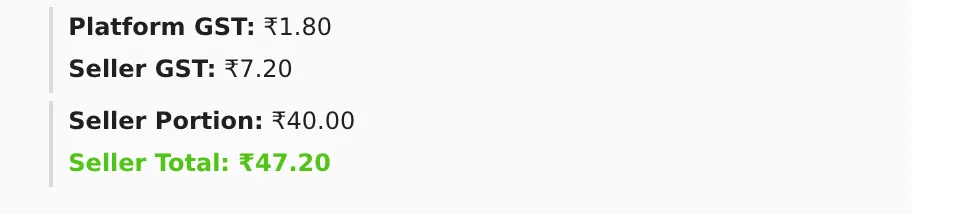
- Kamero's commission is ₹10 (20% of ₹50), so your portion is ₹40.00.
- Platform GST is ₹1.80 (18% of ₹10).
- Seller GST is ₹7.20 (18% of ₹40).
- The buyer pays ₹59.00. Your Seller Total is ₹47.20 (₹40 plus ₹7.20).
Example: a seller not registered for GST
The same ₹50 photo, sold by a seller who is not registered for GST:
- Your portion is still ₹40.00 and Platform GST is still ₹1.80.
- Seller GST is ₹0.00.
- The buyer pays ₹51.80. Your Seller Total is ₹40.00.
Here is a real order from a seller who is not registered for GST. A parent bought 6 photos at ₹12 each, so the cart was ₹72. Kamero's commission was ₹14.40, so Platform GST was ₹2.59. The buyer paid ₹74.59, and the seller got ₹57.60.
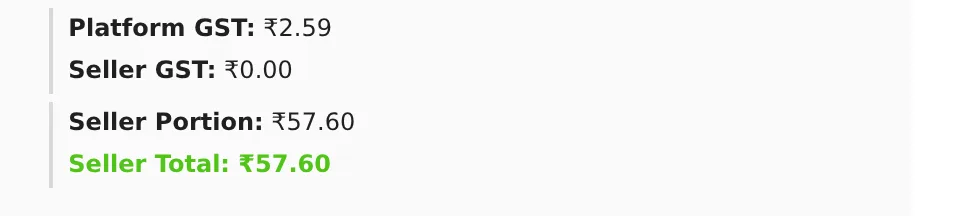
To see these figures for any sale, open the Seller Dashboard, go to the Photo Orders tab and click an order. The breakdown shows Paid by User, Platform GST, Seller GST, Seller Portion and Seller Total. Click Invoice or Receipt to download them.
No TDS
Kamero does not deduct TDS from your sales. Your Seller Total is the full amount you are owed.
Your seller balance
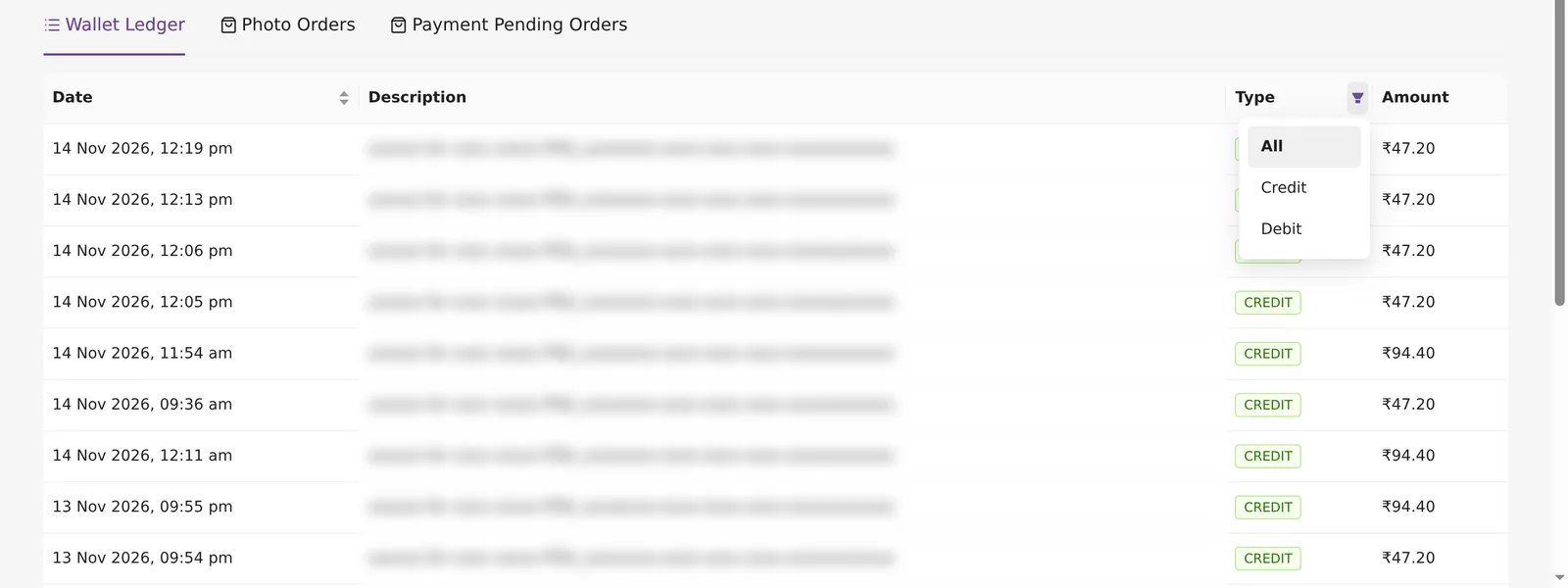
Each completed INR order adds its Seller Total to the INR Balance card. Every sale also shows as a CREDIT in the Wallet Ledger tab. Payouts show there as a DEBIT. Use the filter on the Type column to see All, Credit or Debit rows.
The USD Balance card holds money from older sales paid in US dollars through Kamero. New sales in other currencies are paid to you directly, so they never reach a balance. If you sell only in other currencies, you don't see the INR Balance card or the Wallet Ledger tab.
This balance is separate from the Kamero wallet you use to pay for orders. See Wallet ledger for that. The Commission ledger is also different: it is for commission on guest event renewals, not photo sales.
Getting paid out
The Kamero team pays your INR Balance into your bank account by hand. There is no payout button, and there is no fixed payout date.
- Fill in every section of Business Settings, including your bank details and documents.
- Wait for Kamero to verify them. The page then says Business Settings Approved & Locked.
- Contact support and ask for a payout of your balance. See Support tickets.
- When the payout is made, you get an email titled "Payment Settlement Processed" with the amount, and a DEBIT appears in the Wallet Ledger. A processed payout can't be reversed.
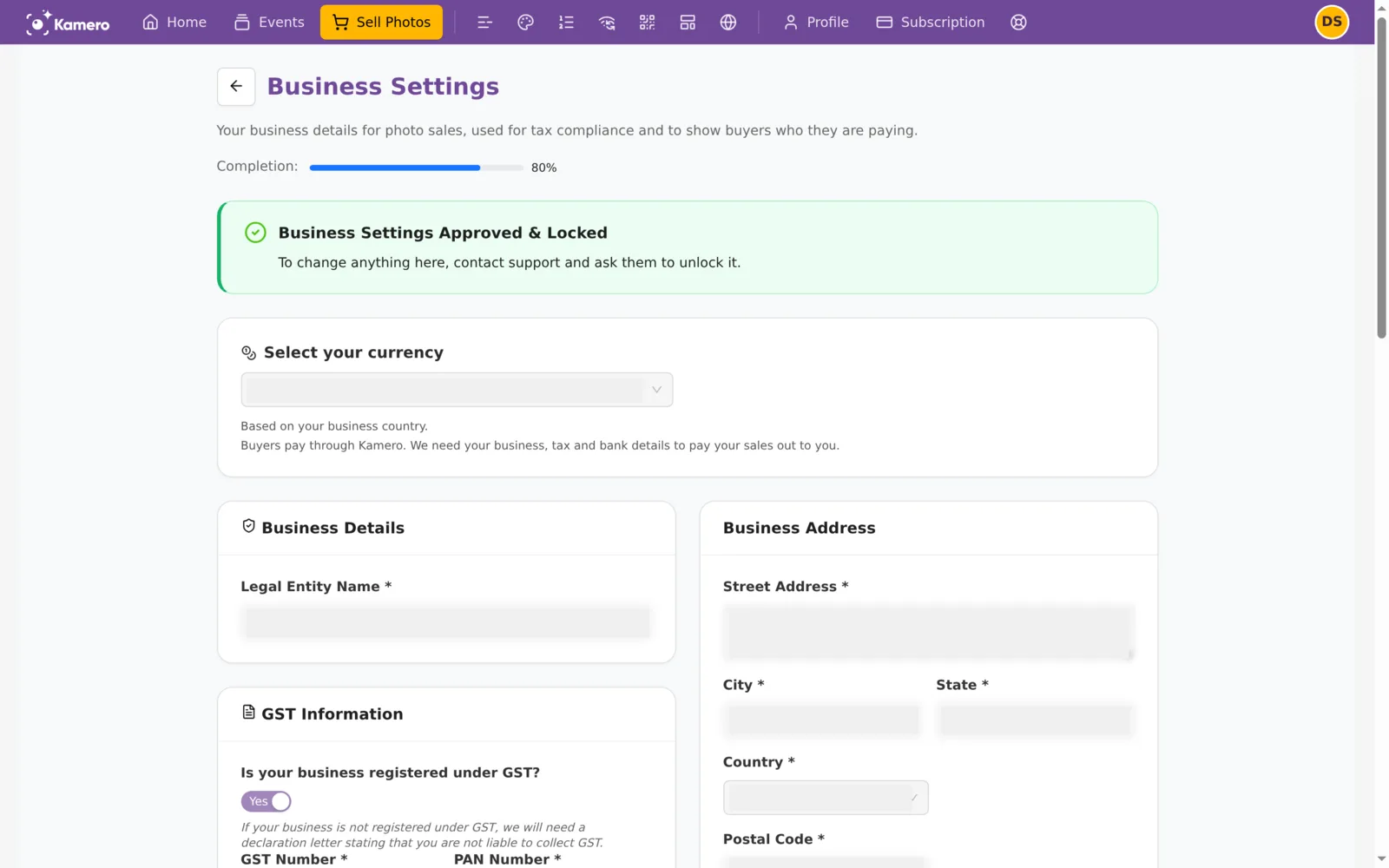
You don't need approval to start selling. Buyers can pay as soon as your Business Settings are saved. Approval is needed only before a payout. After approval the form is locked. To change your bank or GST details, contact support and ask them to unlock it.
Refunds and failed payments
- All photo sales are final. A completed order can't be refunded or cancelled through Kamero.
- Failed payments: if a buyer's payment fails or does not finish, no order is completed. If money was deducted, the payment provider returns it to the buyer, usually in 5 to 7 business days.
- Direct payments: when a buyer paid you directly, Kamero never had the money. Any refund is between you and the buyer.
Selling in other currencies: the Sell Photos Plan
Sales in any currency other than INR have no commission and no GST from Kamero. Buyers pay you directly, and you pay a yearly Sell Photos Plan, priced in US dollars. Open Settings on the Sell Photos page and click View Plans to see the plans.
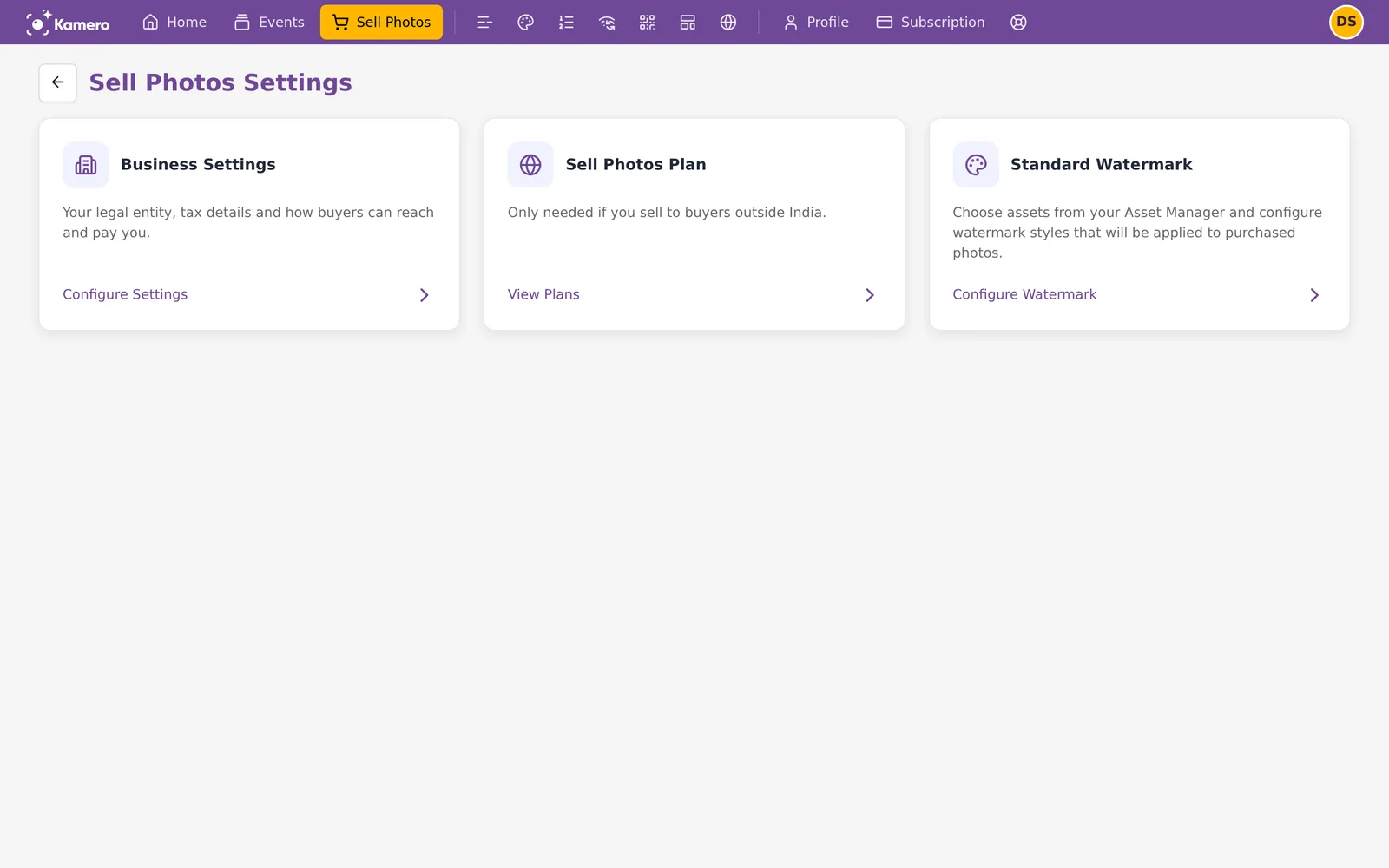
If you sell only in INR, you don't need a plan, even when some buyers are abroad. To learn how plans, direct payments and confirmations work, see Sell in other currencies.
Frequently asked questions
How much commission does Kamero take on photo sales?
On INR sales the default commission is 20% of the cart amount before GST. It includes the payment gateway charges. Your rate can be different if you agreed one with Kamero. Sales in other currencies have no commission.
Do I have to charge GST if I am not registered for GST?
No. If you are not registered, Seller GST is 0 and buyers pay only your price plus 18% GST on Kamero's commission. Kamero charges that GST on its own commission for every INR sale.
Is TDS deducted from my sales?
No. Kamero does not deduct TDS from Sell Photos sales.
How do I get my INR Balance paid out?
Contact Kamero support and ask for a payout. Payouts are made by the Kamero team to the bank account in your Business Settings, once those details are complete and verified. There is no payout button and no fixed payout date.
Can a buyer get a refund on a photo order?
No. All photo sales are final, so a completed order can't be refunded through Kamero. If a payment fails but money was deducted, the payment provider returns it to the buyer, usually in 5 to 7 business days.
What is the USD Balance on my dashboard?
It holds money from older sales paid in US dollars through Kamero. New sales in US dollars are paid to you directly, so they don't add to it.
More Plans, orders & billing tutorials
Try it in your dashboard
Sign in to Kamero and follow along. Questions? Raise a support ticket from the dashboard.